Connect your WhatsApp to ChatSales
You can connect WhatsApp in two ways: by scanning a QR code with your phone (ready in a minute) or through the official WhatsApp Business API. Before you connect, ChatSales shows you the advantages and limitations of each option.
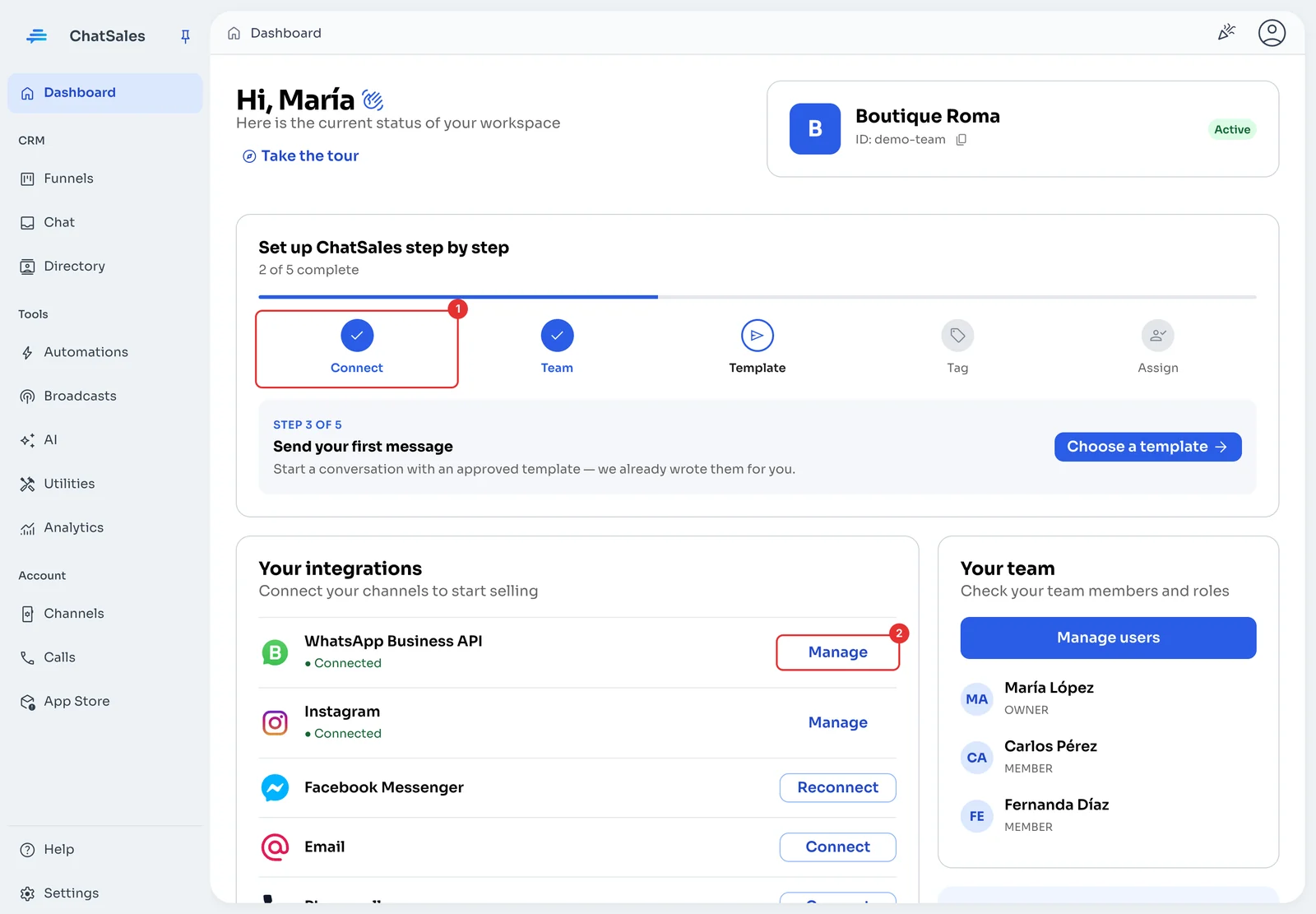
Go to “Your integrations”
On the Dashboard, the Connect step (1) of the guide takes you to your channels. Your integrations lists every channel and whether it is connected; Manage (2) changes one you already connected.
Choose how to connect WhatsApp
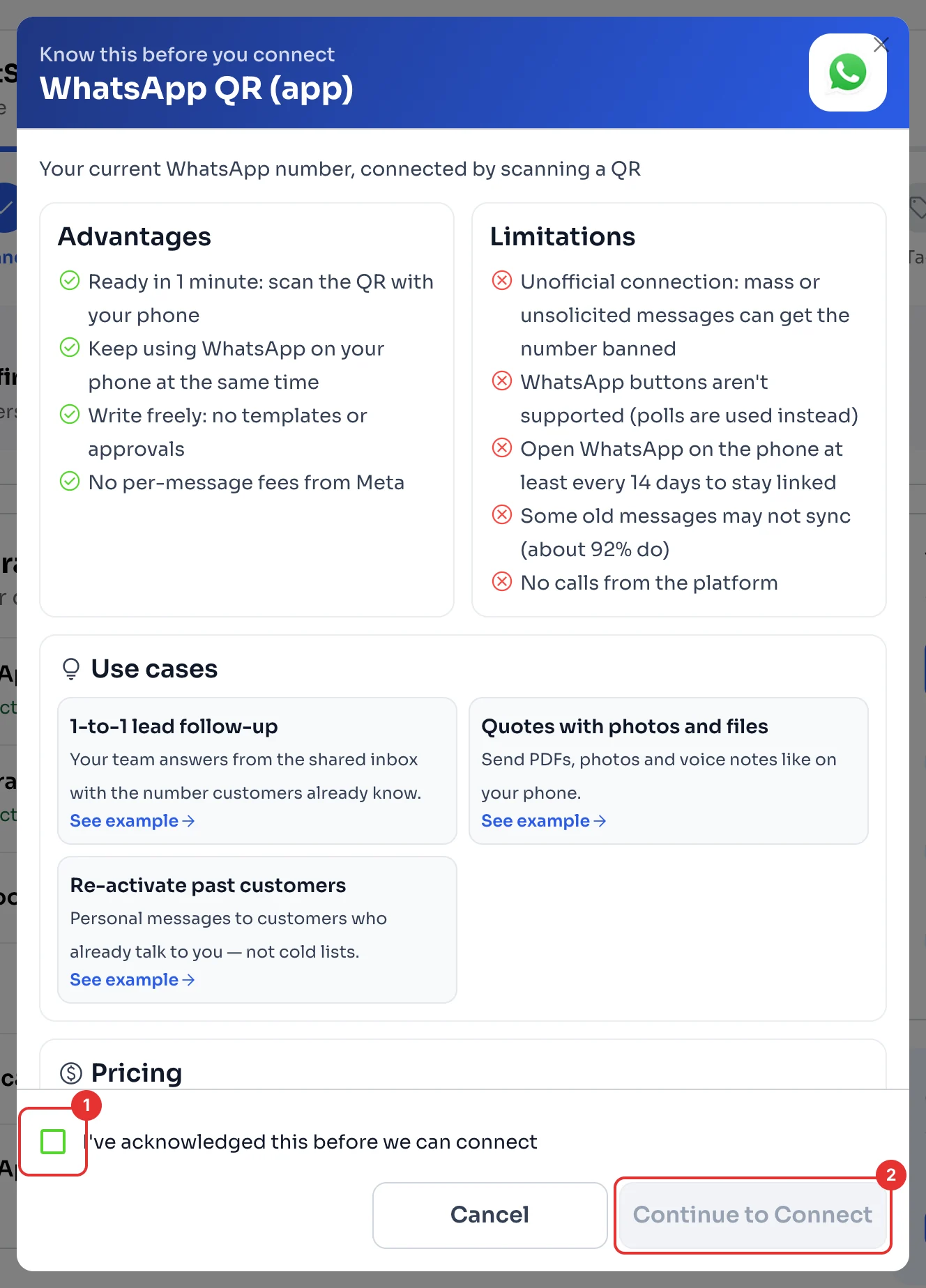
WhatsApp QR (app): connect the number you already use by scanning a QR, and keep using WhatsApp on your phone. It is an unofficial connection: mass or unsolicited messages can get the number banned.
WhatsApp Business API: Meta’s official connection. To start conversations you need approved templates (see Send your first message). To keep using the WhatsApp Business app with the same number, read about coexistence.
Read, confirm and connect
Click Connect next to the channel. Read the advantages and limitations, tick the acknowledgement box (1) and click Continue to Connect (2).
For WhatsApp QR, open WhatsApp on your phone, go to Linked devices and scan the code. Open WhatsApp on the phone at least every 14 days so it stays linked.