
Getting started
Invite your team to ChatSales
Invite your agents so they answer chats from the same inbox. You can send the invitation on WhatsApp or share an invite link.
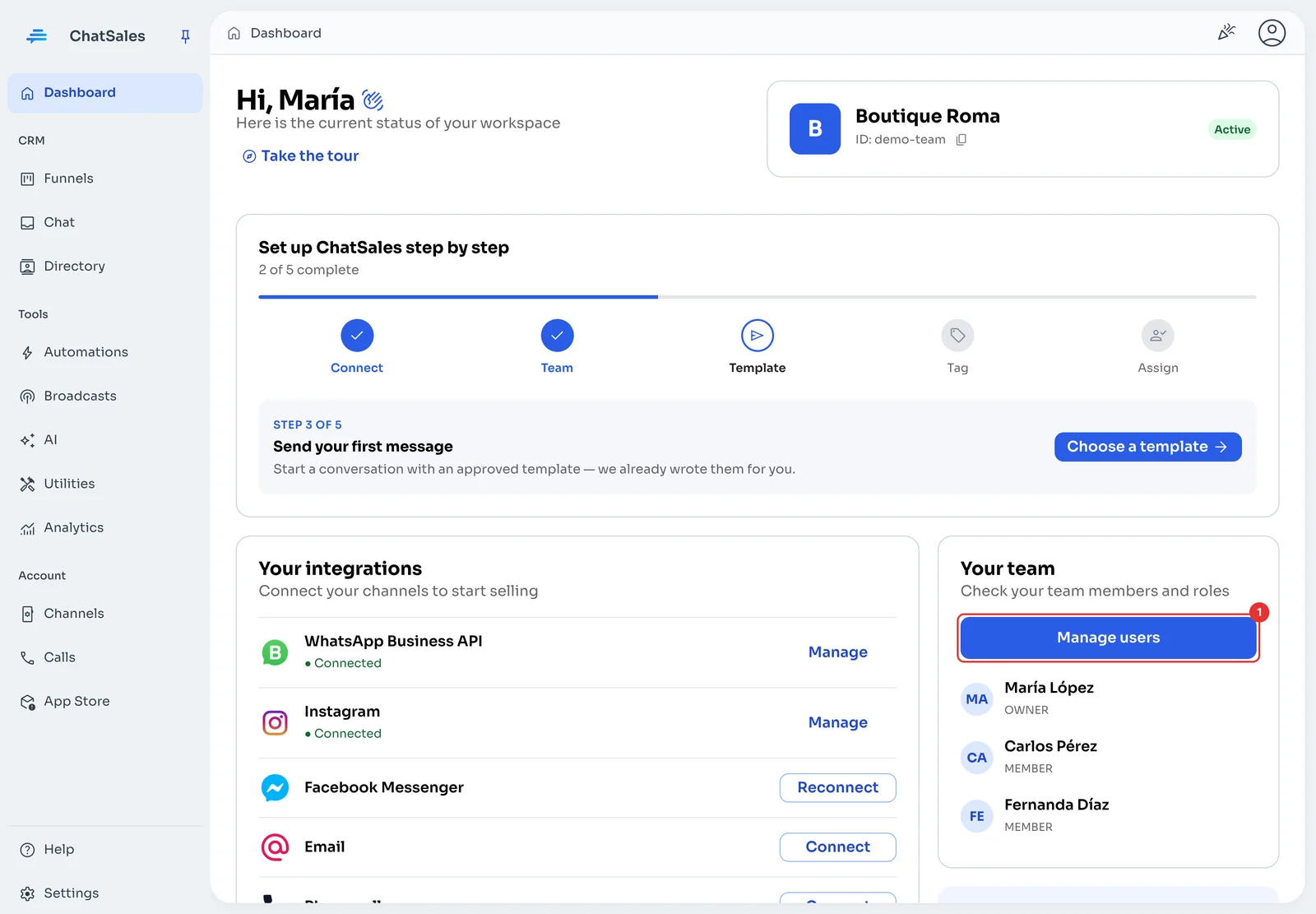
Open “Manage users”
On the Dashboard, the Your team card shows who is already in your account and their role. Click Manage users (1).
Add your agents
Click Add user, enter each person’s WhatsApp number and choose the active channel the invitation is sent from.
Or copy the invite link and share it however you like. Whoever opens it can join your team.
Next: share out the chats
Once your team is in, assign each chat to one agent so nobody replies twice (see Organise your chats).
← PreviousConnect your WhatsApp to ChatSalesHow to connect your WhatsApp number to ChatSales: with a QR code or with the official WhatsApp Business API.Next →Send your first message with a templateWhat a WhatsApp template is, why you need one to start conversations, and how to submit it for approval from ChatSales.