
Getting started
Organise your chats: tags and assignment
Tags tell you where each customer stands (for example “Hot” or “Follow-up”) and assignment says which agent handles them. With both, your team knows which chat to answer and nobody replies twice.
Read a chat at a glance
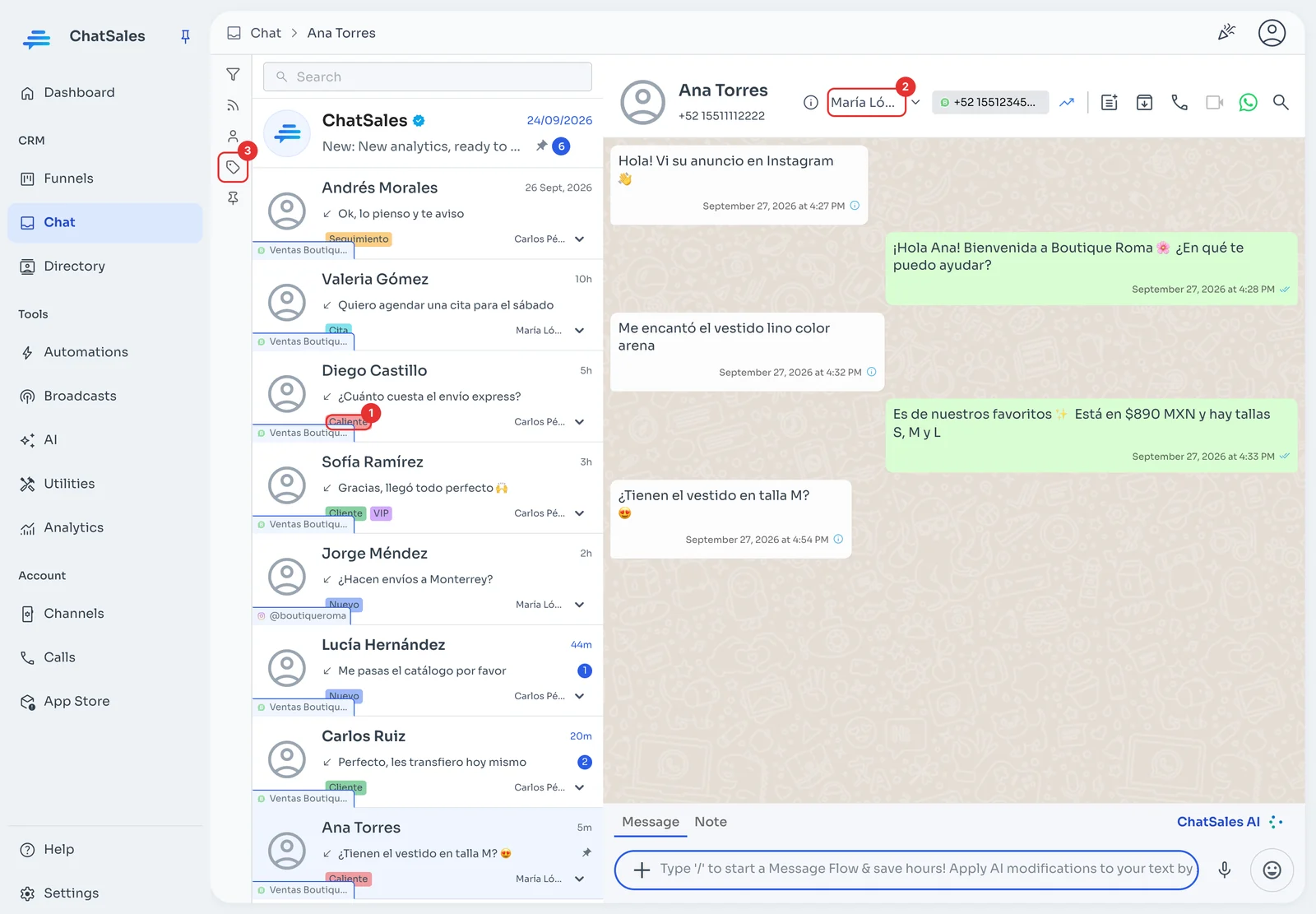
In Chat, each conversation shows its tags (1) and the assigned agent. In the header of the open chat you see who handles it (2). The tag icon in the left column (3) filters the list by tag.
Add a tag
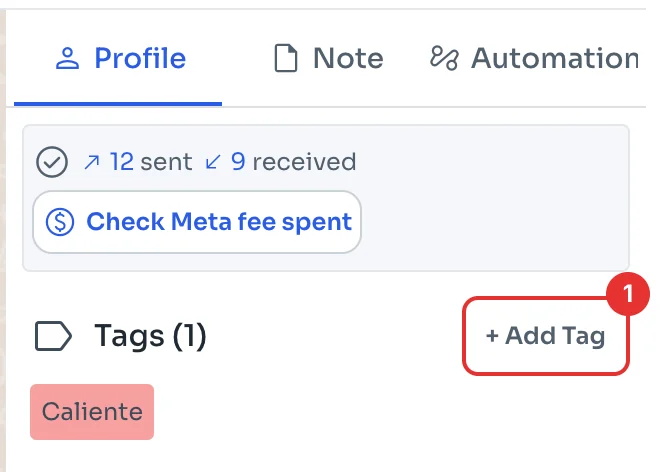
Open the contact panel with the icon in the top-right corner. Under Tags, click + Add Tag (1) and pick one or type a new one.
Assign the chat to an agent
In the chat header, open the list next to the agent’s name (2 in the first image) and choose who takes it. You can also change it from the chat list.