Recreate your tags, replies and pipeline
With the list you made before migrating, you rebuild your way of working in ChatSales: your tags, your automatic replies and your sales pipeline stages.
Open Manage Tags
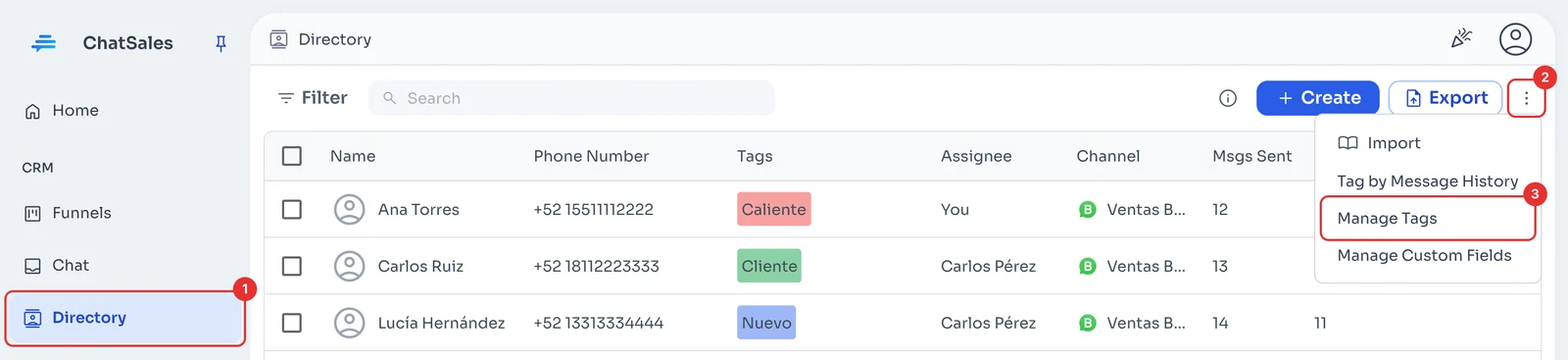
In Directory (1), click the three dots next to Export (2) and choose Manage Tags (3).
Create each tag
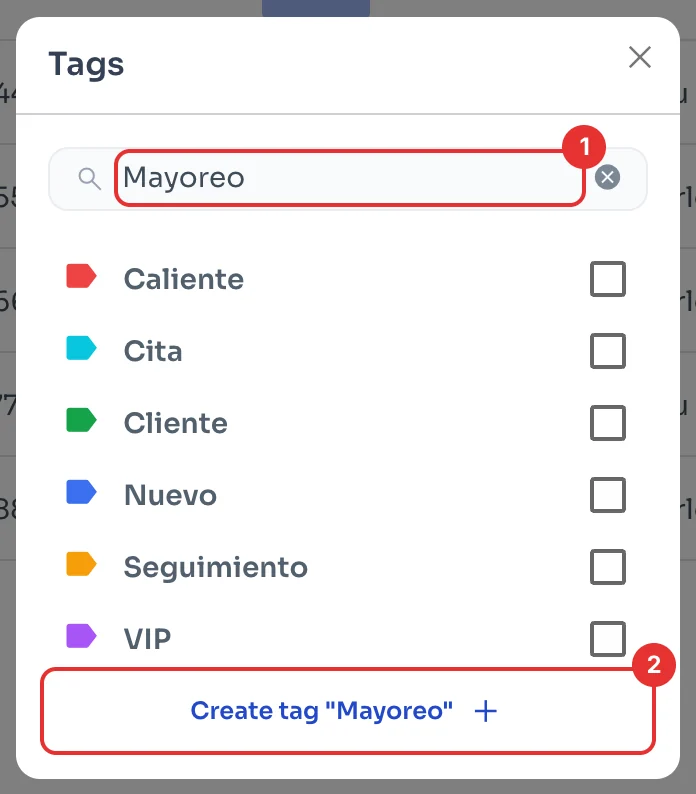
In Tags, type the name (1) and click Create tag (2). Repeat for each one.
Use the same names you had, so your team keeps working the same way from day one.
Go to keyword replies
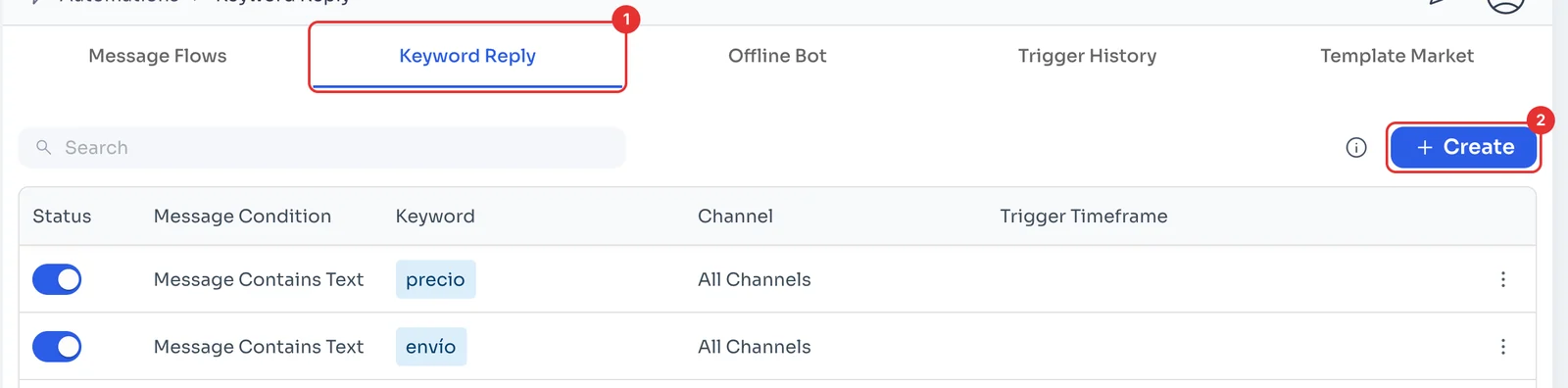
In Automations, open the Keyword Reply tab (1): these are the rules that answer automatically when a message contains a certain word. Click Create (2).
Recreate each reply
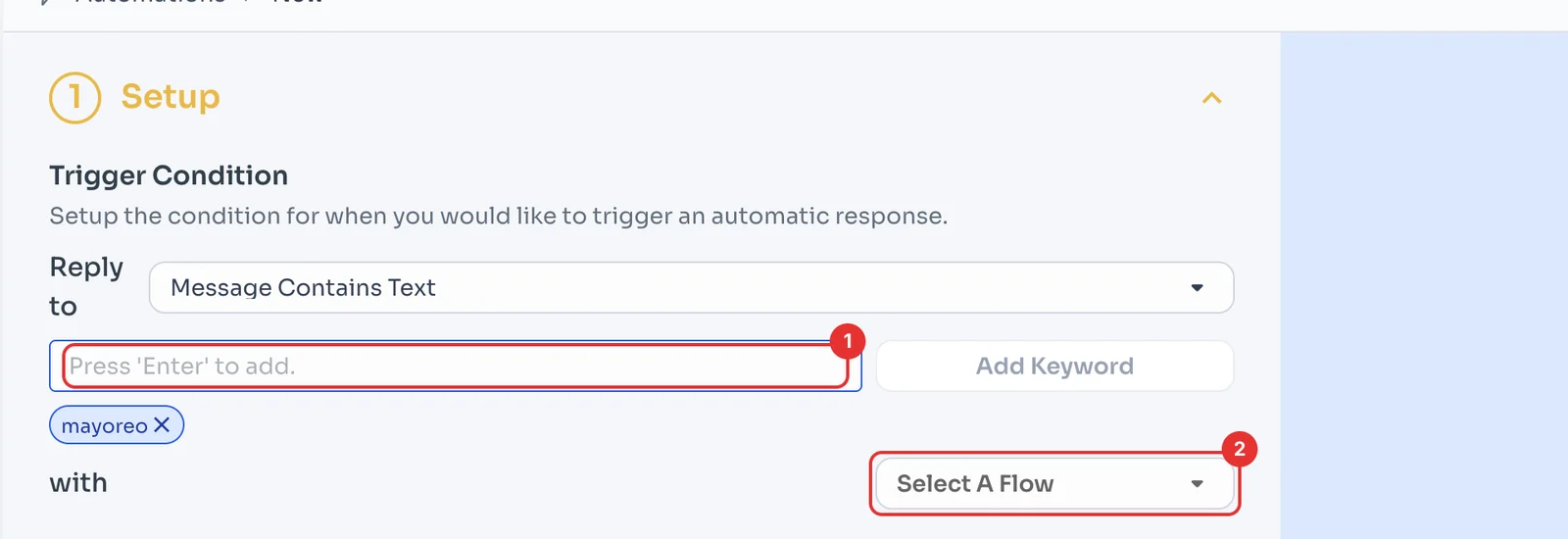
Type the keyword and press Enter (1); you can add several. Under Select A Flow (2), choose the message that is sent as the reply.
Click Save at the bottom of the page.
Open your pipeline's settings
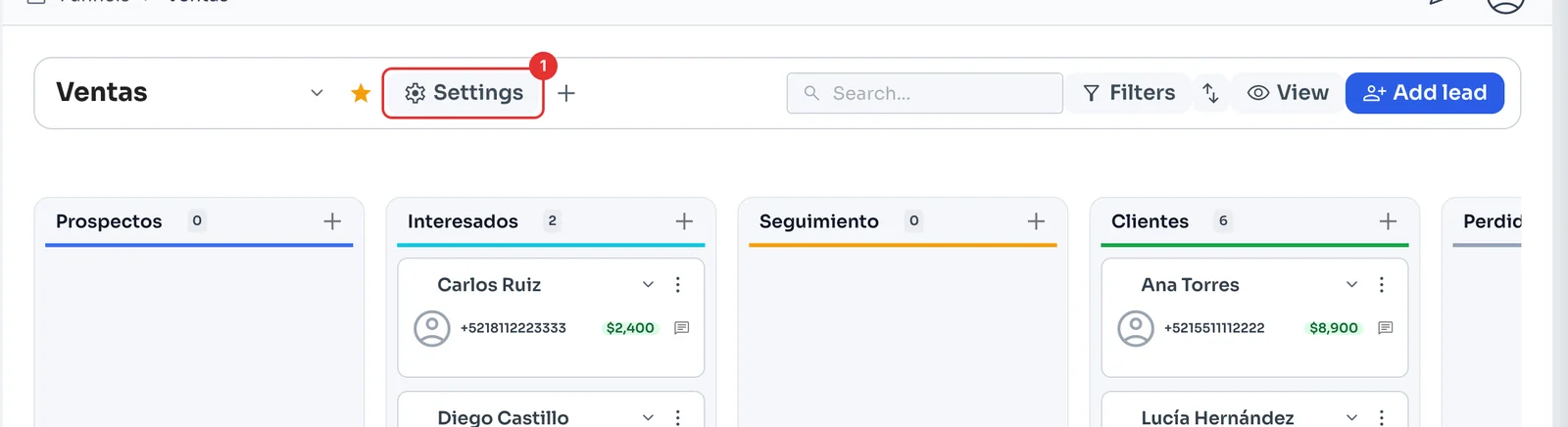
Funnels shows your deals as cards, by stage, with their value. Click Settings (1).
Set up your stages
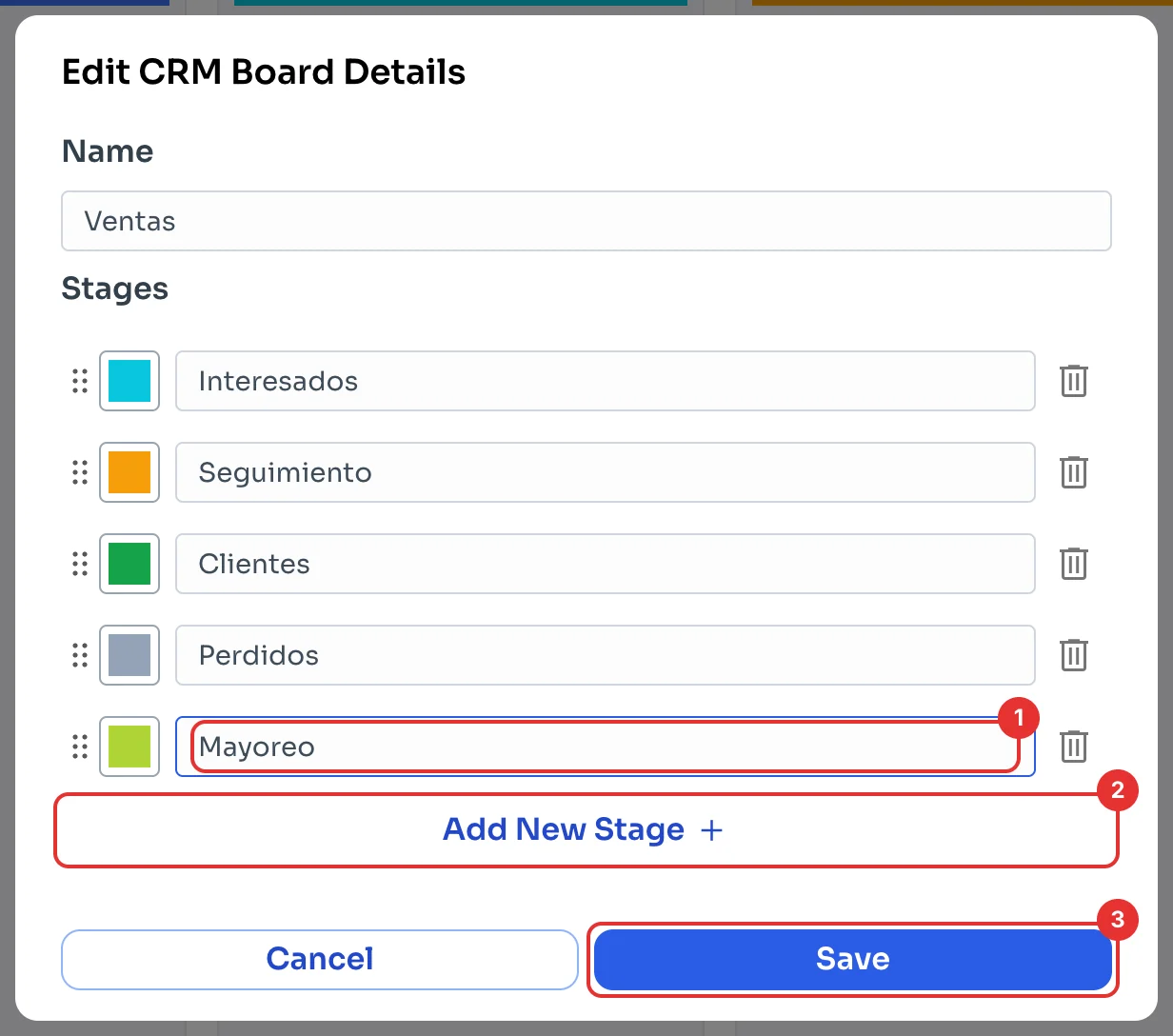
In Edit CRM Board Details, rename the stages and use Add New Stage (2) to add the ones you are missing (1). Drag them into the order you used.
Click Save (3). When everything is ready, go on to Move your WhatsApp number.