
WhatsApp Business template examples to adapt
A WhatsApp template is a Meta-approved message your business uses to start a conversation or to write outside the 24-hour window. Meta groups them into marketing, utility and authentication. Below are examples for each category: replace the variables {{1}}, {{2}} with each customer's details and adapt the text to your business.
Marketing template examples
For promotions, news and getting back in touch with customers. These are examples: adjust the text to your business before submitting it for approval.
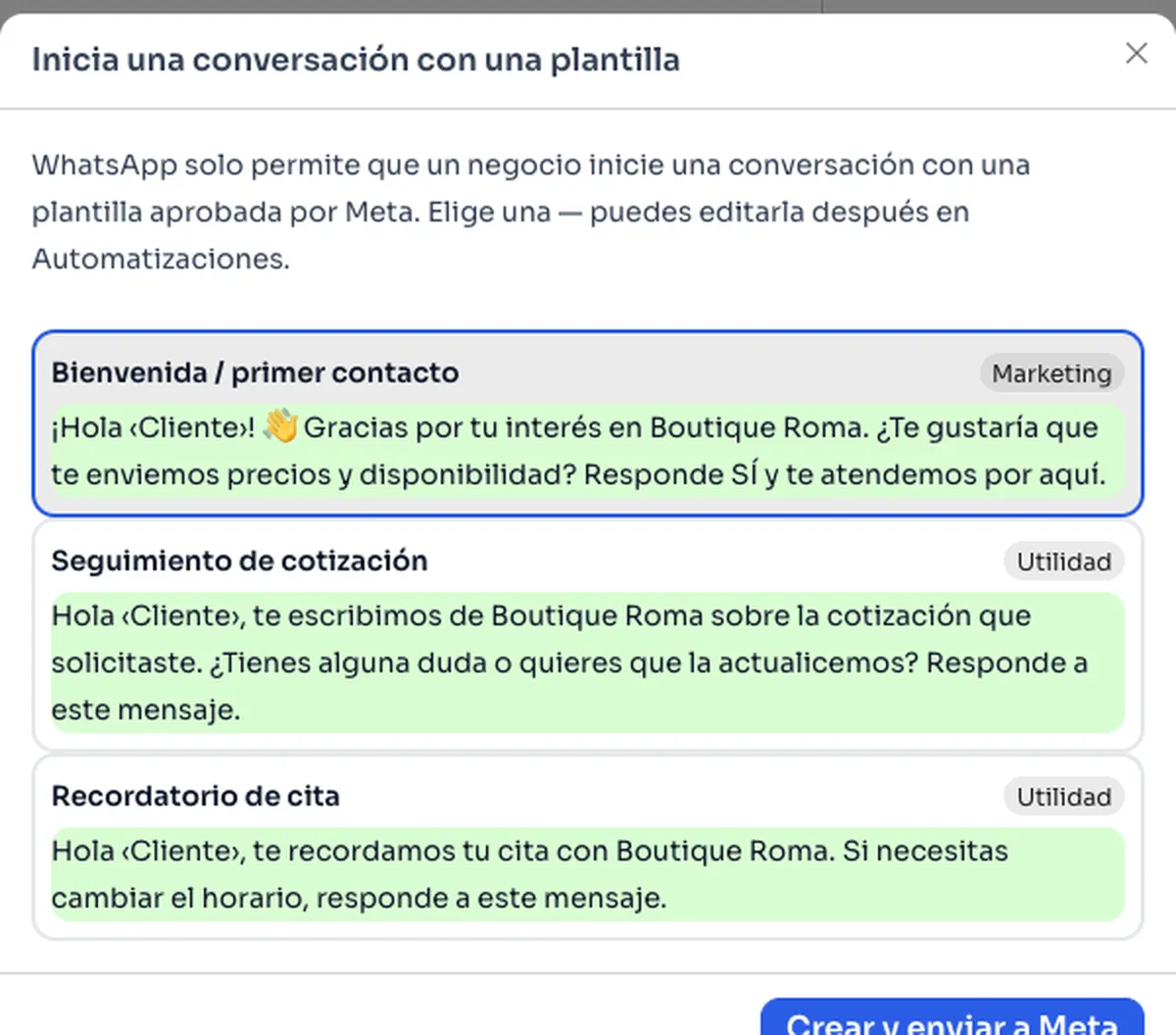
- Hi {{1}}, thanks for your interest in {{2}}. Would you like us to send you prices and availability? Reply YES and we'll help you here.
- Hi {{1}}, this week you get {{2}} off everything in store. Would you like us to send you the catalog?
- Hi {{1}}, the new {{2}} collection has arrived. Reply YES and we'll send you photos and prices.
- Hi {{1}}, we miss you. Order before {{2}} and shipping is on us. Can we help you choose?
- Hi {{1}}, this month is a good time for your preventive check-up at {{2}}. Would you like more information?
Utility template examples
For information the customer expects about something they already ordered or signed up for. They must not include promotions.
- Hi {{1}}, we received your order {{2}}. We'll let you know here when it's out for delivery.
- Hi {{1}}, your order {{2}} is on its way and arrives on {{3}}. If you have questions, reply to this message.
- Hi {{1}}, this is {{2}} following up on the quote you requested. Any questions, or would you like us to update it? Reply to this message.
- Hi {{1}}, a reminder of your appointment at {{2}} on {{3}}. If you need to change the time, reply to this message.
- Hi {{1}}, we confirm your payment of {{2}} for order {{3}}. Thank you for your purchase.
Authentication template examples
Used to send verification codes. Meta defines the text of these templates; you choose options such as the security notice, the code expiry and the copy-code button.
- Base text: {{1}} is your verification code.
- With security notice: For your security, do not share this code.
- With expiry, for example: This code expires in 10 minutes.
- With button: Copy code.
How to get your templates approved by Meta
- Choose the right category: a promotion is never utility.
- Give a real example for every variable.
- Don't start or end the text with a variable.
- Use full links, not shortened ones.
- In ChatSales you pick a ready-made template, edit it and submit it to Meta for approval.
What Meta charges per template
Meta charges separately for each delivered template, based on its category and the customer's country, and you pay Meta directly, with no ChatSales markup. Until September 30, 2026, your replies within the 24-hour window are free of charge; from October 1, 2026, Meta charges them at the utility rate.
WhatsApp API cost →Frequently asked questions
What's the difference between a marketing and a utility template?
Marketing promotes products or offers. Utility informs the customer about something they already ordered or signed up for, like an order or a quote. If a utility template includes a promotion, Meta may reject it.
How long does Meta take to approve a template?
Review can take up to 24 hours. If Meta rejects it, the reason appears in your Meta Business account.
Do I need a template to reply to a customer?
Not if the customer wrote to you in the last 24 hours: you reply with free text. To start the conversation yourself or write outside that window, you need an approved template.
Does ChatSales come with ready-made templates?
Yes. It includes ready-to-use templates, for example for welcomes, follow-ups and reminders, in Spanish, English and Portuguese. You edit them and submit them to Meta for approval.
You might also like
Start selling on chat today
Create your account and connect your first channel in minutes.