
Send your first message with a template
On the official WhatsApp API, a business can only start a conversation with a template approved by Meta. ChatSales comes with templates already written for you: pick one, submit it for approval, done.
When you need a template
Only when you message first on the WhatsApp Business API, or when more than 24 hours have passed since the customer’s last message. If the customer wrote to you in the last 24 hours, reply without a template.
WhatsApp QR needs no templates. On the API, Meta charges for each delivered template by category and country. Until 30 September 2026, replies inside the 24-hour window are free; from 1 October 2026 Meta also charges for them, at the utility rate. See how much the WhatsApp API costs.
Pick a template
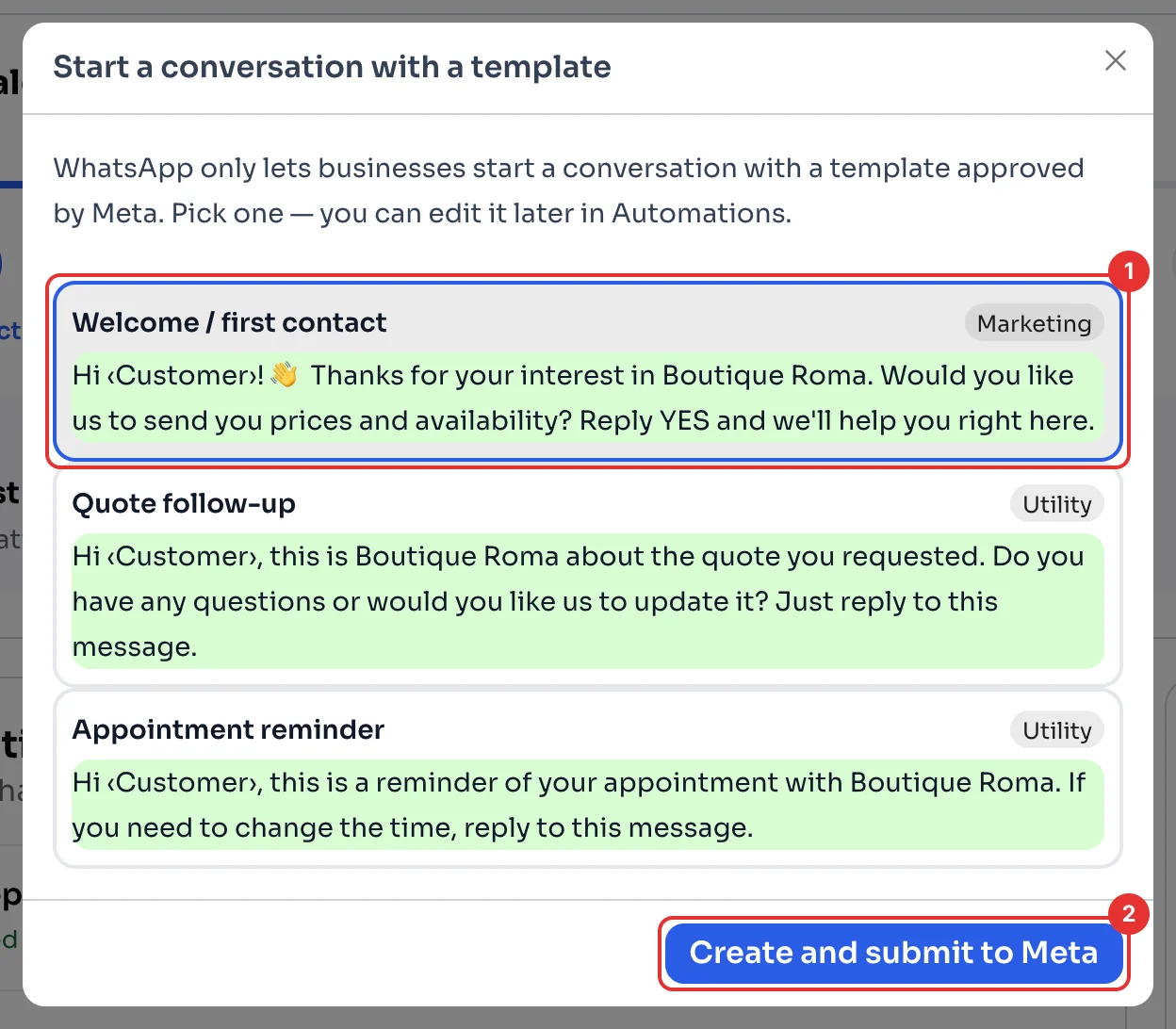
On the Dashboard, in the Template step, click Choose a template. Pick one of the ready-made templates (1); each shows its category (Marketing or Utility). You can edit it later in Automations.
Submit it for approval
Click Create and submit to Meta (2). Meta reviews the template; once approved, it appears in Automations with the WhatsApp logo and a verified tick, and you can use it to message customers first.