
AgendaPro appointments with WhatsApp confirmation and reminder
When someone books in AgendaPro, ChatSales confirms the appointment on WhatsApp and reminds them 24 hours before. Right before sending it re-checks AgendaPro: cancelled means nothing is sent, moved means the new time is reminded.
 WhatsApp
 ChatSalesWhatsApp Business
Hi Ana, a reminder of your Cut and color appointment at Studio Bella on Thursday, October 16, 5:30 pm. If you can't make it, reply to this message to change it.
Sample data. Shown in English: your customers get the Mexican Spanish template.
How it works
- Your customer books in AgendaPro.
- ChatSales confirms the appointment on WhatsApp from your number.
- 24 hours before (if they booked more than a day ahead) it sends the reminder, after checking in AgendaPro that the appointment still stands.
- If it's cancelled, nothing is sent; if it's moved, the new time is reminded.
Use cases
This is the message your customers get, in three kinds of business. Sample data; customers receive the Mexican-Spanish template.
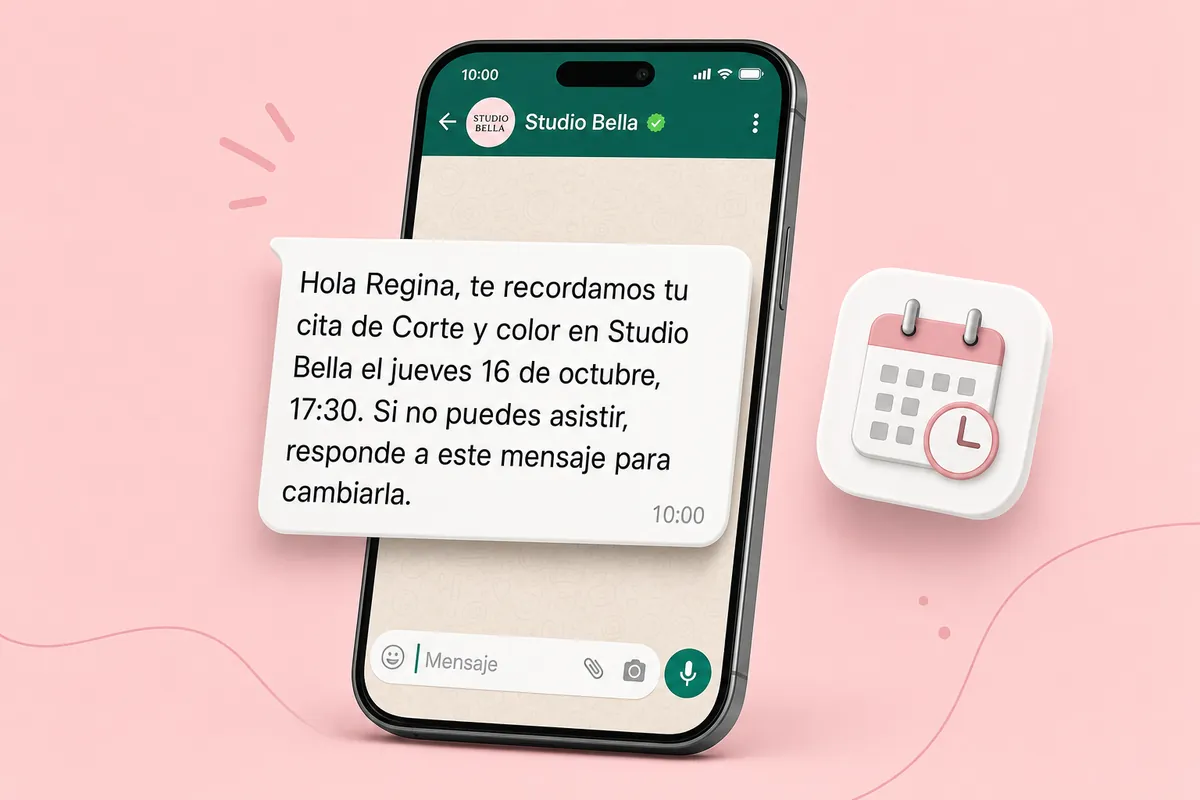
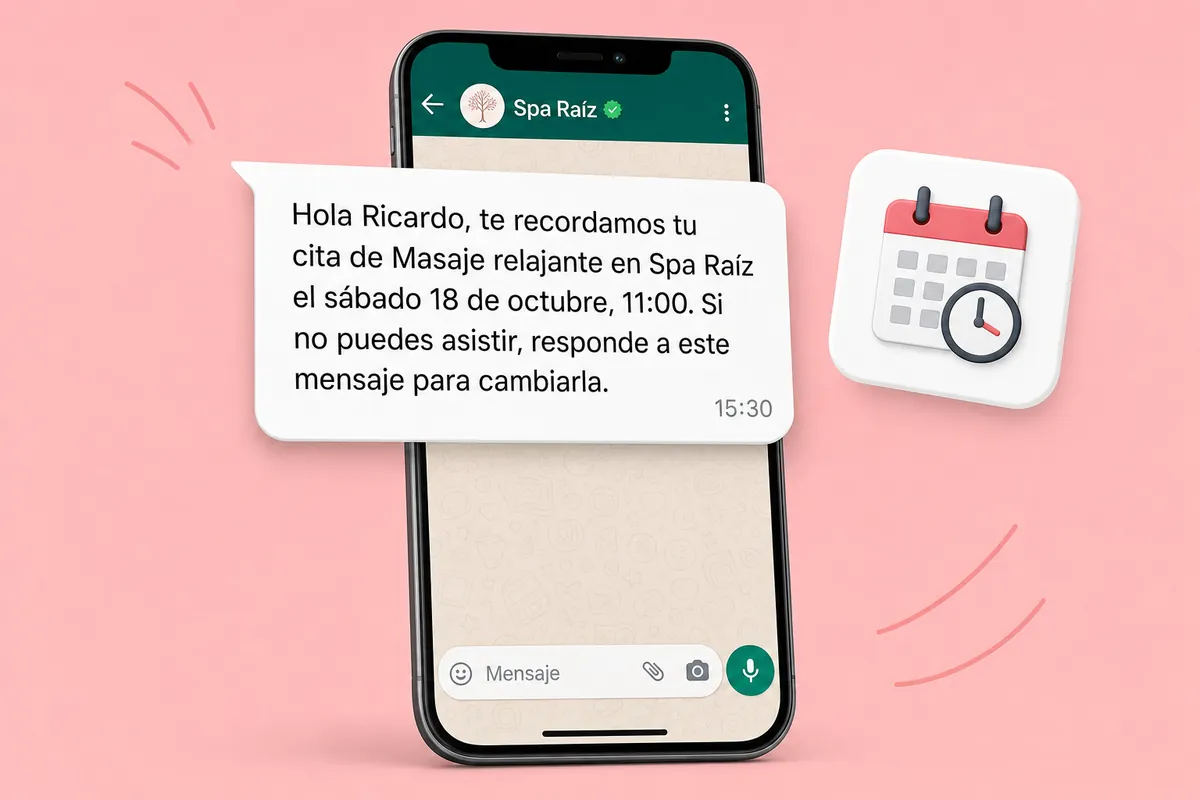
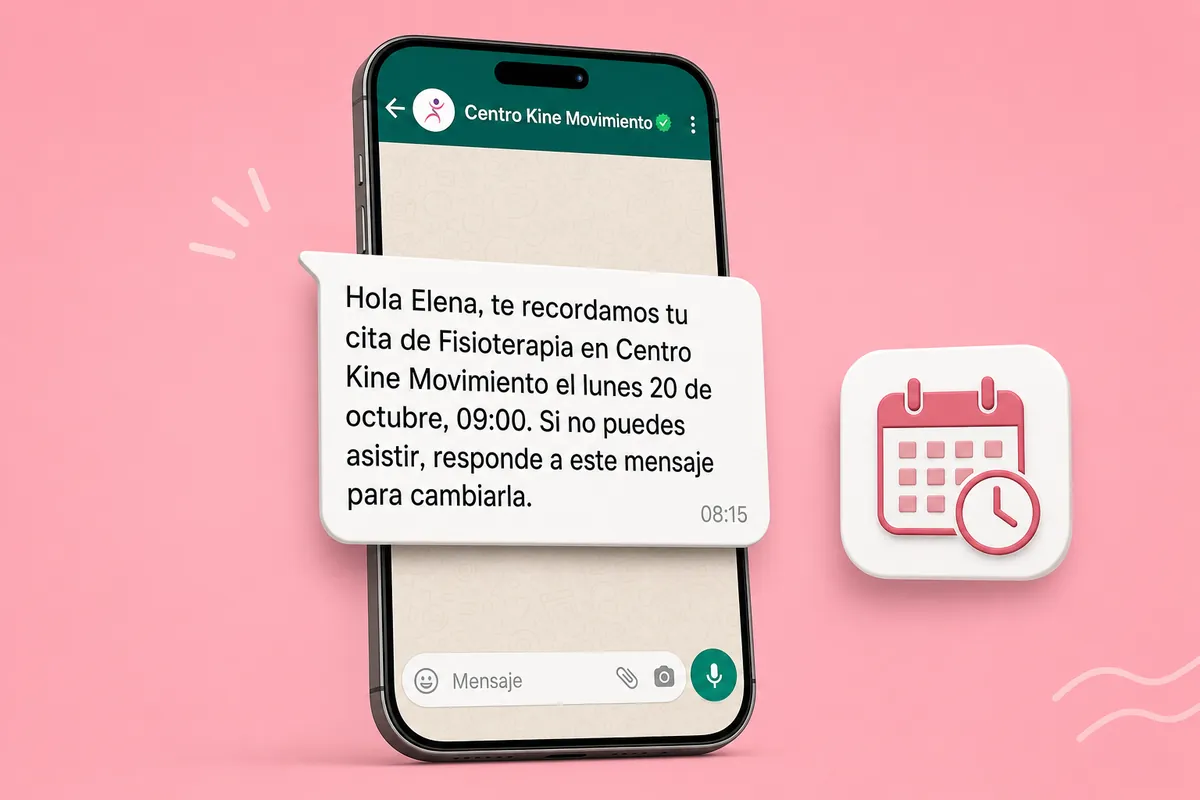
Integrate AgendaPro now → No account yet? Create one for free →
What it does and doesn't do
| ✅ It can | 🚫 It can't |
|---|---|
| Confirm every new appointment booked in AgendaPro to your customer on WhatsApp. | Message customers with no phone in AgendaPro. |
| Remind them 24 hours before, checking with AgendaPro right before that it still stands. | Book, move or cancel appointments: it only reads your bookings and customers. |
| Not write when the appointment was cancelled, and remind the new time when it was moved. | Write without Meta-approved templates (Utility category). |
| Receive events without the webhook secret: until you paste it, nothing is sent. |
🔐 AgendaPro asks for an API key: ChatSales stores it encrypted and only uses it to read bookings and customers. If AgendaPro lets you choose permissions, give it only bookings:read, clients:read and locations:read. You can revoke it in AgendaPro any time.
Set up in 3 steps
- Turn on AgendaPro in the ChatSales App Store and paste your AgendaPro API key (read-only scopes recommended).
- In AgendaPro, create a webhook with the ChatSales URL and the booking events.
- Paste the webhook secret into ChatSales and save.
The message your customer gets
ChatSales creates this template in Mexican Spanish and submits it to Meta; here is what it says, in English (you can pick another approved flow):
What you need
You need:
A WhatsApp API number connected in ChatSales (Connect your WhatsApp). These messages are the first contact with someone who has not written to you, so WhatsApp only allows them with a Meta-approved template.
To be an admin of your ChatSales team and have access to your AgendaPro account.
Rules that protect your number
Numbers without a country code are treated as Mexican (+52) by default. If you get contacts from other countries, turn it off under Connection and we only message numbers with "+code".
Frequently asked questions
Does AgendaPro integrate with WhatsApp?
Yes. With ChatSales: Confirm appointments and send reminders on WhatsApp. You turn it on from the ChatSales App Store in 3 steps, with your WhatsApp API number.
What if the customer cancels?
Before sending the reminder, ChatSales checks the appointment in AgendaPro: if it was cancelled, nothing is sent.
What access does it need?
An AgendaPro API key; read-only scopes recommended. And the webhook secret.
Are there sending limits?
Yes: up to 60 messages an hour and 300 a day per app; anything over the cap waits.
Connect AgendaPro to ChatSales
Create your free account and connect your first channel in minutes.