
Message every EasyBroker inquiry on WhatsApp
People asking about a property on a portal usually ask about several. With this integration every new request reaching EasyBroker gets your WhatsApp from your number within minutes, mentioning the property, and the conversation continues in your ChatSales inbox.
What it does and doesn't do
| ✅ It can | 🚫 It can't |
|---|---|
| Message on WhatsApp every new person asking about a property in EasyBroker (portals and your site). | Message requests with no phone, or ones an agent on your team creates (EasyBroker puts the agent's details there). |
| Mention the property they asked about, with its EasyBroker title. | Message requests from before you connected: it starts today. |
| Show you every request that arrived and whether it was messaged (or why not). | Be instant: EasyBroker has no webhooks, so we check your new requests every few minutes (usually within 10; a little longer when many arrive at once). |
| Write without a Meta-approved template. It is in the Marketing category: Meta charges that rate. |
🔐 The EasyBroker API key gives access to your account (properties and clients); EasyBroker has no read-only keys. ChatSales stores it encrypted and only uses it to read contact requests and the property's title. If you regenerate it in EasyBroker, the old one stops working.
Before you start
You need:
A WhatsApp API number connected in ChatSales (Connect your WhatsApp). These messages are the first contact with someone who has not written to you, so WhatsApp only allows them with a Meta-approved template.
To be an admin of your ChatSales team and have access to your EasyBroker account.
Open the App Store
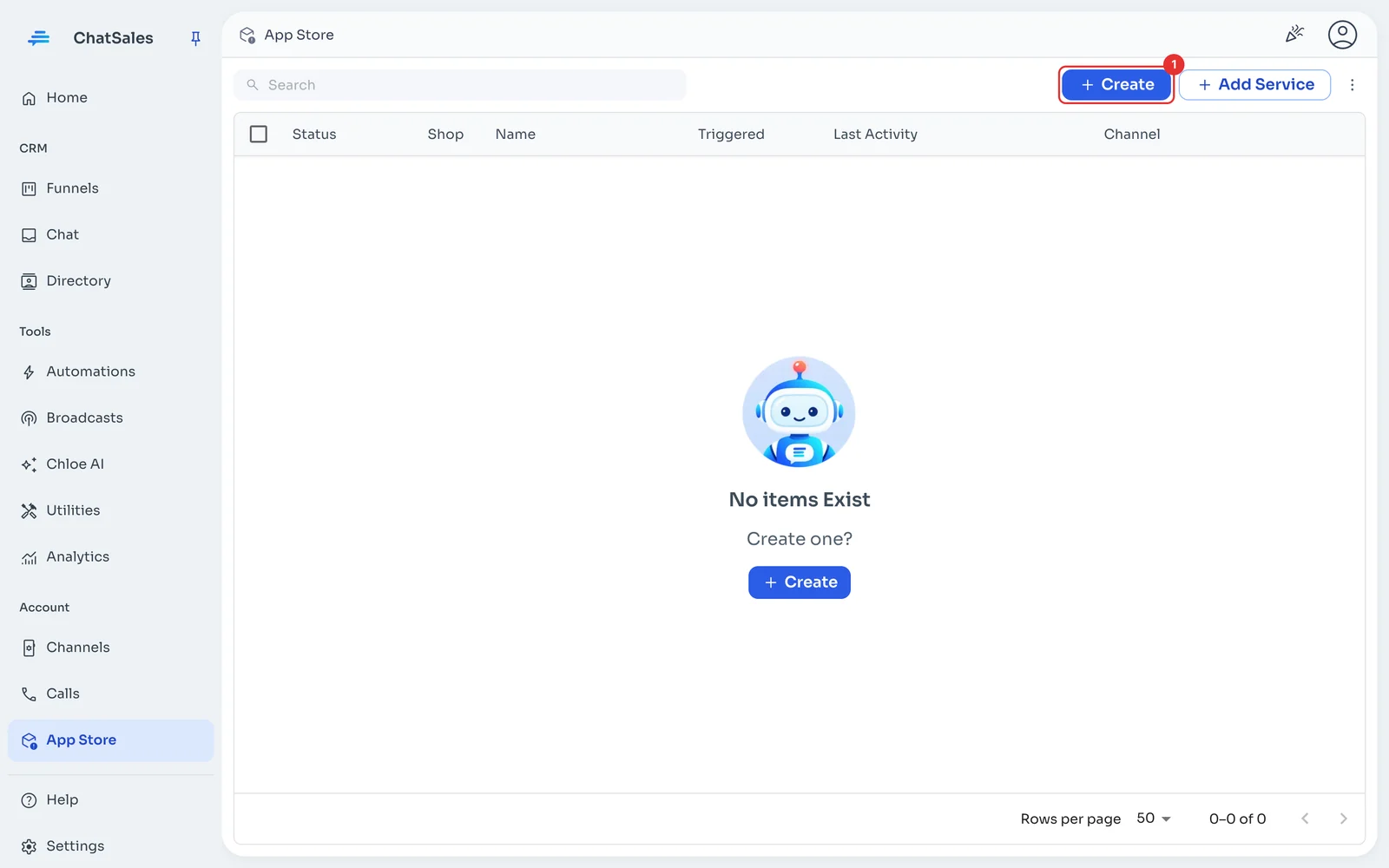
In the left menu go to App Store and click Create (1).
Choose EasyBroker
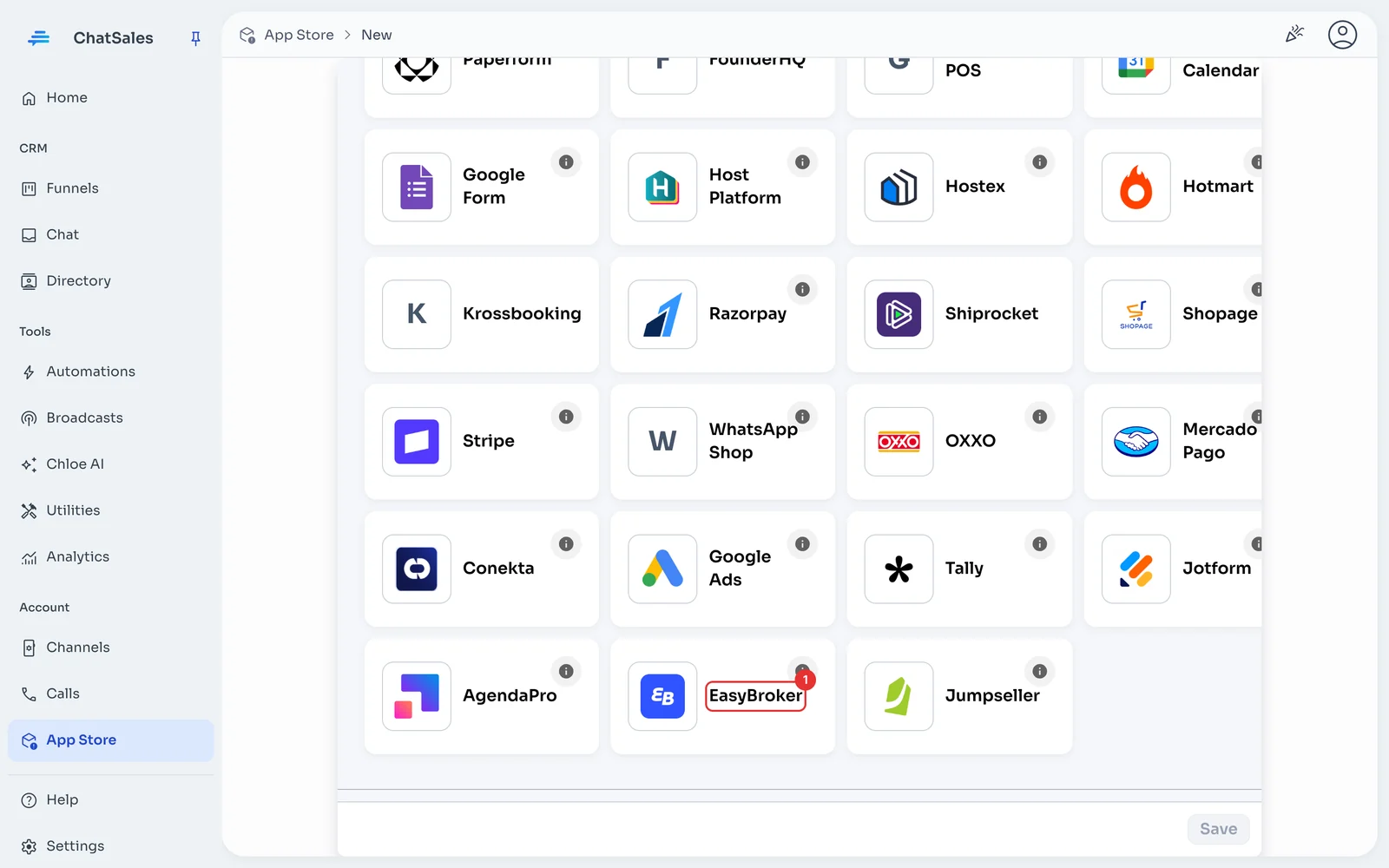
Find the EasyBroker card (1) and click it. You can also find it with the Property Management filter.
In EasyBroker: copy your API key
You need to be an EasyBroker admin. Go to "Configuraciones" → "API para programadores" and copy your API key.
Paste the API key and save
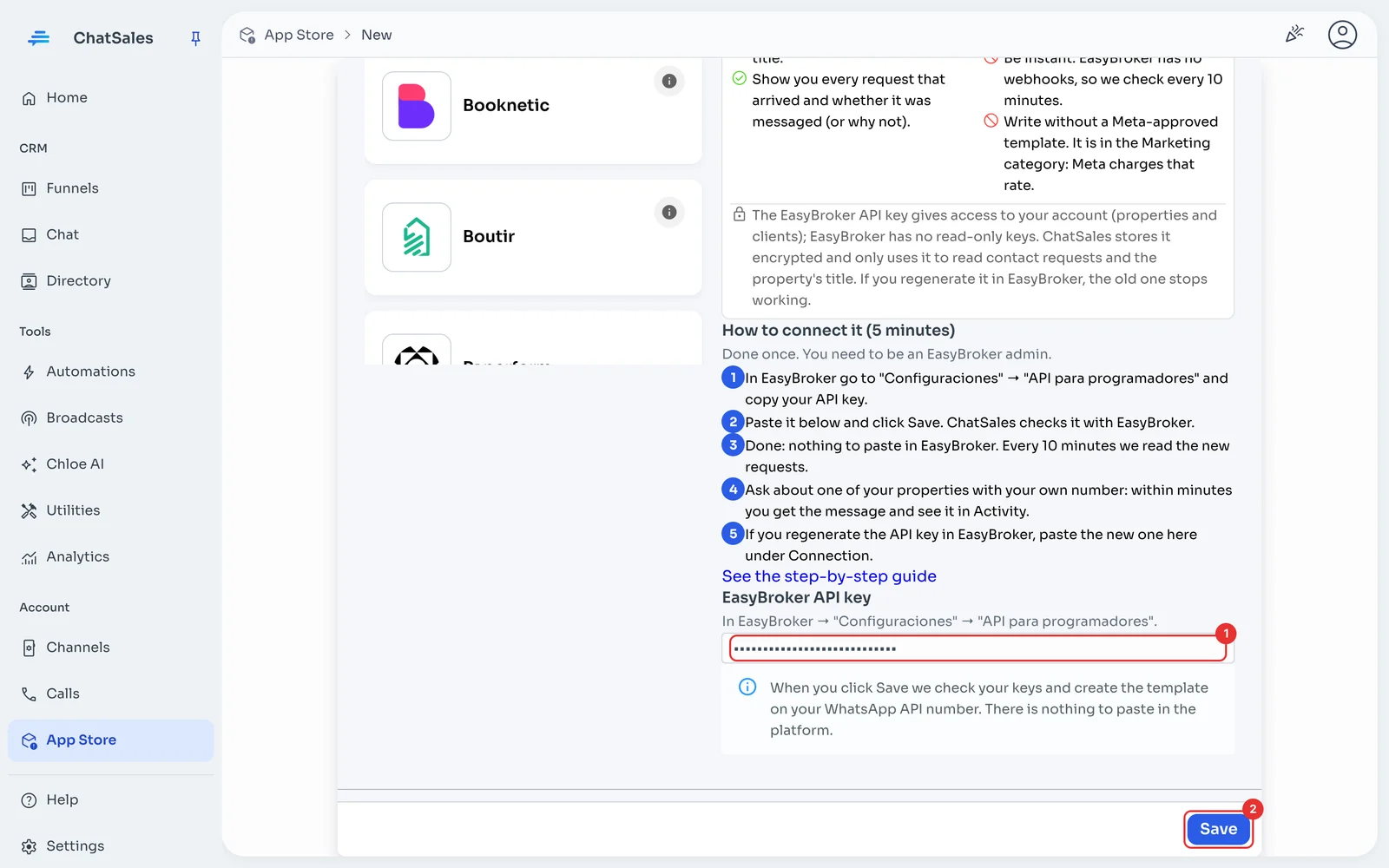
In ChatSales paste it into EasyBroker API key (1) and click Save (2). ChatSales checks it with EasyBroker and creates the template on your WhatsApp API number.
Done: nothing to paste in EasyBroker
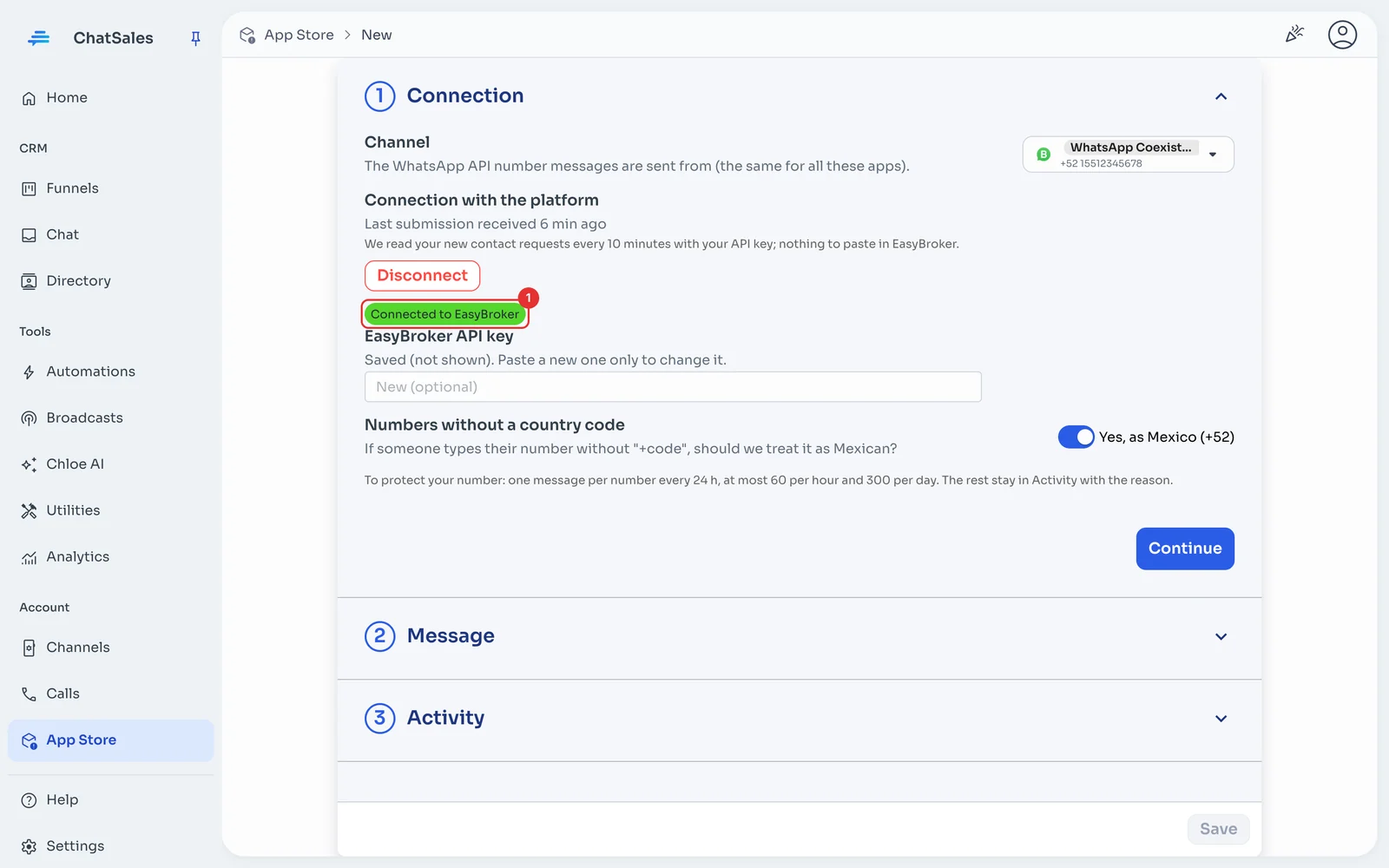
You see Connected to EasyBroker (1). EasyBroker does not notify instantly (no webhooks), so ChatSales checks your new requests every few minutes (usually within 10; a little longer when many arrive at once). It starts when you connect: earlier requests get no message.
Check that it arrives
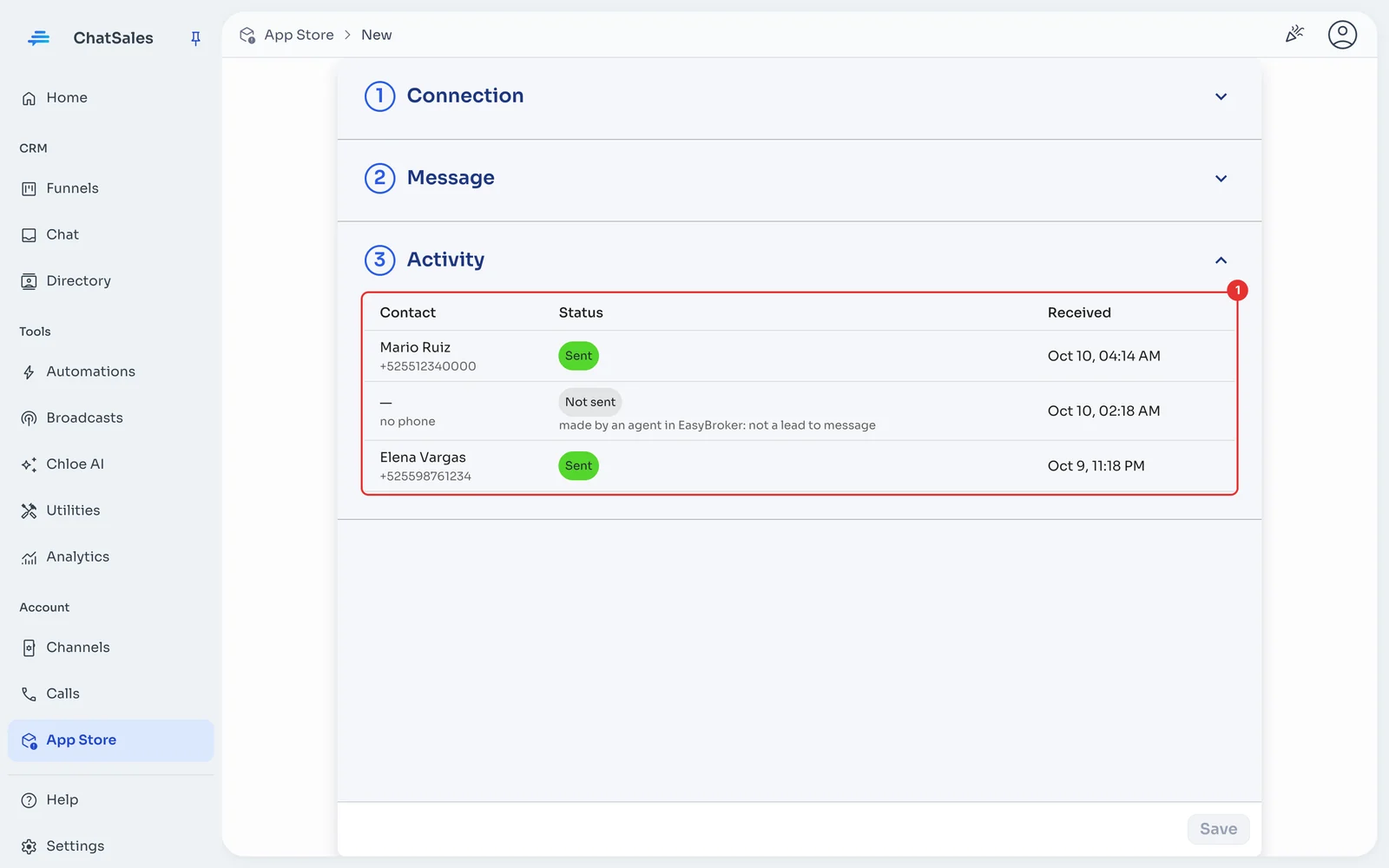
Ask about one of your properties with your own number (from your site or a portal). Within minutes you get the message and Activity (1) shows it as Sent. Requests an agent on your team creates show as Not sent: EasyBroker puts the agent's details there.
The message (optional)
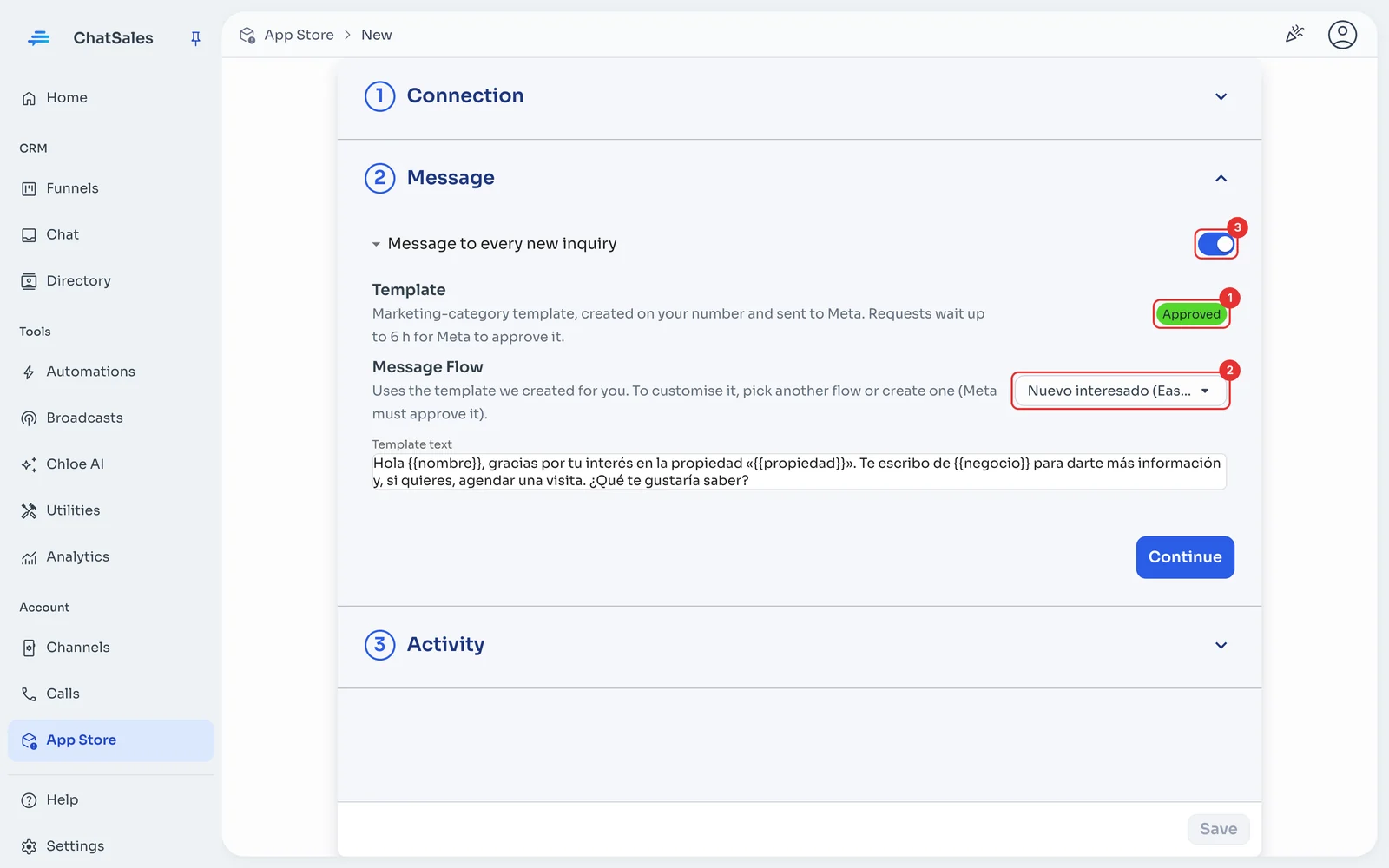
Under Message you see the template's status at Meta (1) and the text that is sent. To customise it, pick another flow or create one (2): Meta must approve it. The switch (3) turns it off. Click Save.
Rules that protect your number
So a public form can't be used to make your number write to strangers: one message per number every 24 h, and at most 60 per hour and 300 per day per app. Anything over the limit stays in Activity with the reason.
Numbers without a country code are treated as Mexican (+52) by default. If you get contacts from other countries, turn it off under Connection and we only message numbers with "+code".
Add a consent line to your form (for example "I agree to be contacted on WhatsApp"): WhatsApp requires people to agree to receive messages from your business.
Find it later
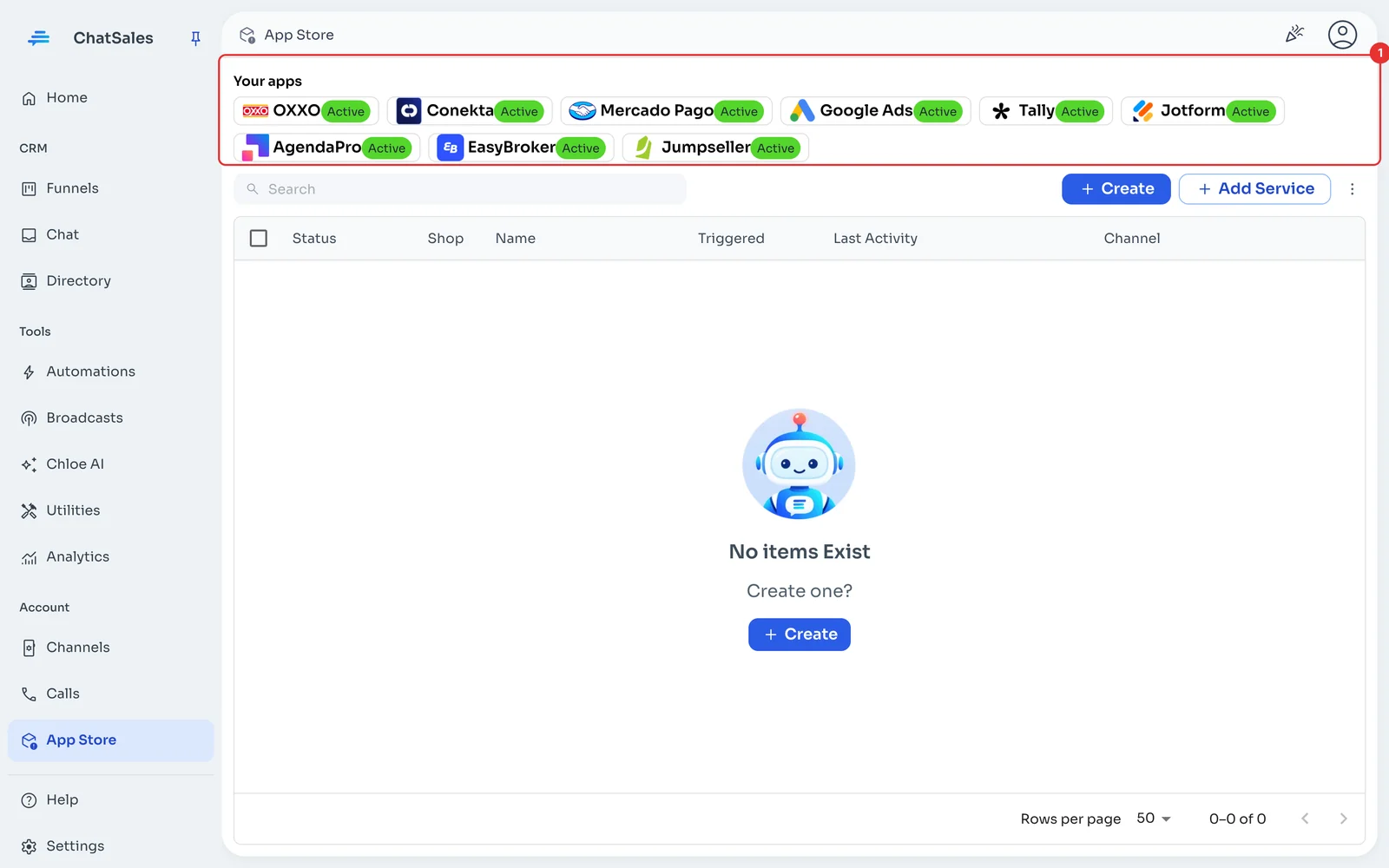
Your connected apps show at the top of the App Store, under Your apps (1), with what is left to do. Click EasyBroker to open it.
Common problems
I see "We couldn't read EasyBroker" or "EasyBroker refused the API key". If you regenerated the API key in EasyBroker, paste the new one under Connection and save.
A request says "Not sent: too much time passed". If EasyBroker did not answer for hours, requests older than 6 hours get no message so nobody is written to late.
I want to stop using it. Under Connection click Disconnect: the URL stops working and this app's activity is deleted.