
Conekta OXXO and SPEI payment reminders
When a customer chooses to pay at OXXO or by SPEI transfer, they often forget. With this integration ChatSales reminds them on WhatsApp before it expires (checking with Conekta first that it is still unpaid) and tells them "payment received" when they pay.
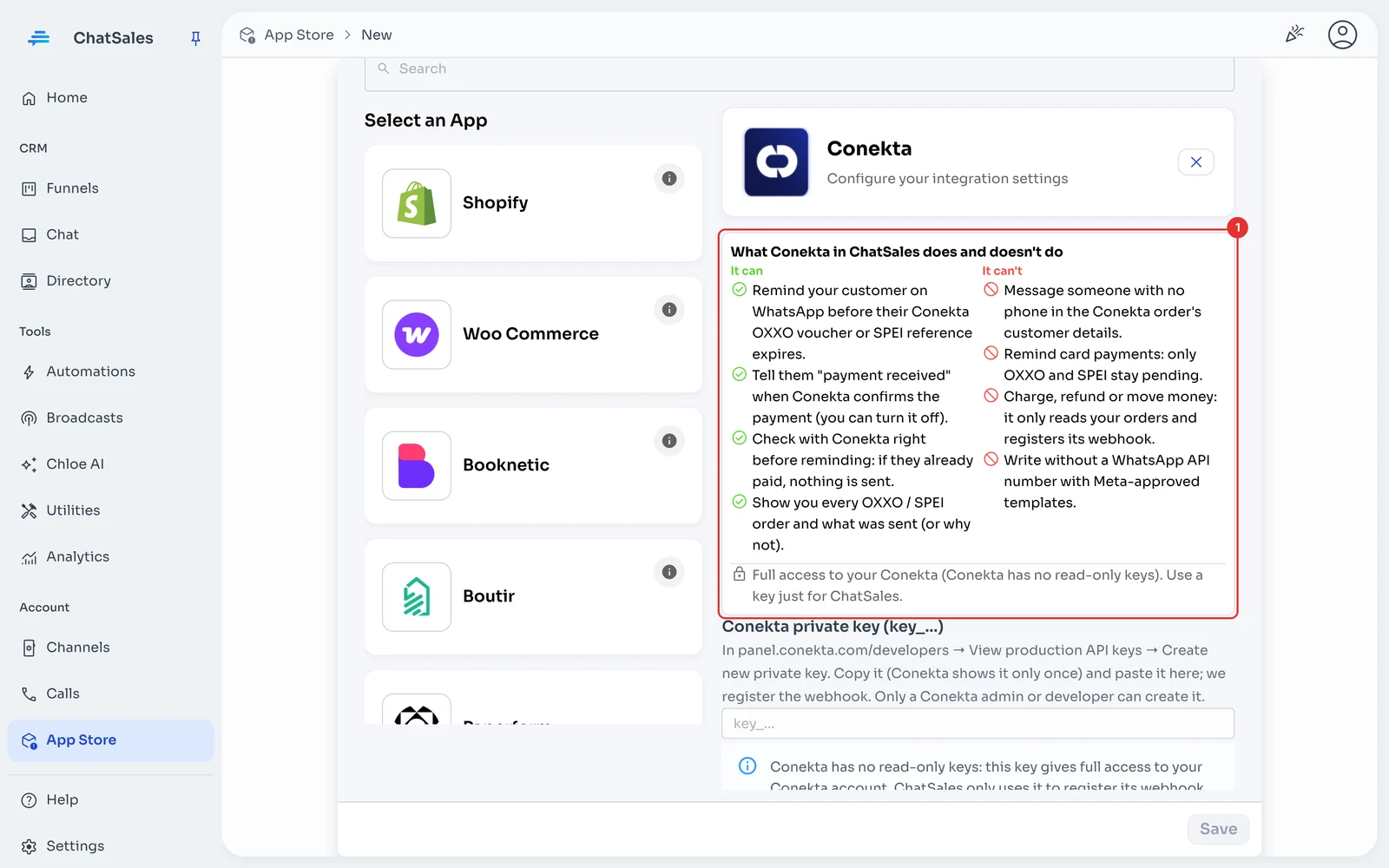
What it does and doesn't do
| ✅ It can | 🚫 It can't |
|---|---|
| Remind your customer on WhatsApp before their Conekta OXXO voucher or SPEI reference expires. | Message someone with no phone in the Conekta order's customer details. |
| Tell them "payment received" when Conekta confirms the payment (you can turn it off). | Remind card payments: only OXXO and SPEI stay pending. |
| Check with Conekta right before reminding: if they already paid, nothing is sent. | Charge, refund or move money: it only reads your orders and registers its webhook. |
| Show you every OXXO / SPEI order and what was sent (or why not). | Write without a WhatsApp API number with Meta-approved templates. |
🔐 Conekta has no read-only keys: this key gives full access to your Conekta account. ChatSales only uses it to register its webhook and check your orders' status; we store it encrypted. Create a new key just for ChatSales: if you deactivate or delete it in Conekta, ChatSales loses access at once.
Before you start
You need:
A Conekta account you take OXXO or SPEI payments with, and access to its panel.
A WhatsApp API number connected in ChatSales (Connect your WhatsApp): reminders go out with Meta-approved templates.
To be an admin of your ChatSales team.
Open the App Store and choose Conekta
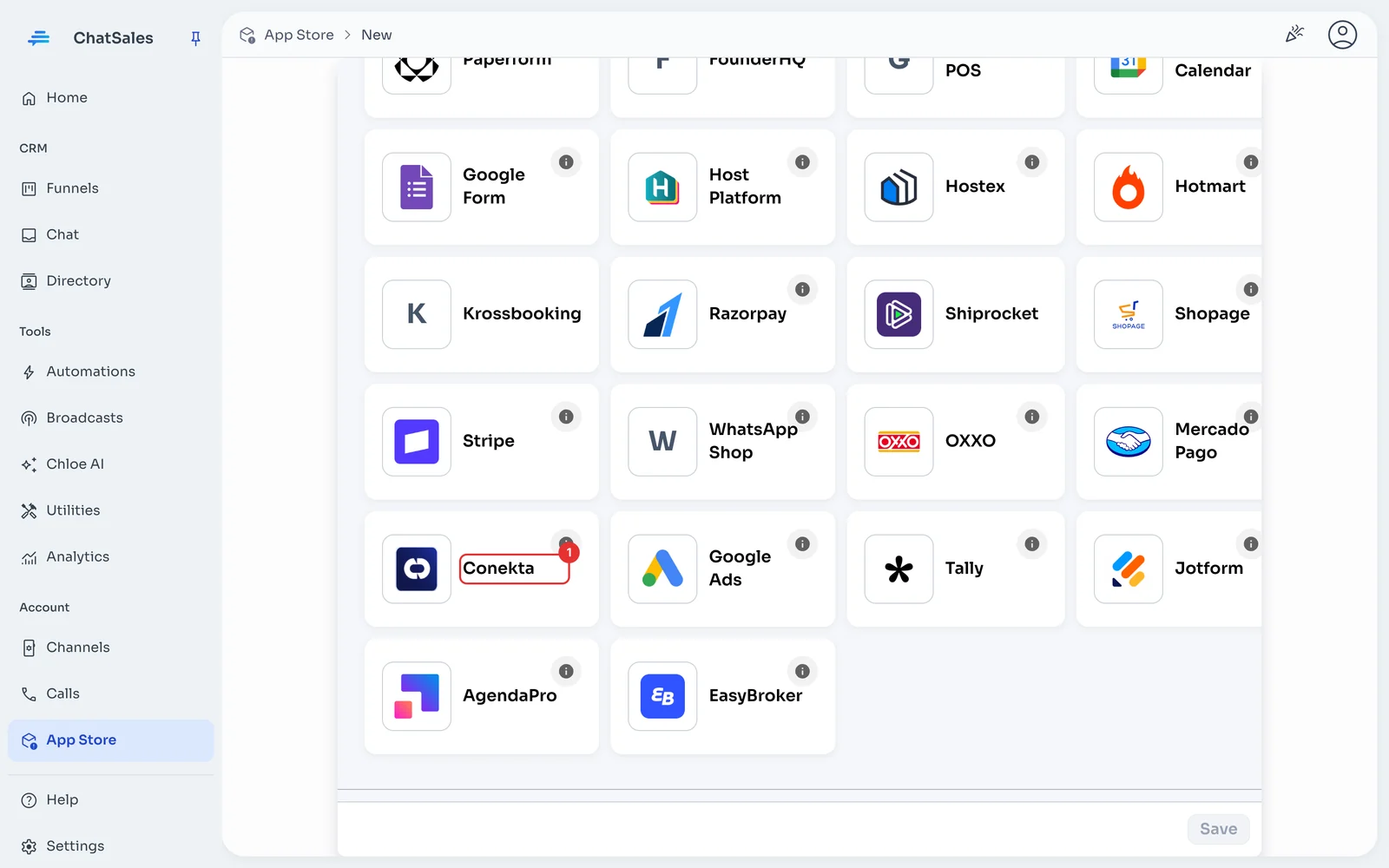
In the left menu go to App Store, click Create and choose the Conekta card (1).
Read what it does and doesn't do
Before asking for the key, ChatSales shows you what the integration can and can't do (1).
In Conekta: create a private key
In another tab, in Conekta's panel:
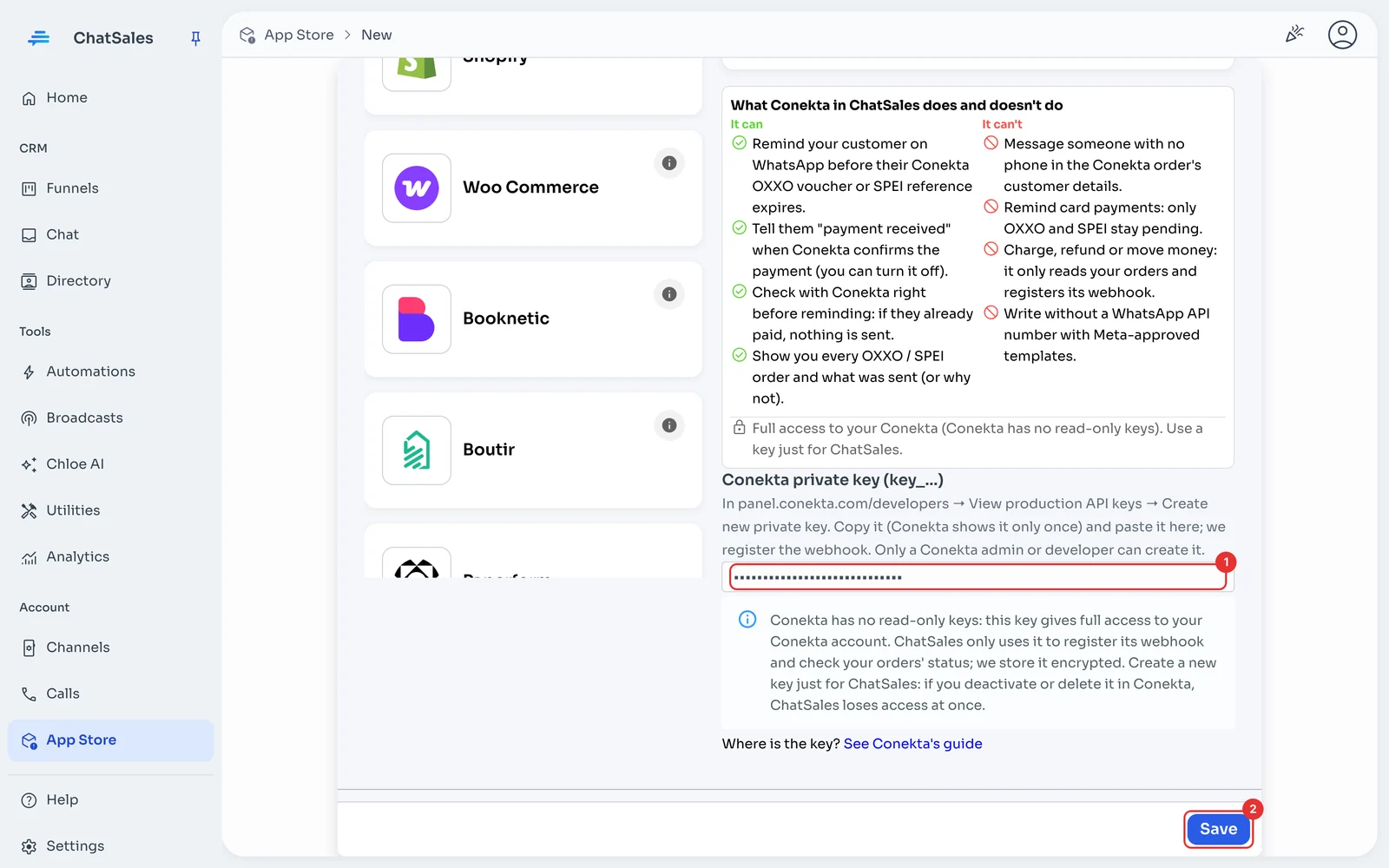
In panel.conekta.com/developers → View production API keys → Create new private key.
Copy it: Conekta shows it only once. Only a Conekta admin or developer can create it.
Paste the key and save
Back in ChatSales, paste the key into Conekta private key (key_…) (1) and click Save (2). ChatSales checks it with Conekta and registers its webhook on your account.
Choose your WhatsApp API number
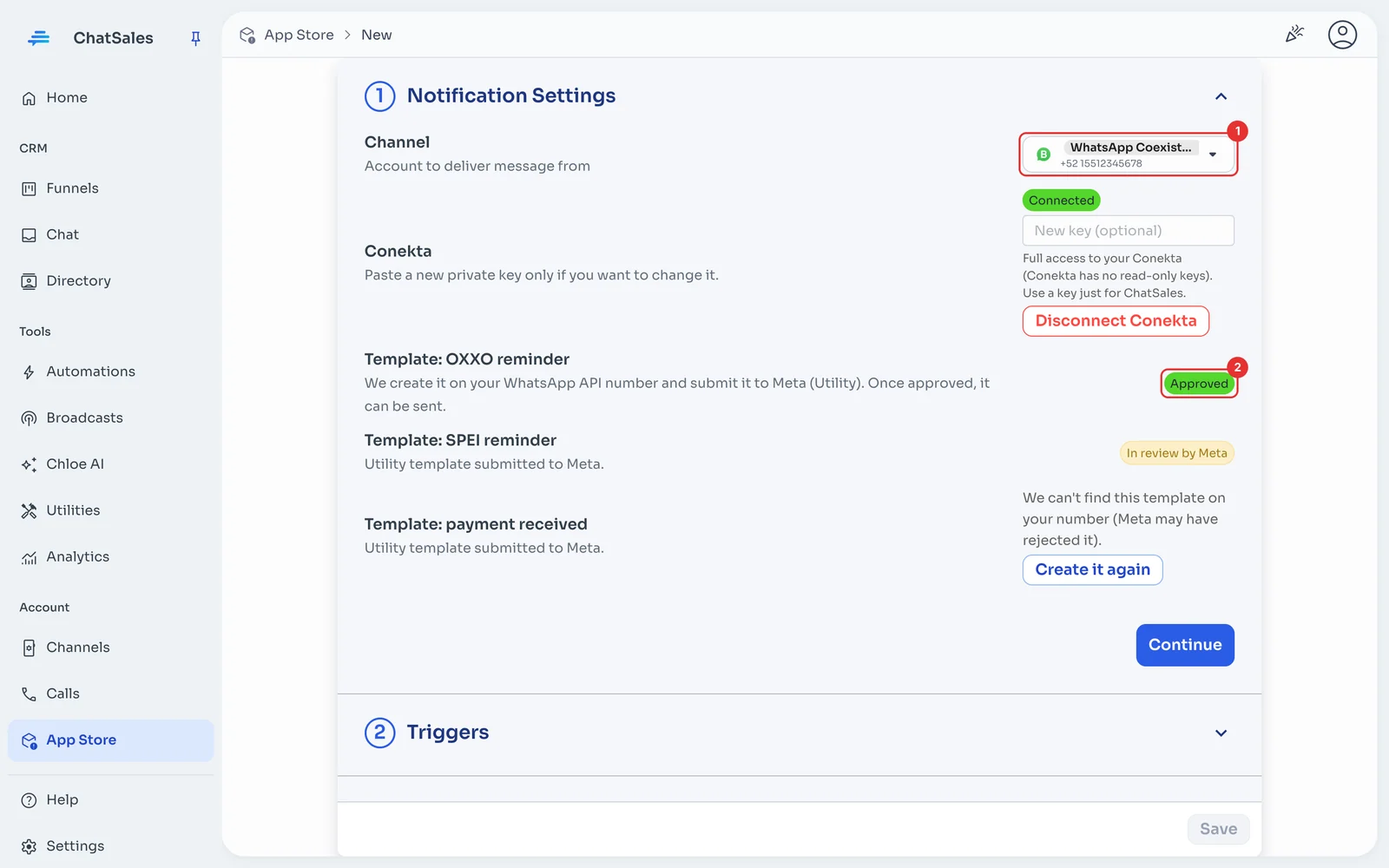
Under Notification Settings choose your WhatsApp API number (1). We create 3 templates and send them to Meta (2): OXXO reminder, SPEI reminder and payment received. They are sent as soon as Meta approves them.
Choose what is sent
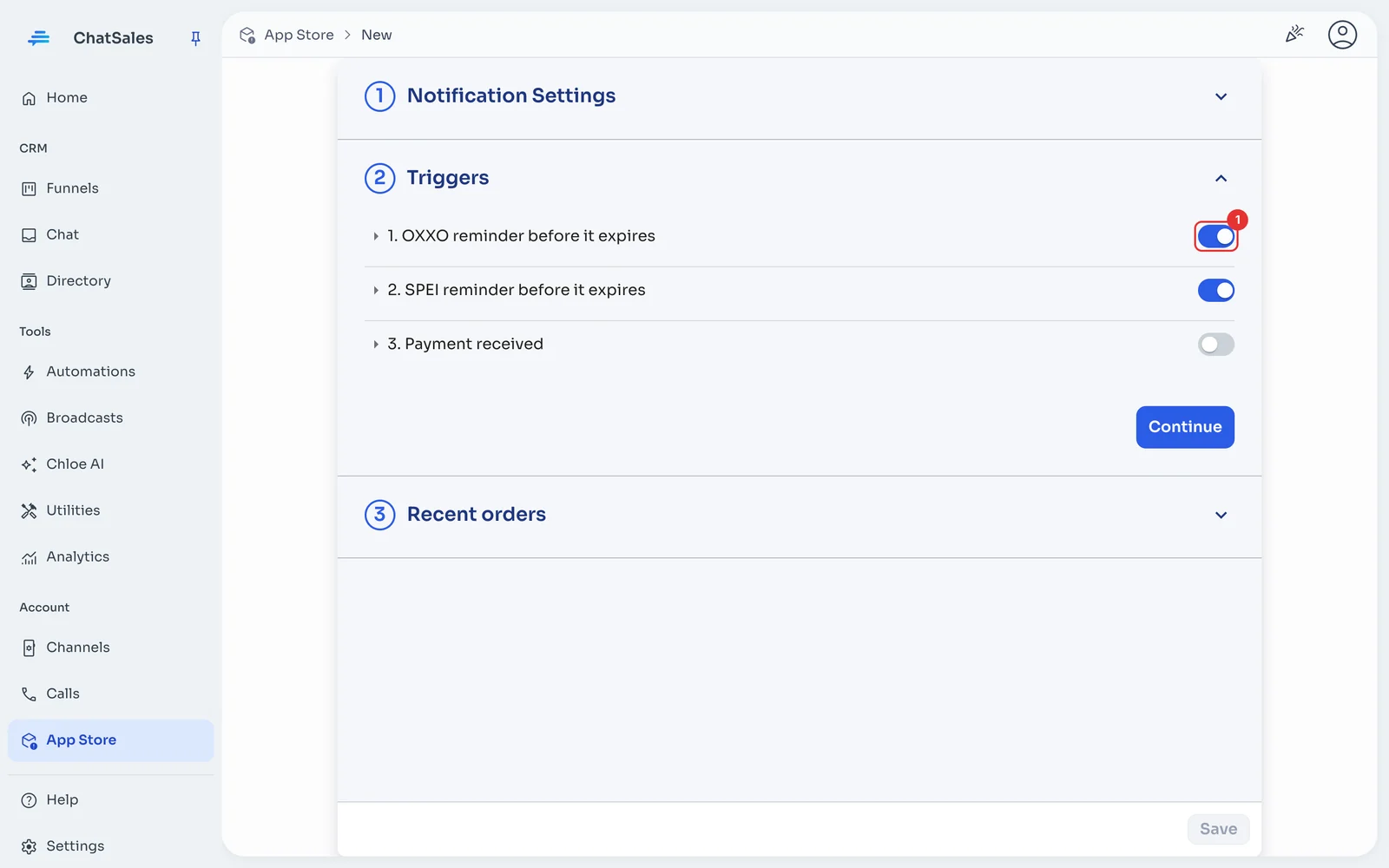
Under Triggers turn each message on or off (1) and choose how many hours before expiry the reminder goes out. To customise a message, pick another flow (Meta must approve it). Click Save.
Check the orders
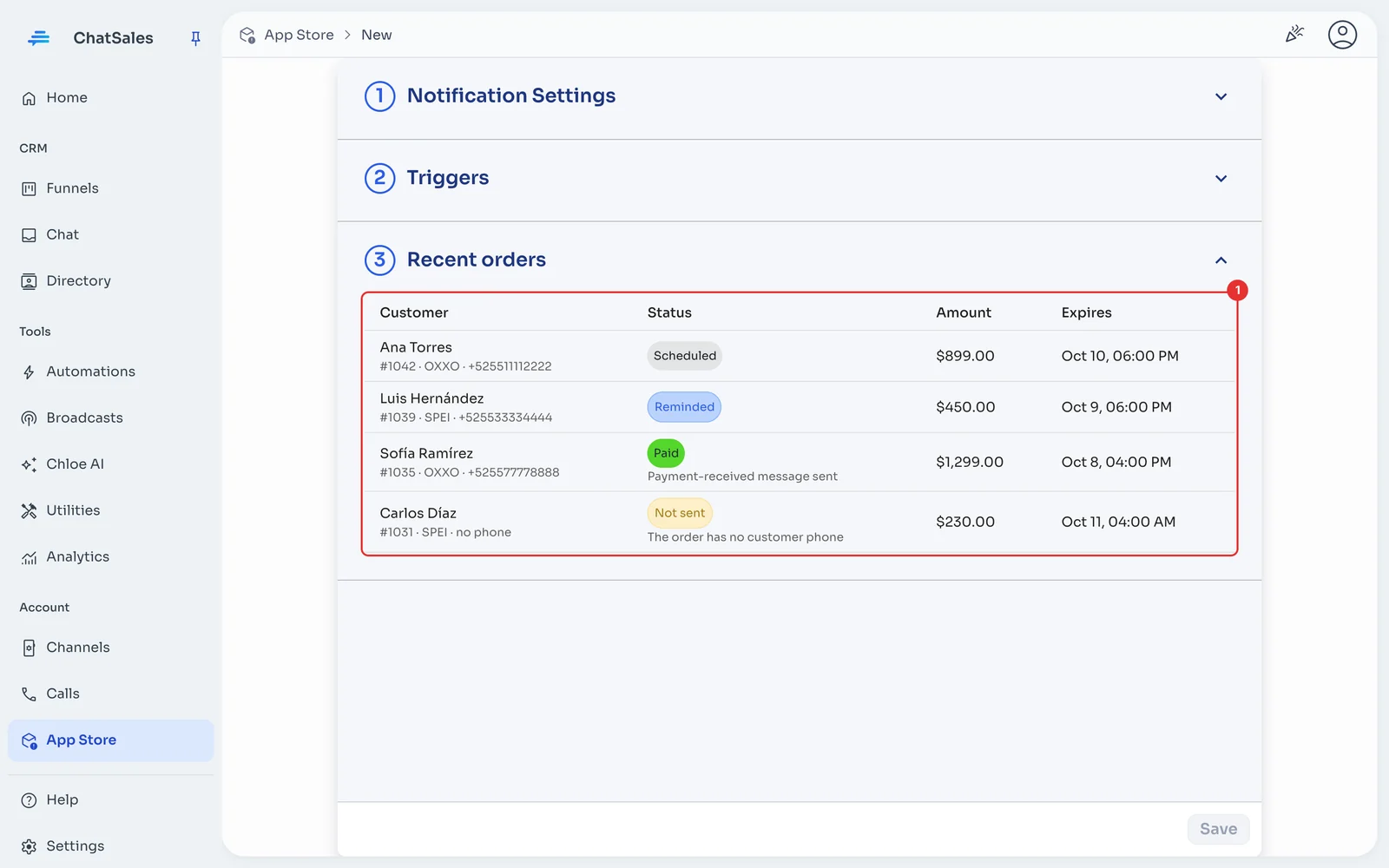
Under Recent orders (1) you see every OXXO or SPEI order, whether it was reminded, whether it was paid and, when something was not sent, why.
Find it later
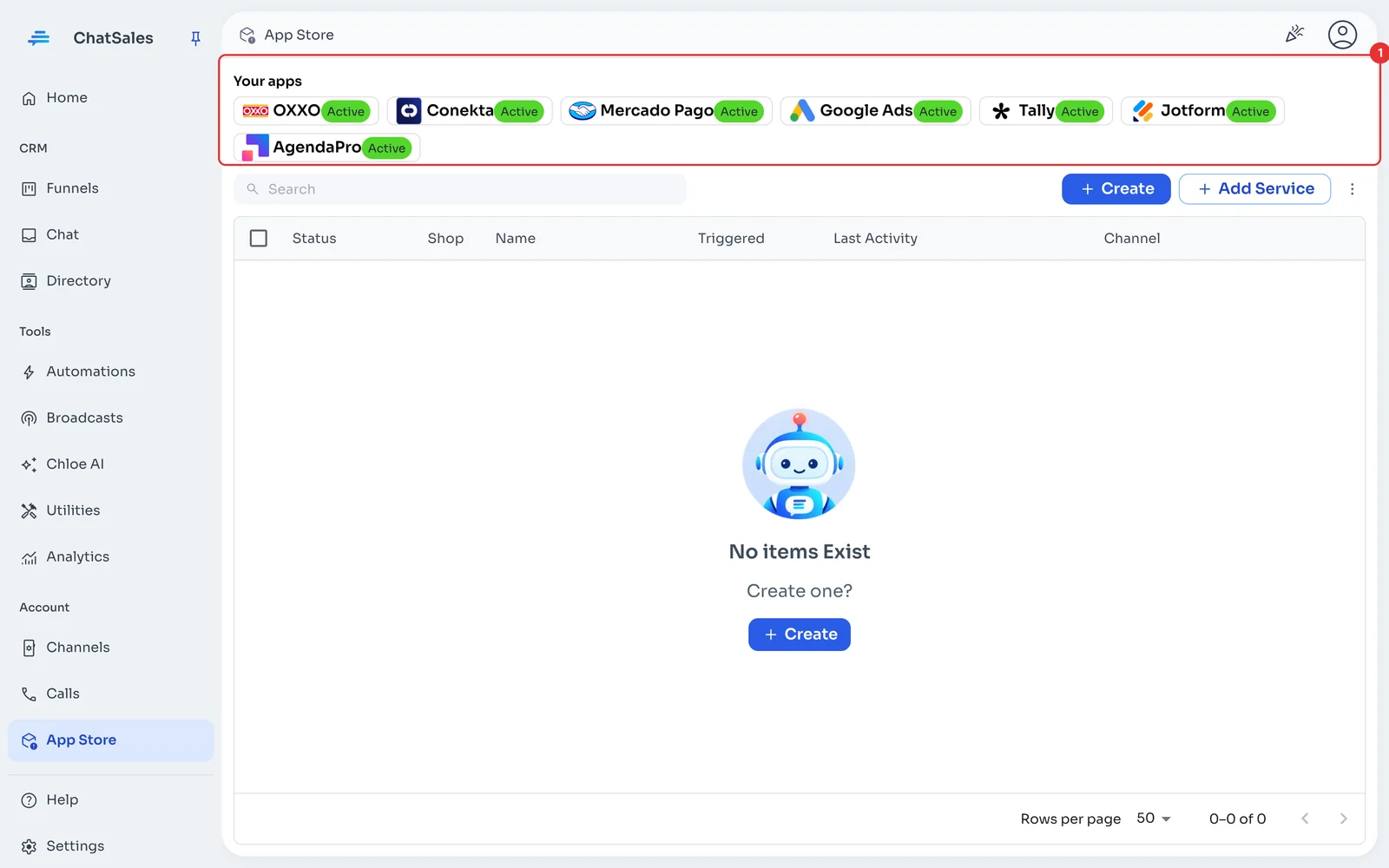
Conekta shows at the top of the App Store, under Your apps (1). Click it to open it.
Common problems
An order says "no phone". The Conekta order had no phone in the customer details; ask for it at checkout.
The template says "In review by Meta". Nothing is sent meanwhile; as soon as it is approved, pending reminders go out.
I want to stop using it. Under Notification Settings click Disconnect Conekta: we remove our webhook and delete the key and history. Then delete the key in Conekta.