Assign chats automatically
Instead of assigning every chat by hand, ChatSales can share a channel's new chats out across your team. You set it per channel, for chats your customers start and chats your team starts.
Open the channel's settings
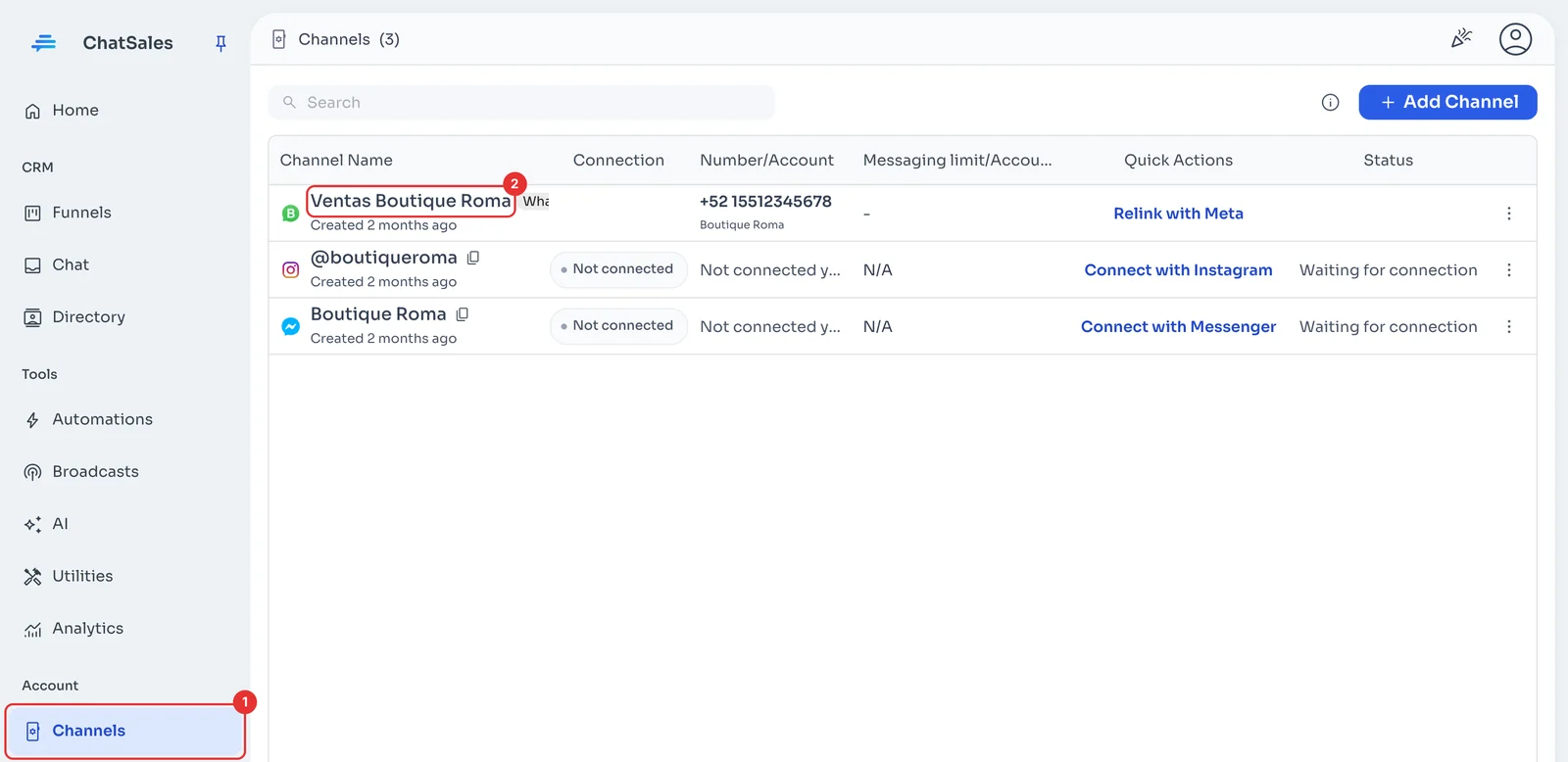
In the menu, go to Channels (1) and click the channel name (2). Manage Channel Settings opens.
Choose how chats are assigned
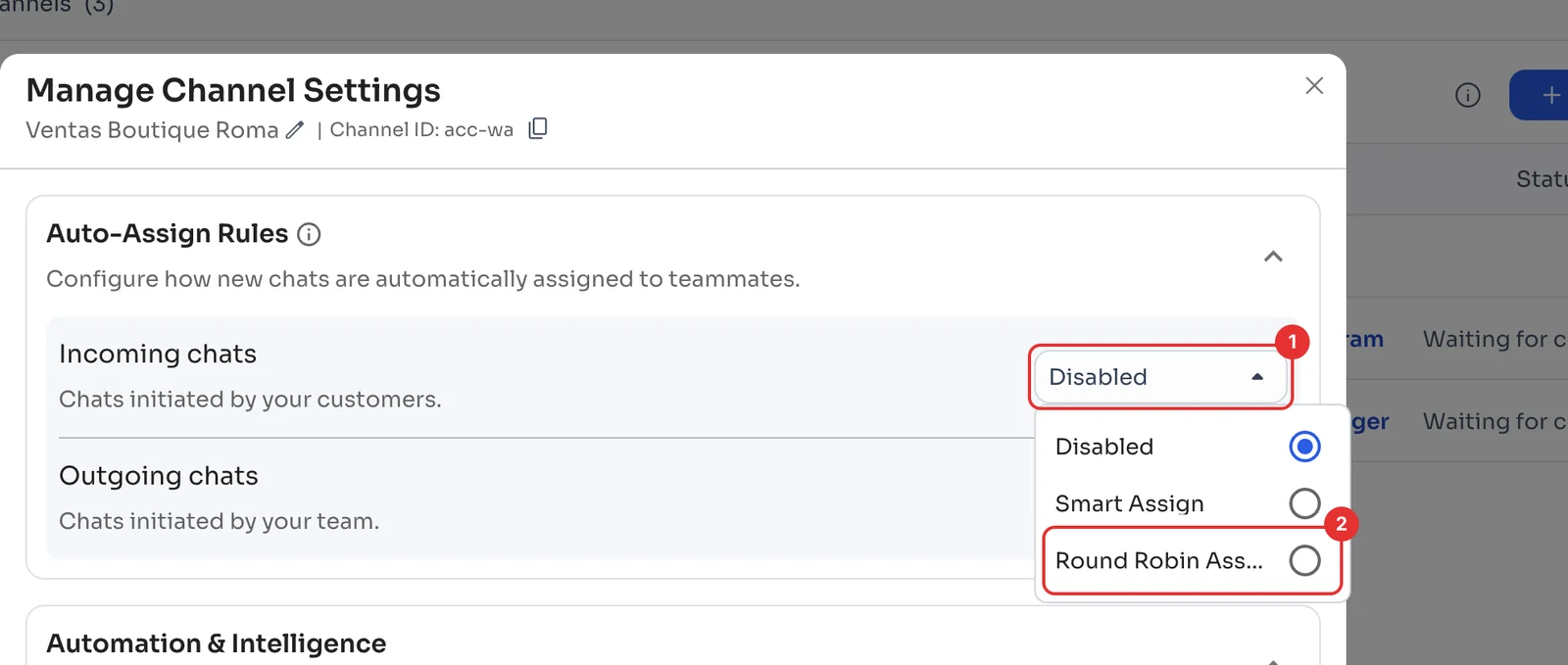
Under Auto-Assign Rules, open the Incoming chats list (1), the ones customers start, and pick a mode (2):
Smart Assign: gives each chat to whoever has the fewest chats assigned right now. Round Robin Assign: hands chats out in turn, one each, to balance the workload. Either way, only the people you choose in the next step are included.
Choose who gets the chats
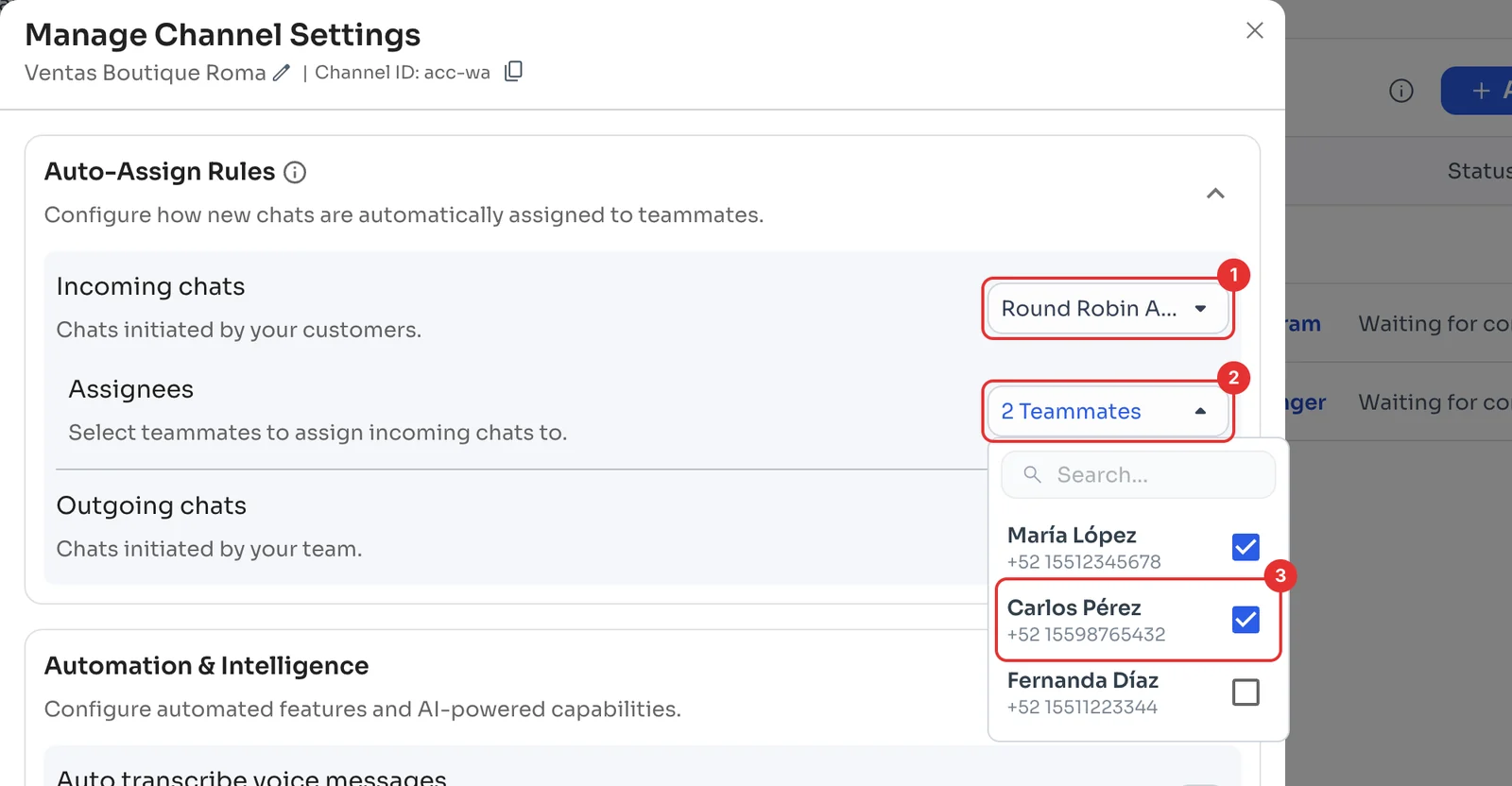
With a mode on (1), Assignees appears (2): open it and tick the teammates who receive chats (3).
Do the same under Outgoing chats if you also want to share out the chats your team starts. To change a chat's agent by hand, see Organise your chats.