See which ad or post started a chat
When a customer writes to you from a click-to-WhatsApp, Messenger or Instagram ad, ChatSales shows the ad on the first message. You know which campaign brought each customer without asking.
Find the ad on the first message
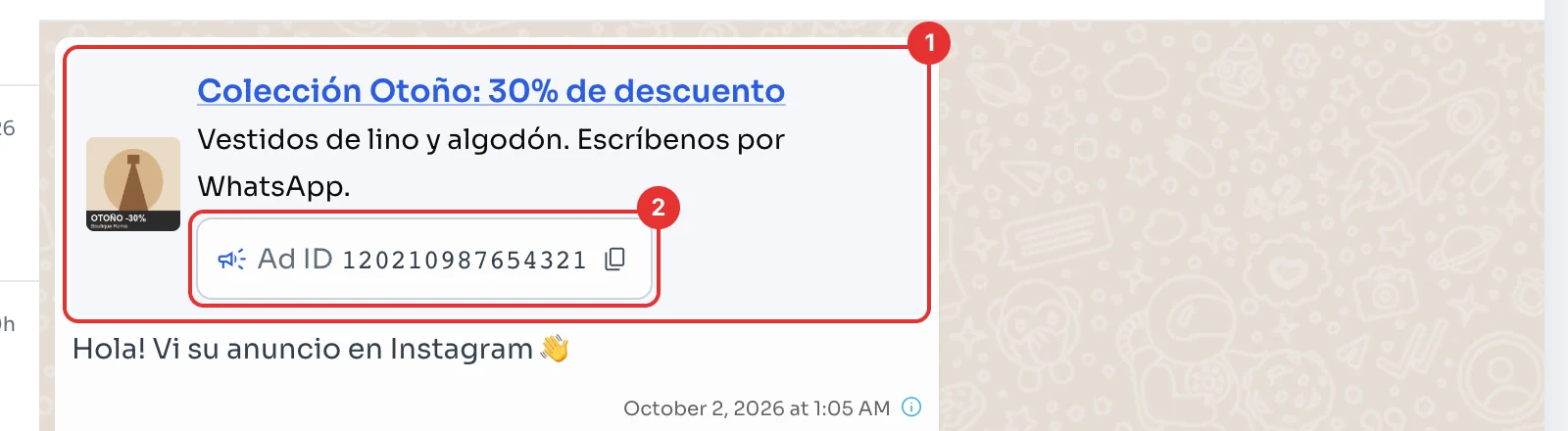
Open the chat. If it started from an ad, the customer's first message carries the ad card (1). On WhatsApp it shows the ad's image, title and text; on Messenger and Instagram, its image and name.
Below it is the Ad ID (2). If the chat started from a regular post, it says Post ID, and if WhatsApp doesn't say which, Source ID. There's nothing to switch on: it appears by itself on new conversations that come from an ad.
Copy the ad ID
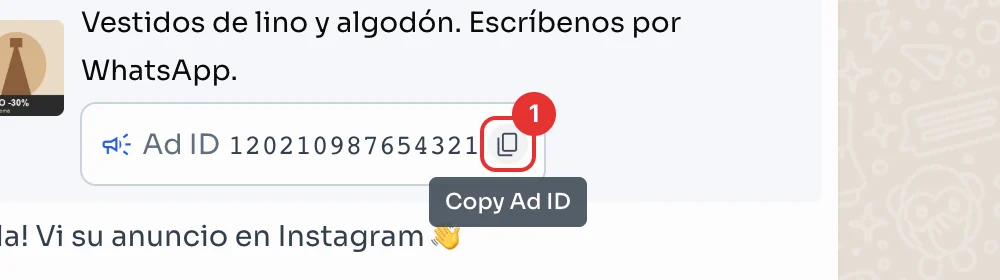
Click the copy icon (1) next to the ID. With an Ad ID, search for it in Meta's Ads Manager to find the exact ad. A Post ID belongs to a post on your page, not an ad.