Reply after hours with the Offline Bot
The Offline Bot sends a message flow to whoever writes to you outside your business hours, for example: "Thanks for writing, we'll reply tomorrow at 9." You set your hours and the bot answers outside them.
Pick the message and channels
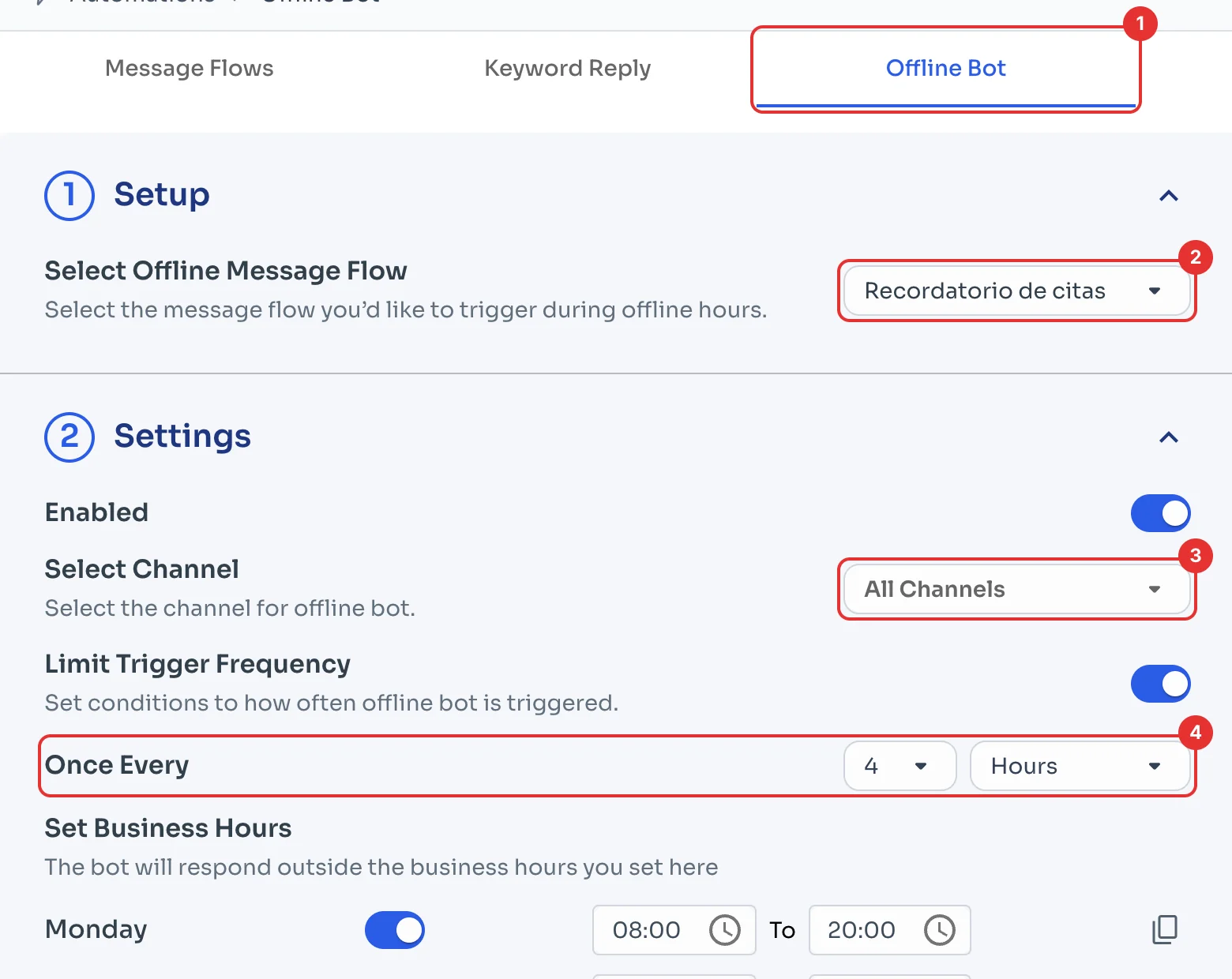
In Automations, open the Offline Bot tab (1). Under Select Offline Message Flow (2), pick the message that is sent; if you don't have one yet, create it first (see Create your first message flow).
Under Select Channel (3) you can limit it to certain WhatsApp numbers. Limit Trigger Frequency comes on: the bot answers the same chat at most once every 4 hours (4).
Set your business hours
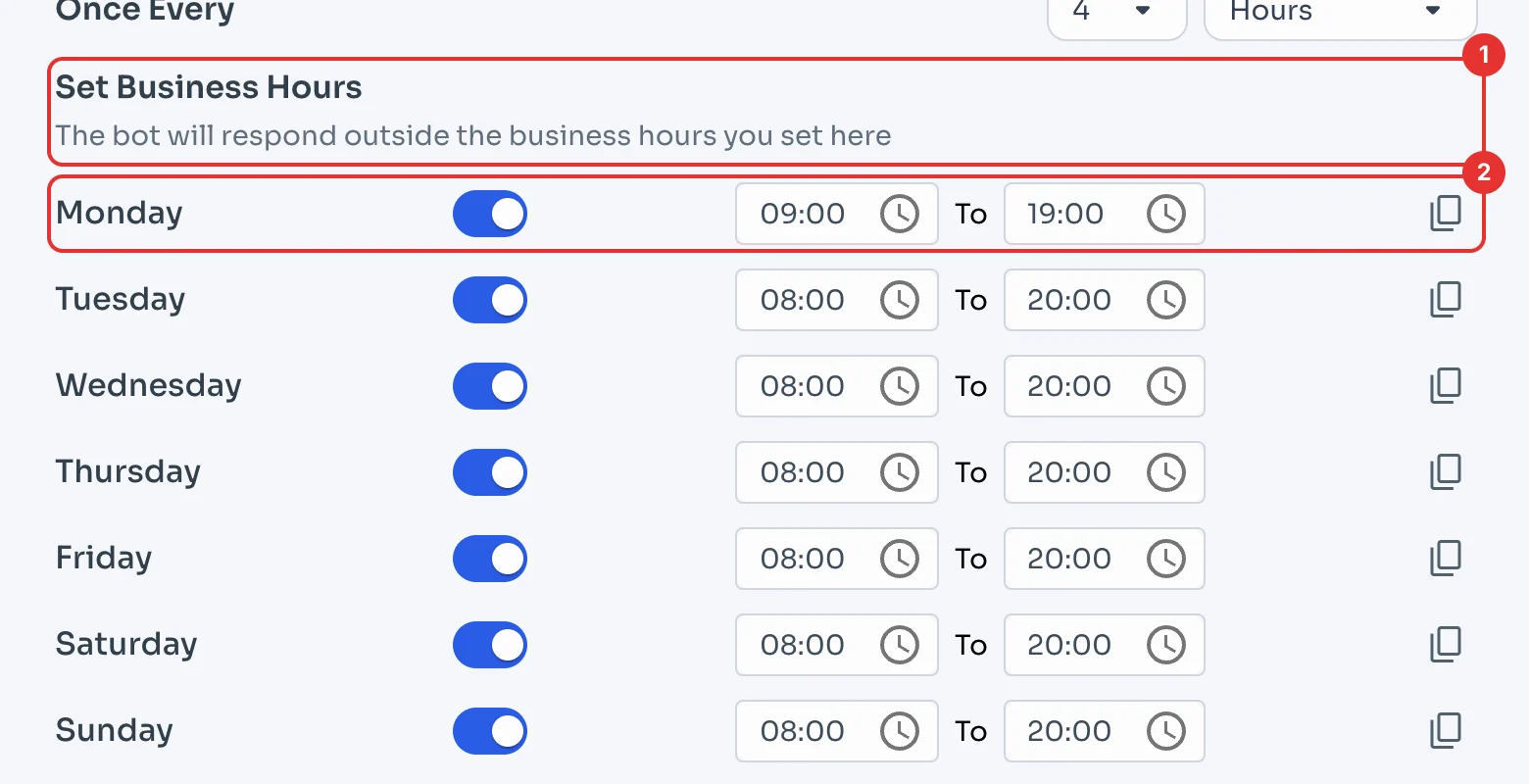
Under Set Business Hours (1), type the hours your team is available. The bot answers outside those hours. It comes set to 08:00–20:00 every day.
Change each day as you need (2); for example, 09:00 to 19:00. Then click Save at the bottom right.