Send a carousel of cards
A carousel shows several cards the customer swipes through, each with its own image or video, text and buttons: great for showing products. It's only sent on official WhatsApp Business API channels.
Add cards to a message
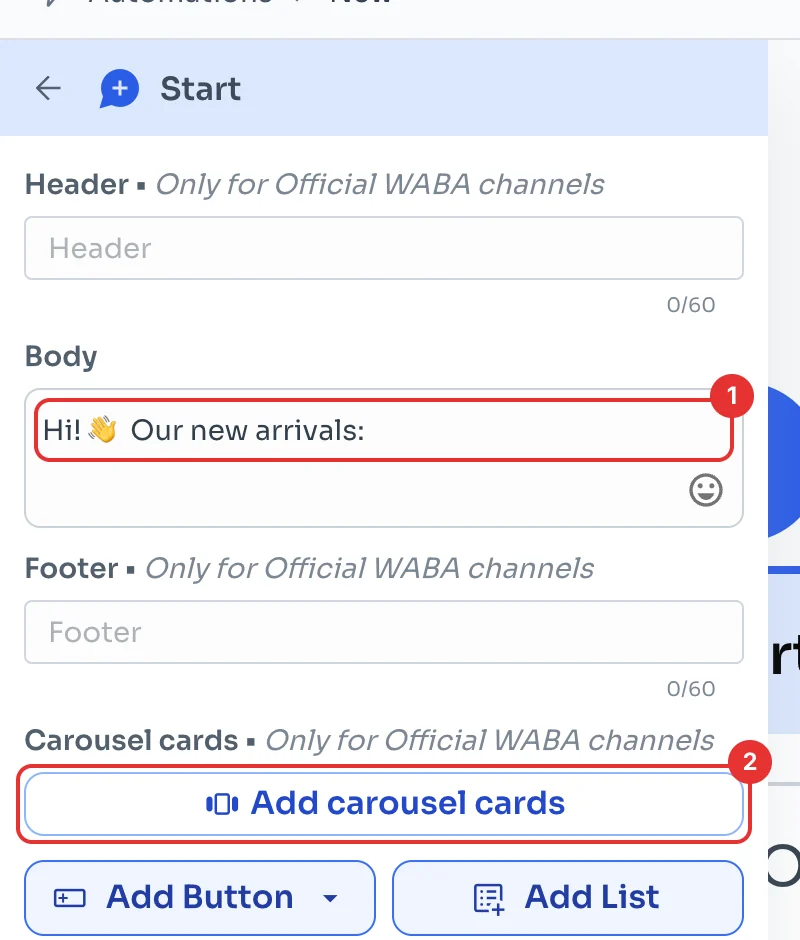
In a message in your flow (see Create your first message flow), type the text that goes above the cards under Body (1). With a carousel, that text has no header or footer.
Click Add carousel cards (2).
Fill in each card
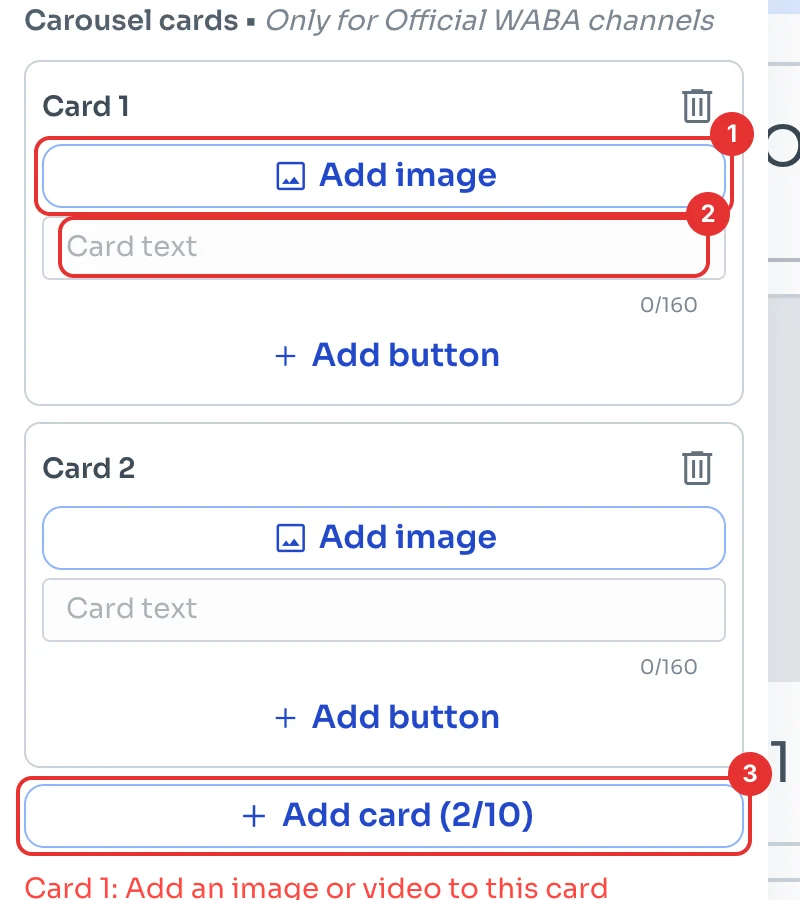
On each card, click Add image (1) and type its text (2), up to 160 characters. Add card (3) adds more: from 2 to 10 cards.
Meta requires all cards to match: all images or all videos, all with text if one has it, and the same buttons in the same order, at most 2 per card. ChatSales warns you if something is missing.
Check and save
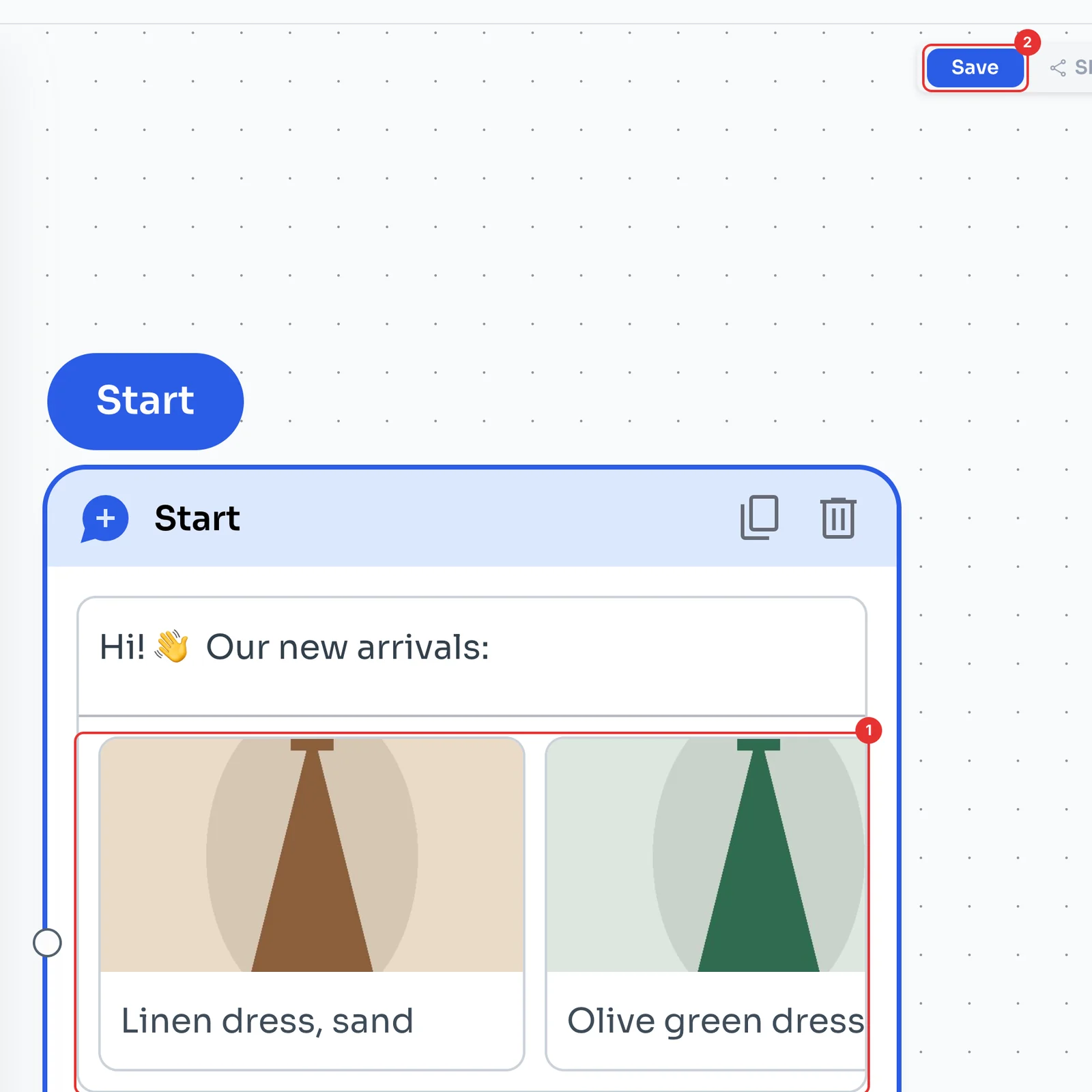
The canvas shows the cards as your customer will see them (1). Click Save (2).
Remember: the carousel is only sent on official WhatsApp Business API channels.