Connect Instagram or Facebook Messenger
Connect your Instagram or Facebook Page and answer their direct messages alongside WhatsApp, in the same inbox. Pick which one you connect and we show you only those steps.
Find the channel in Your integrations
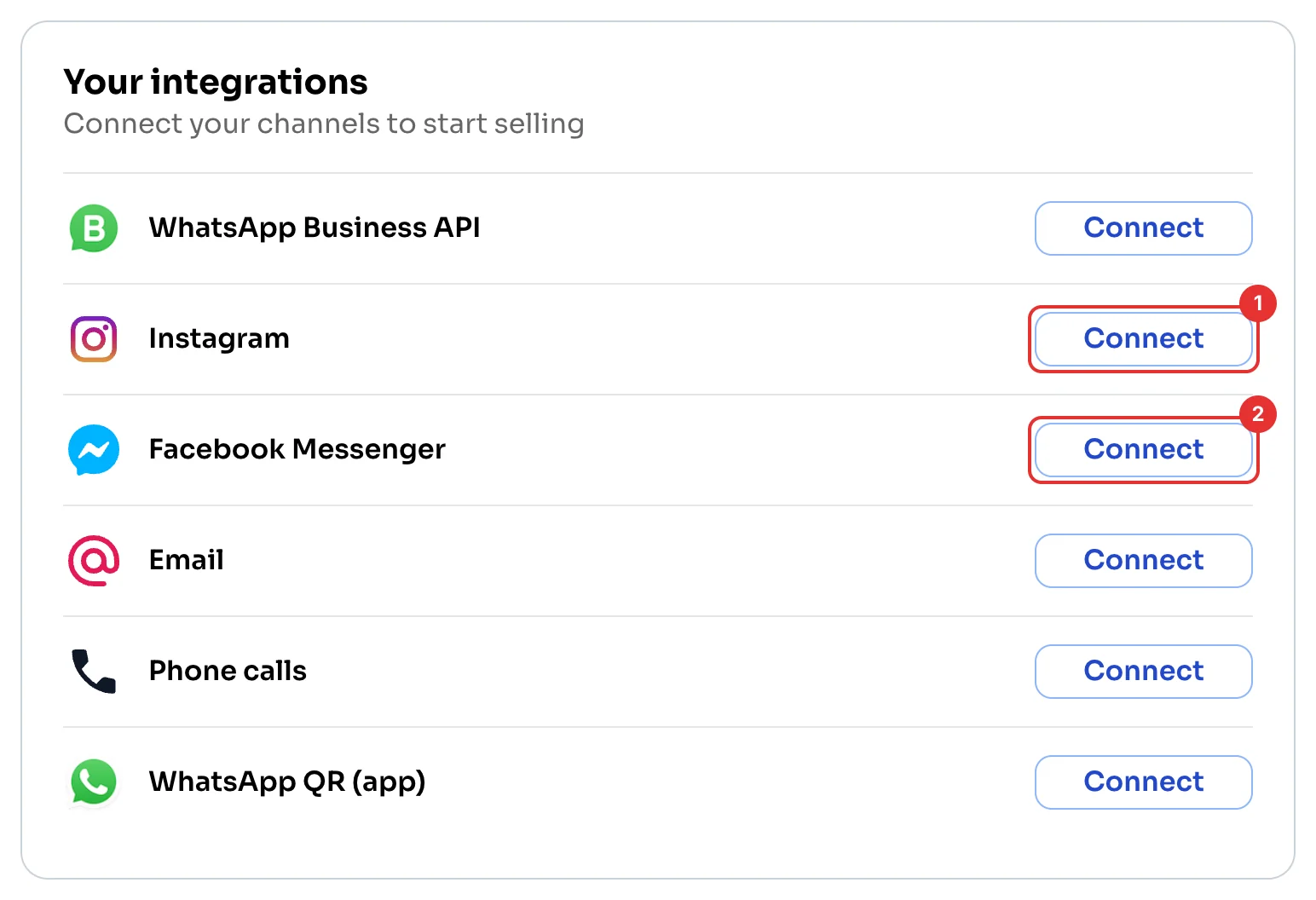
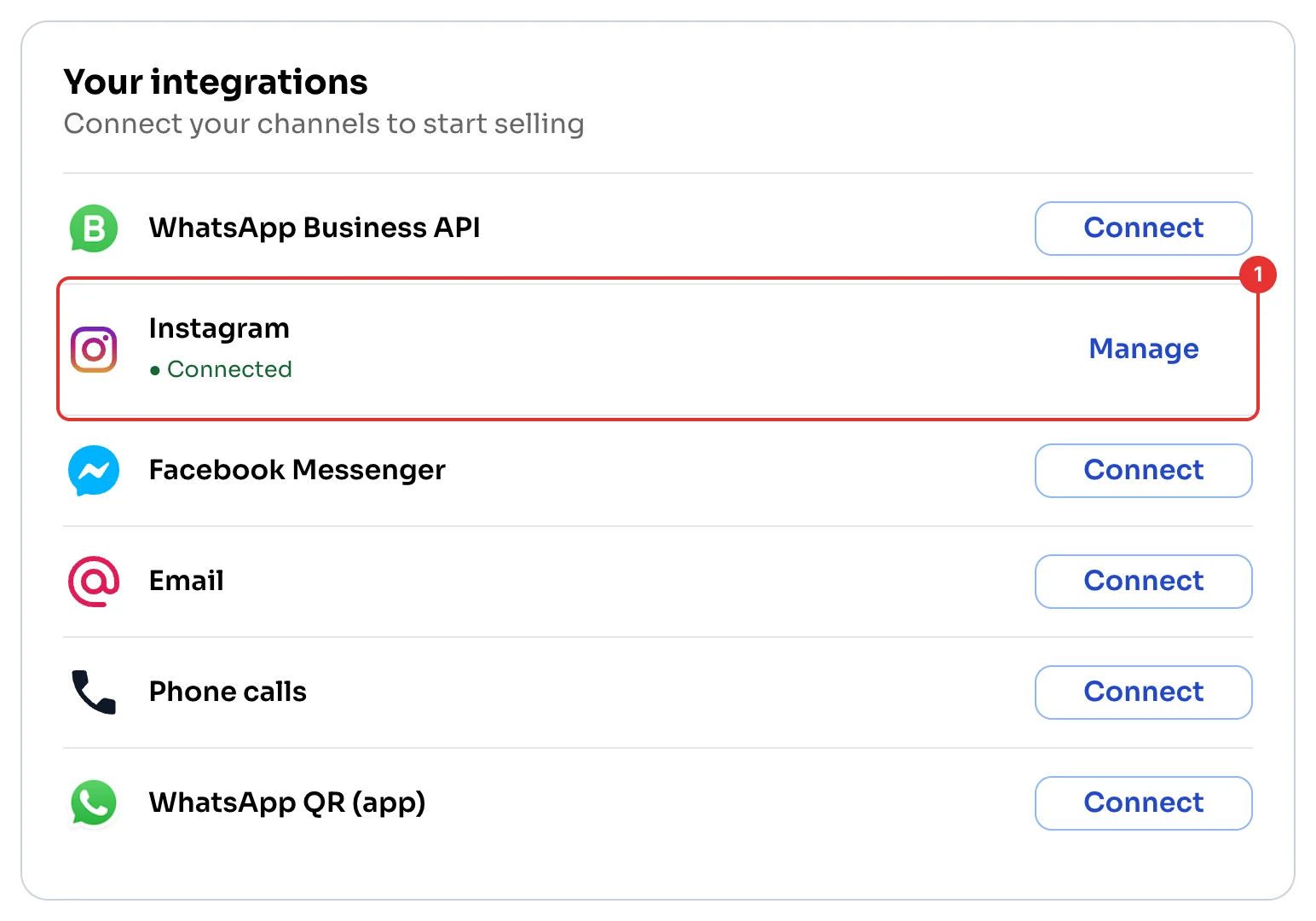
On the Dashboard, under Your integrations, click Connect next to Instagram (1) or Facebook Messenger (2).
Read and confirm
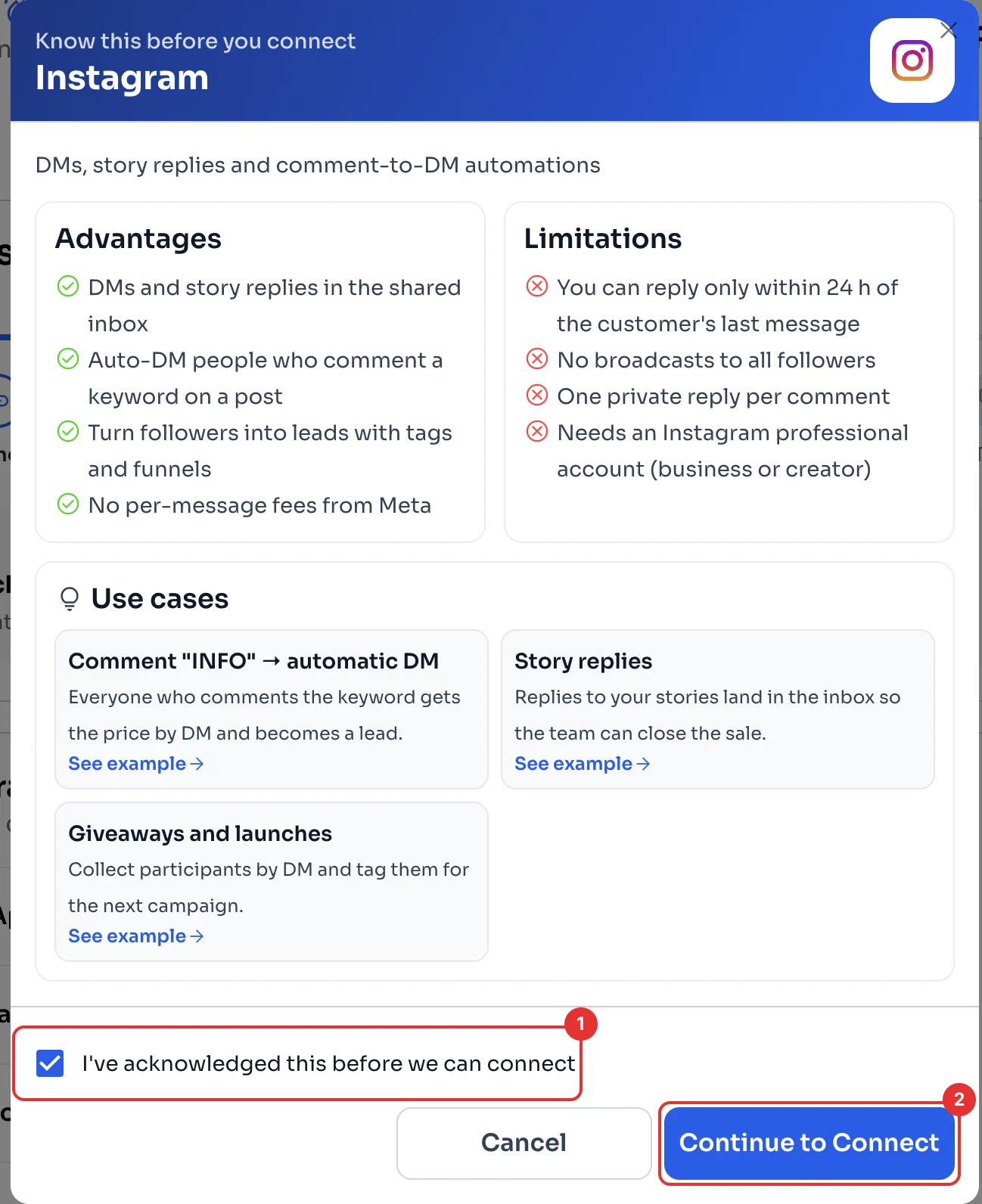
ChatSales shows you Instagram's advantages and limitations. For example, you can only reply within 24 hours of the customer's last message, and there are no broadcasts to all your followers.
Tick I've acknowledged this before we can connect (1) and click Continue to Connect (2).
Connect with Instagram
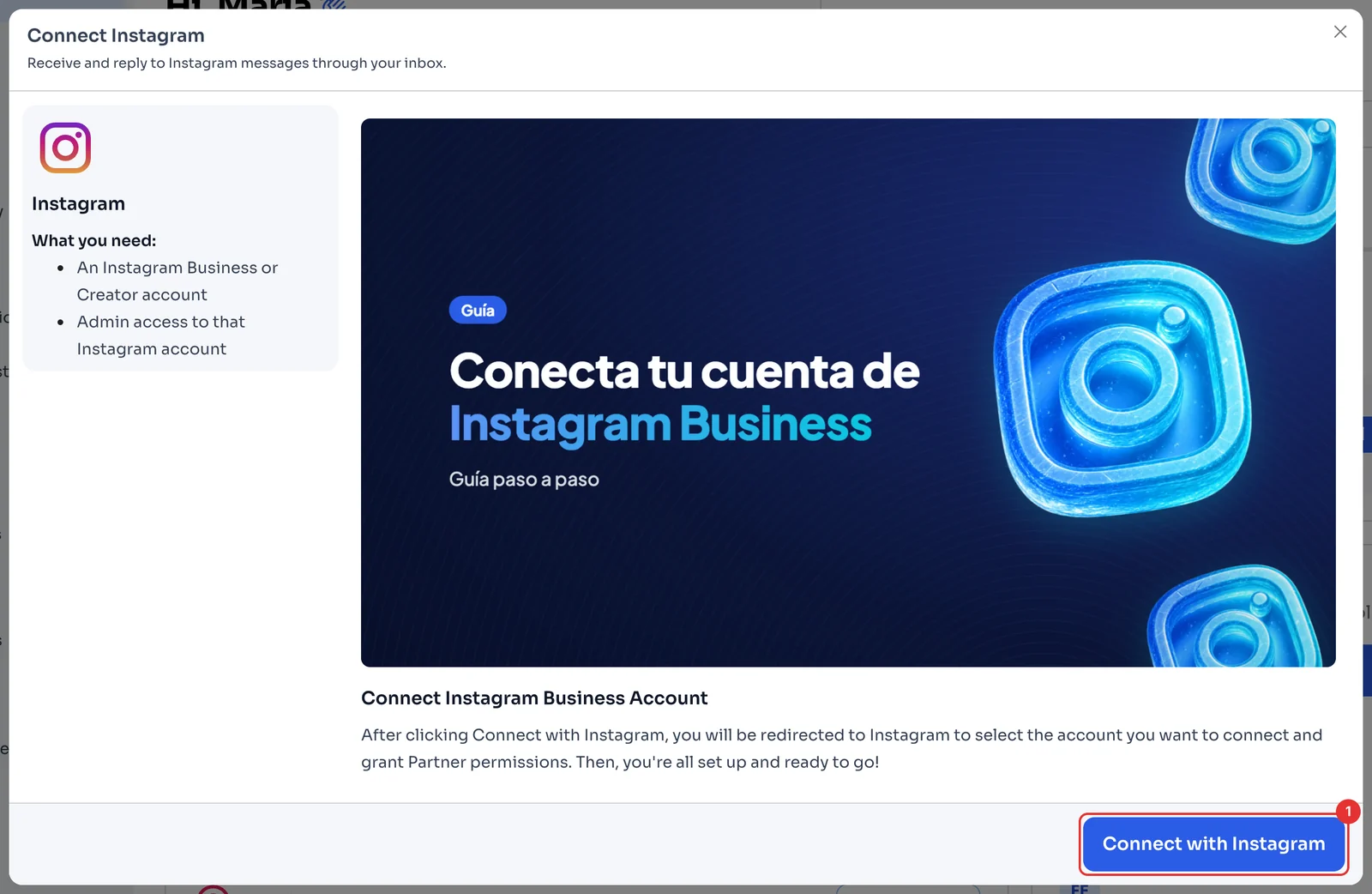
Click Connect with Instagram (1). Instagram opens: sign in, choose the account you want to connect and accept the permissions. When you finish, you are back in ChatSales.
Check it's connected
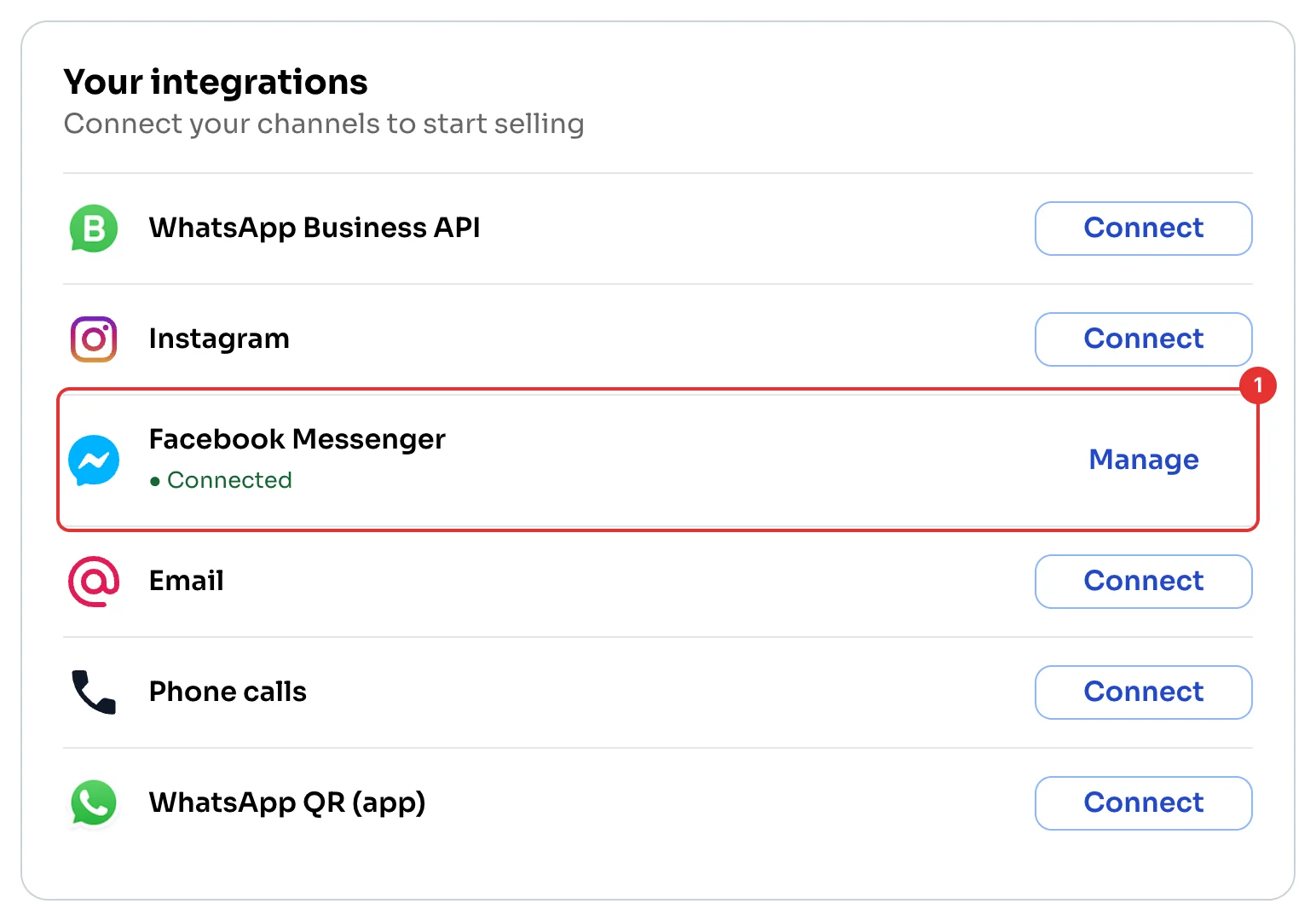
Instagram now shows Connected (1). Direct messages arrive in your Chat inbox.
Read and confirm
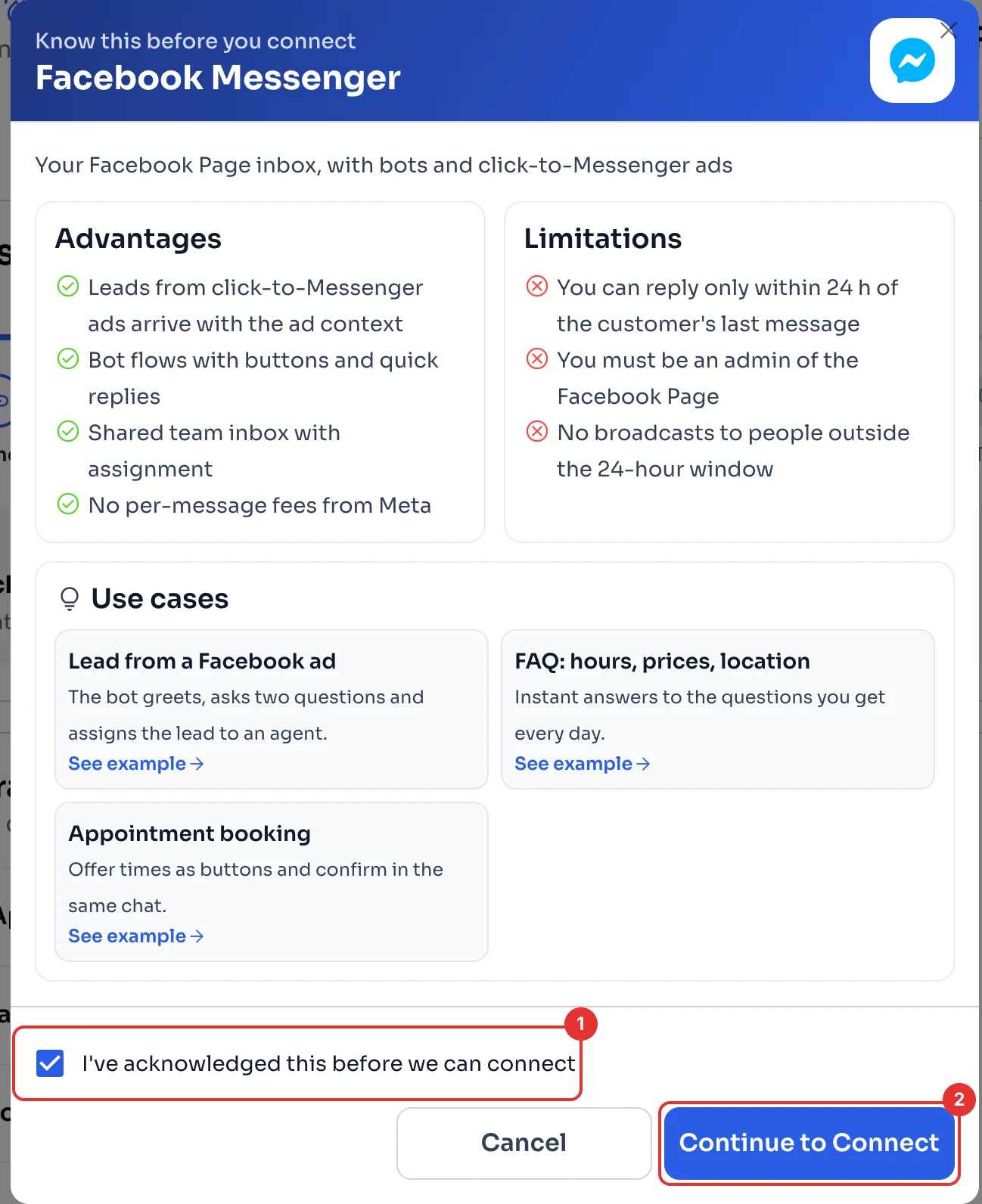
ChatSales shows you Messenger's advantages and limitations. For example, you must be an admin of the Page, and you can only reply within 24 hours of the customer's last message.
Tick I've acknowledged this before we can connect (1) and click Continue to Connect (2).
Connect with Facebook
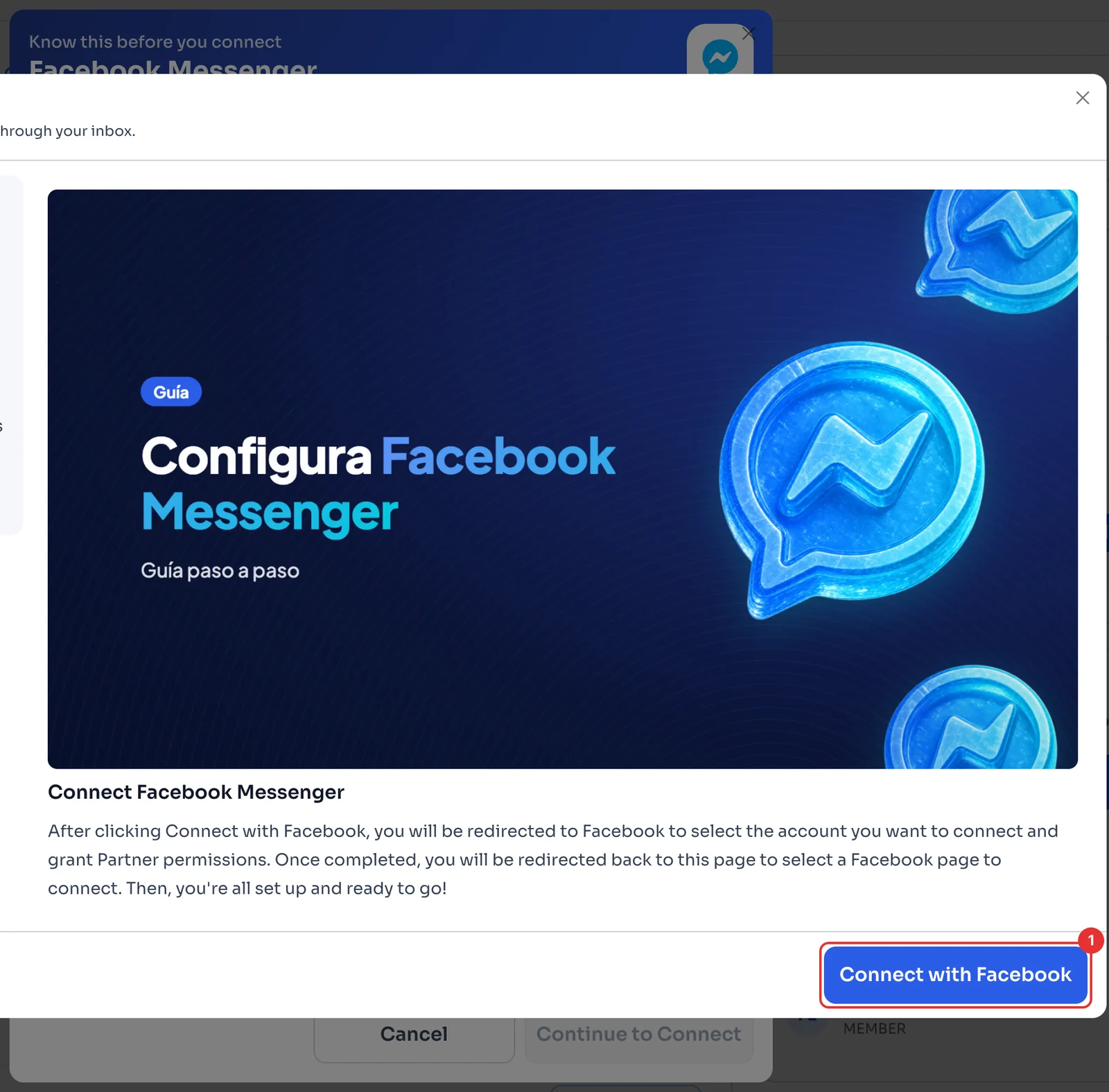
Click Connect with Facebook (1). Facebook opens: choose the account, accept the permissions and then pick the Page you want to connect.
Check it's connected
Facebook Messenger now shows Connected (1). Your Page's messages arrive in your Chat inbox.