
Channels
Connect your company email
Connect your company email and answer emails from the same inbox as WhatsApp, with each contact's history in one place. It's useful for long or formal content, like invoices and quotes.
Read and confirm
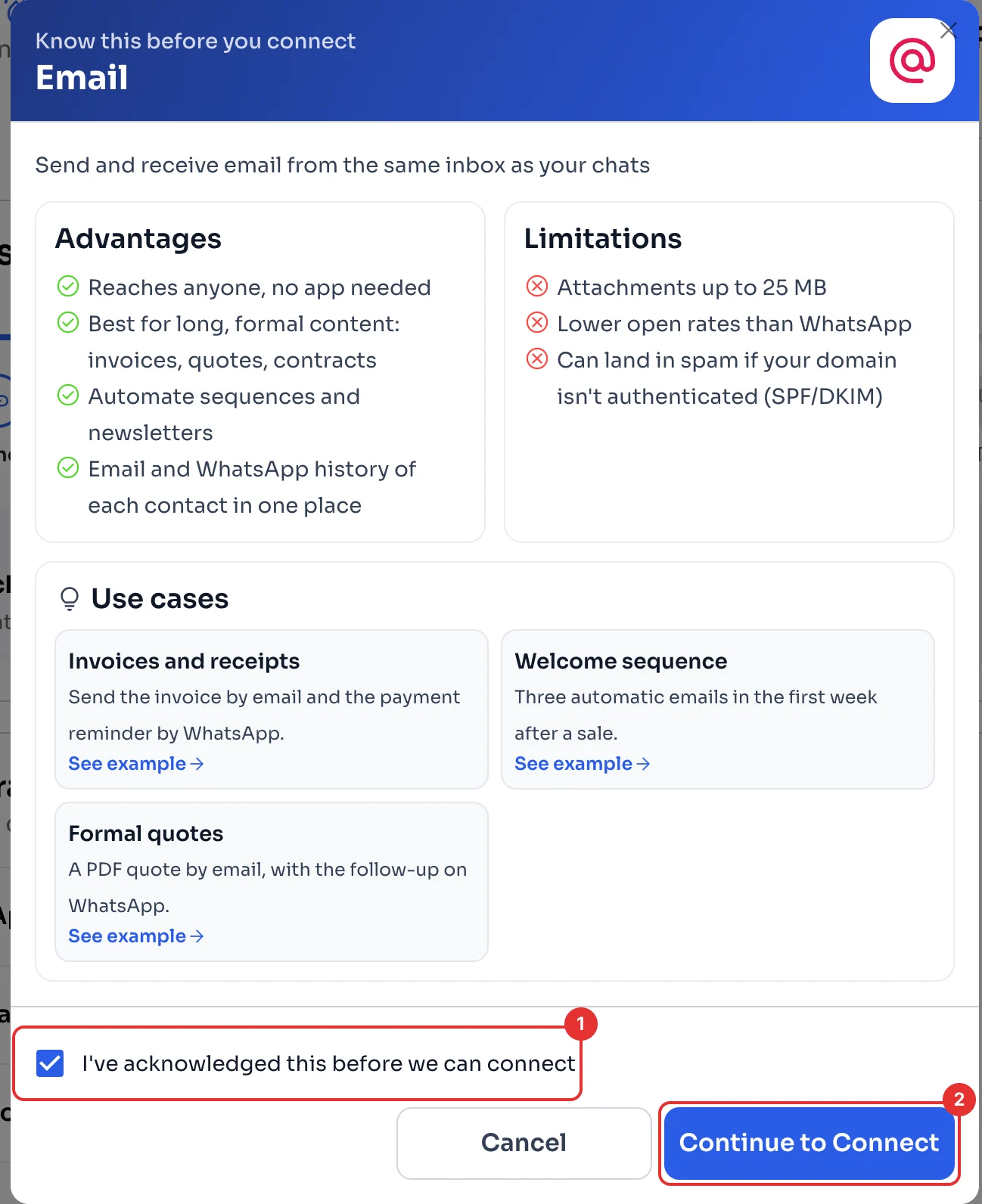
On the Dashboard, under Your integrations, click Connect next to Email. ChatSales shows you the advantages and limitations; for example, attachments are up to 25 MB and email can land in spam if your domain is not authenticated (SPF/DKIM).
Tick I've acknowledged this before we can connect (1) and click Continue to Connect (2).
Type your email
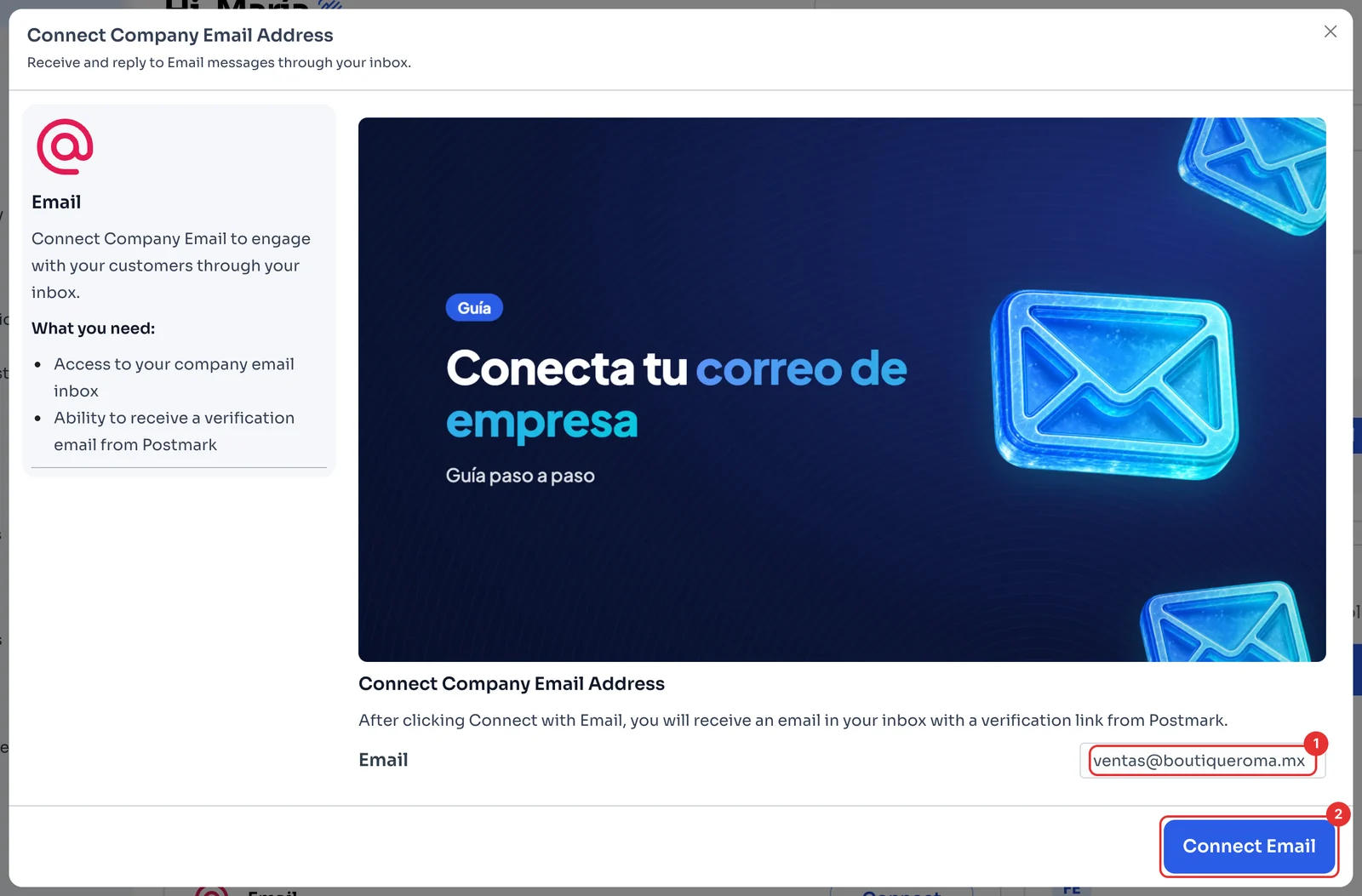
Type your company email (1) and click Connect Email (2).
That inbox gets a message from Postmark with a verification link: open it and click the link to confirm.
Check it's connected
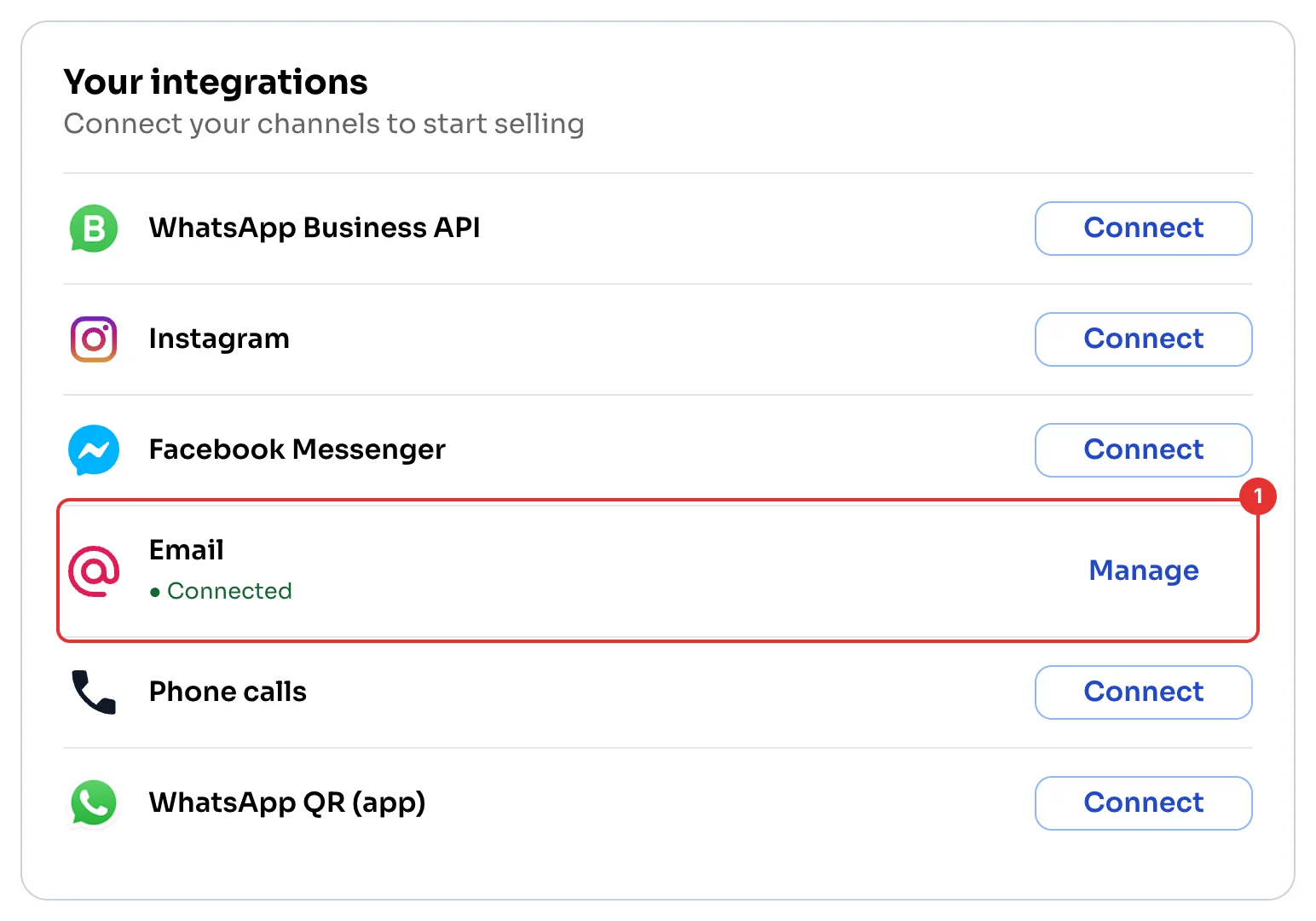
Email now shows Connected (1). Emails arrive in your Chat inbox.
← PreviousConnect Instagram or Facebook MessengerHow to connect your Instagram account or Facebook Page to ChatSales and answer their messages from the same inbox, with screenshots.Next →Reconnect a disconnected channelWhat to do when a WhatsApp channel in ChatSales disconnects: reconnect it in one click, scan the QR code again or relink it with Meta, with screenshots.