Create your AI chatbot
The AI chatbot reads your documents, like your price list or FAQ, and uses them to answer customers 24/7. When it doesn't know something, it replies with your fallback message and hands the chat to your team.
Create a chatbot
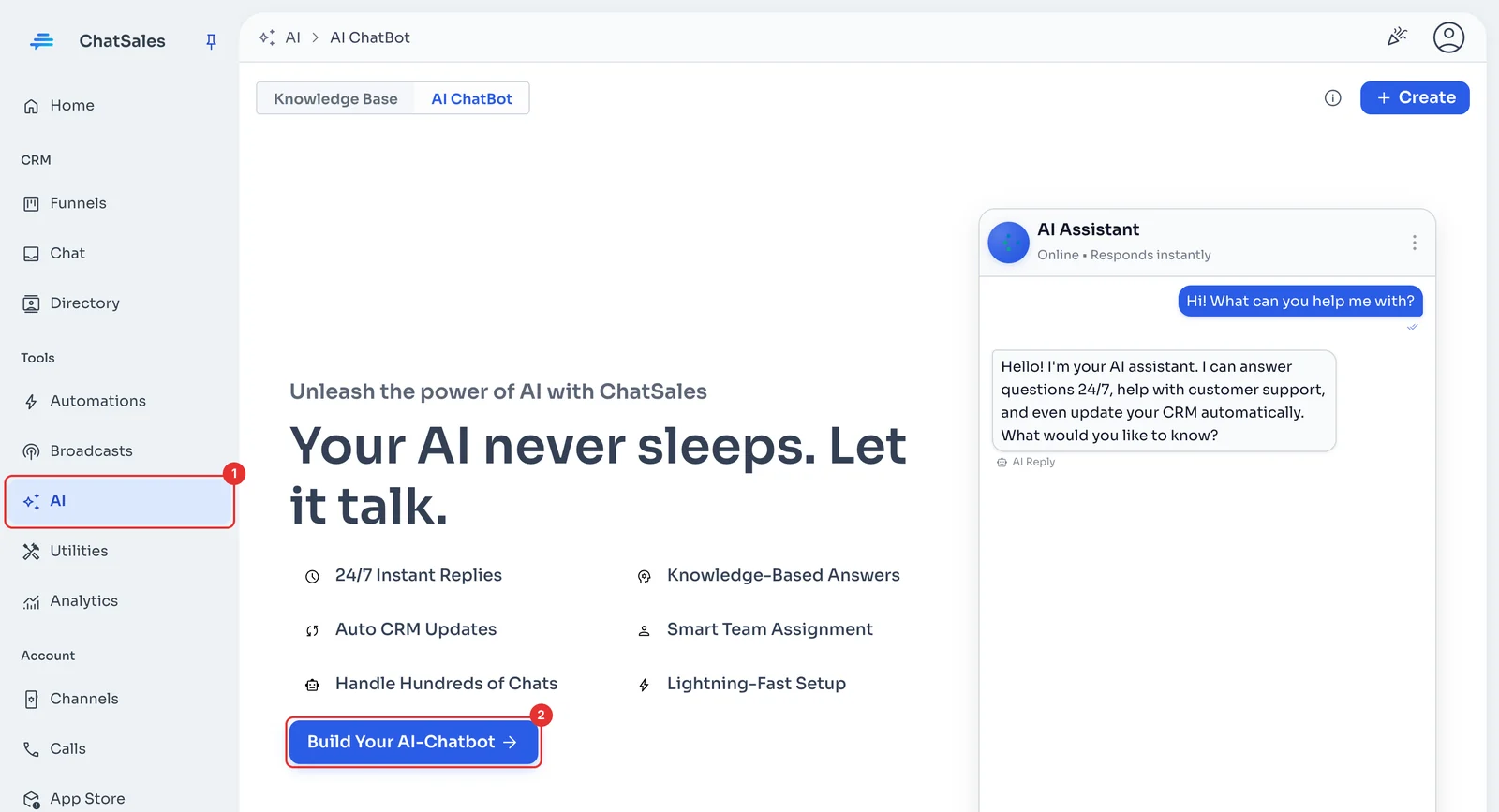
In the menu, go to AI (1). Under AI ChatBot, click Build Your AI-Chatbot (2).
Start from scratch
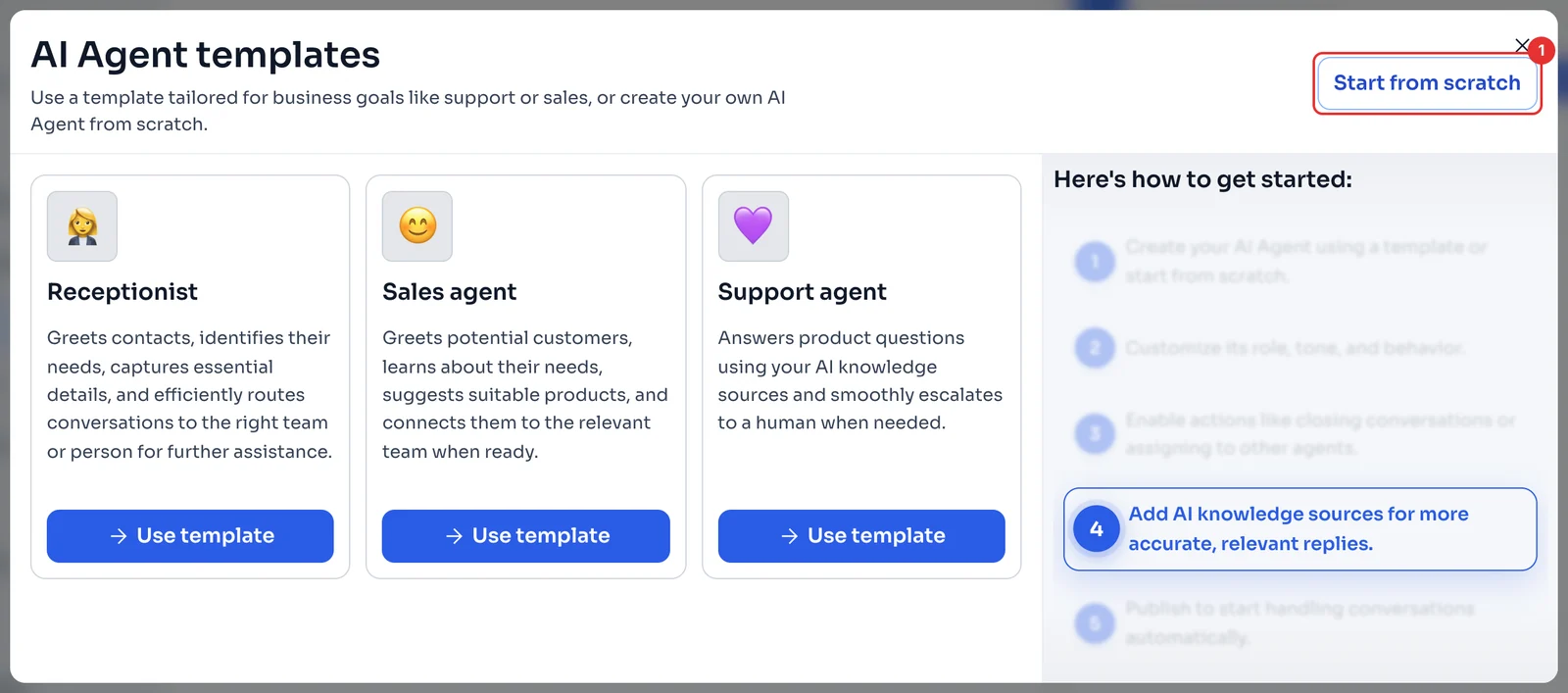
In AI Agent templates, click Start from scratch (1). You will write the instructions yourself in the next step.
Name it and upload your documents
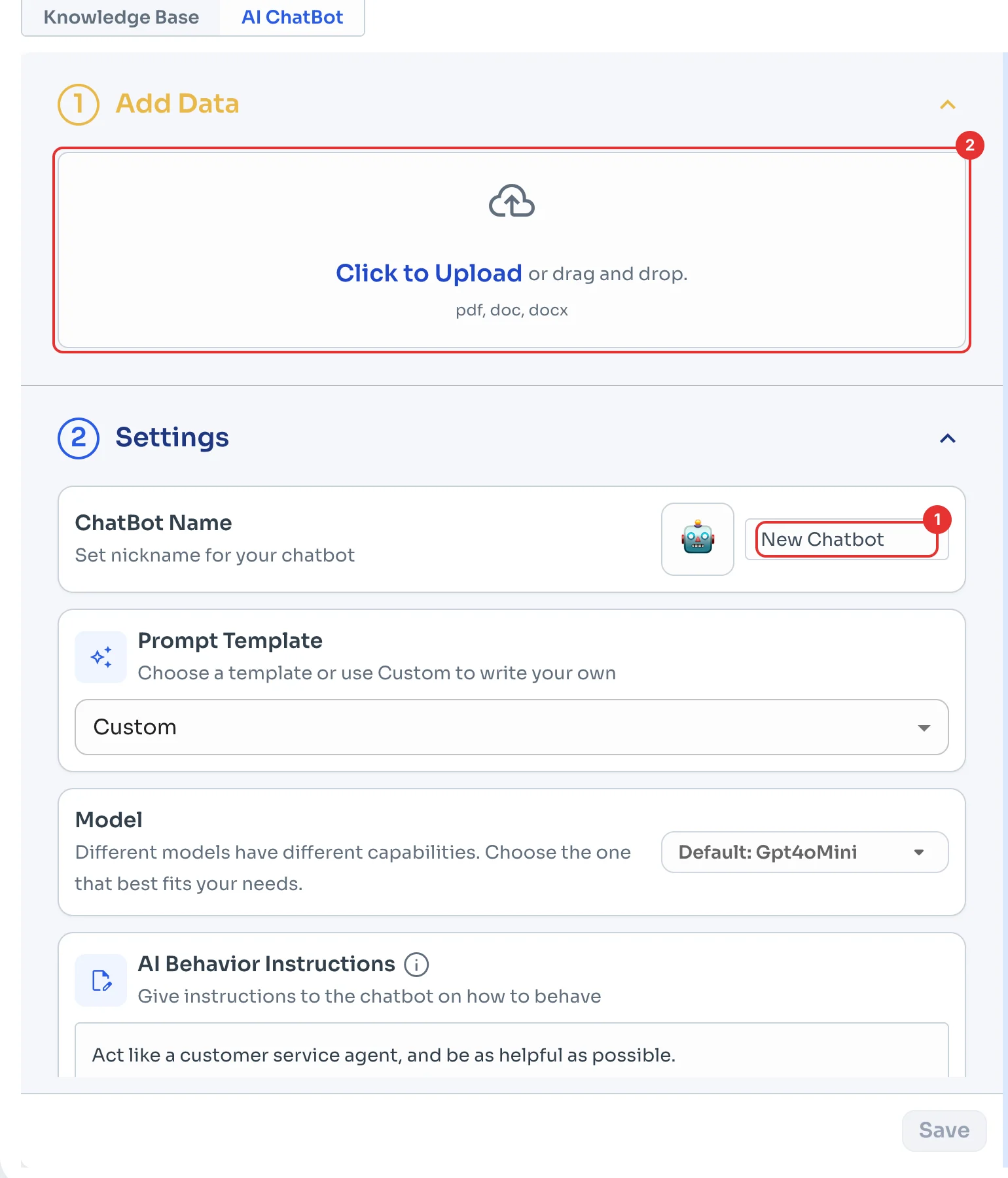
Under ChatBot Name (1), give it a name first: ChatSales saves the chatbot as soon as you upload a file.
Under Add Data, click Click to Upload or drag your files in (2): PDF, DOC or DOCX with the information the chatbot should use, like prices, opening hours, shipping or return policies.
Tell it how to behave
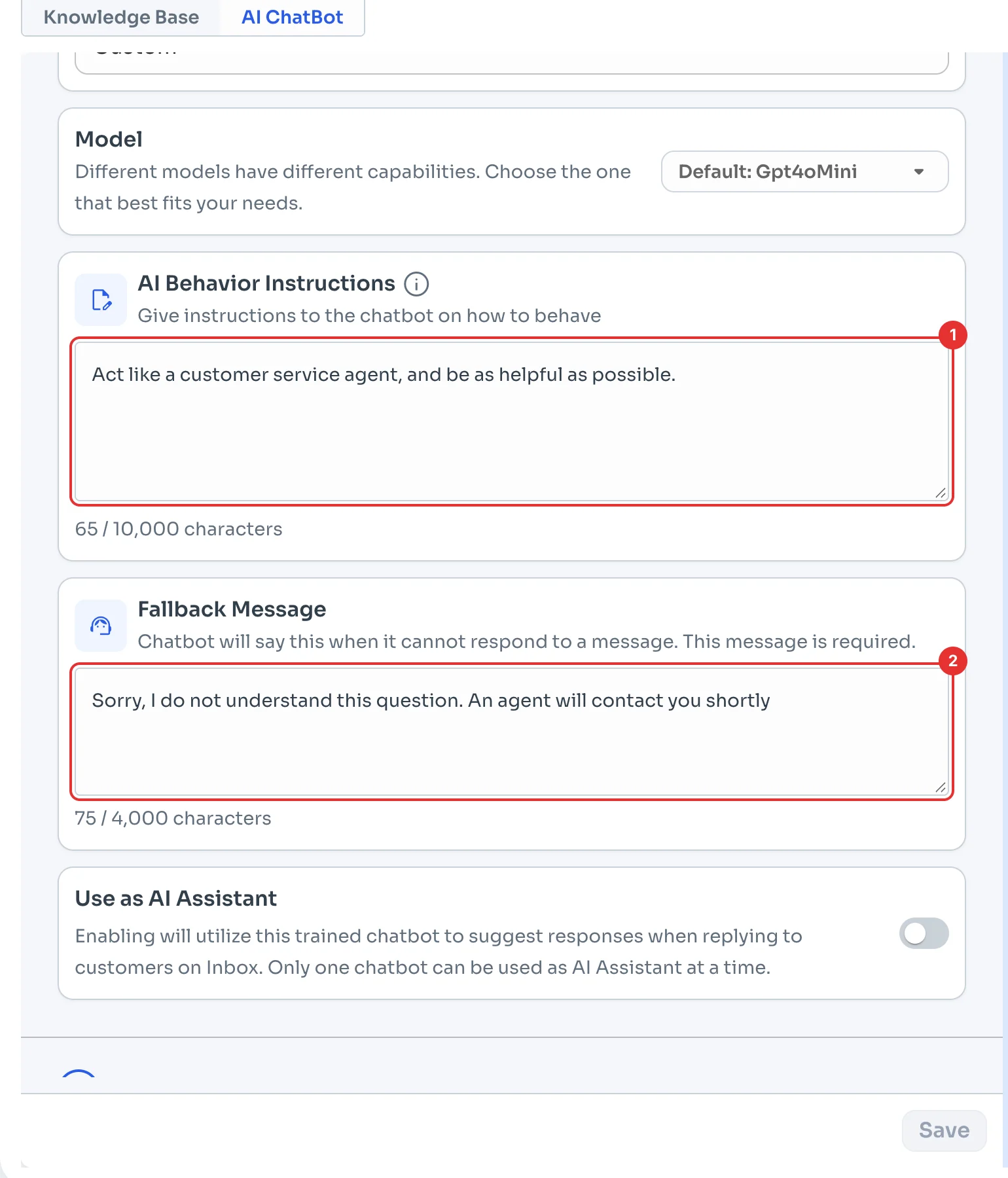
Under AI Behavior Instructions (1), explain how it should reply, for example: "You are a Boutique Roma sales assistant. Reply in a friendly, short tone and offer free shipping."
Under Fallback Message (2), write what it says when it doesn't know the answer. Turn on Use as AI Assistant if you'd rather it suggest replies to your team in the chat instead of answering on its own.
Train it
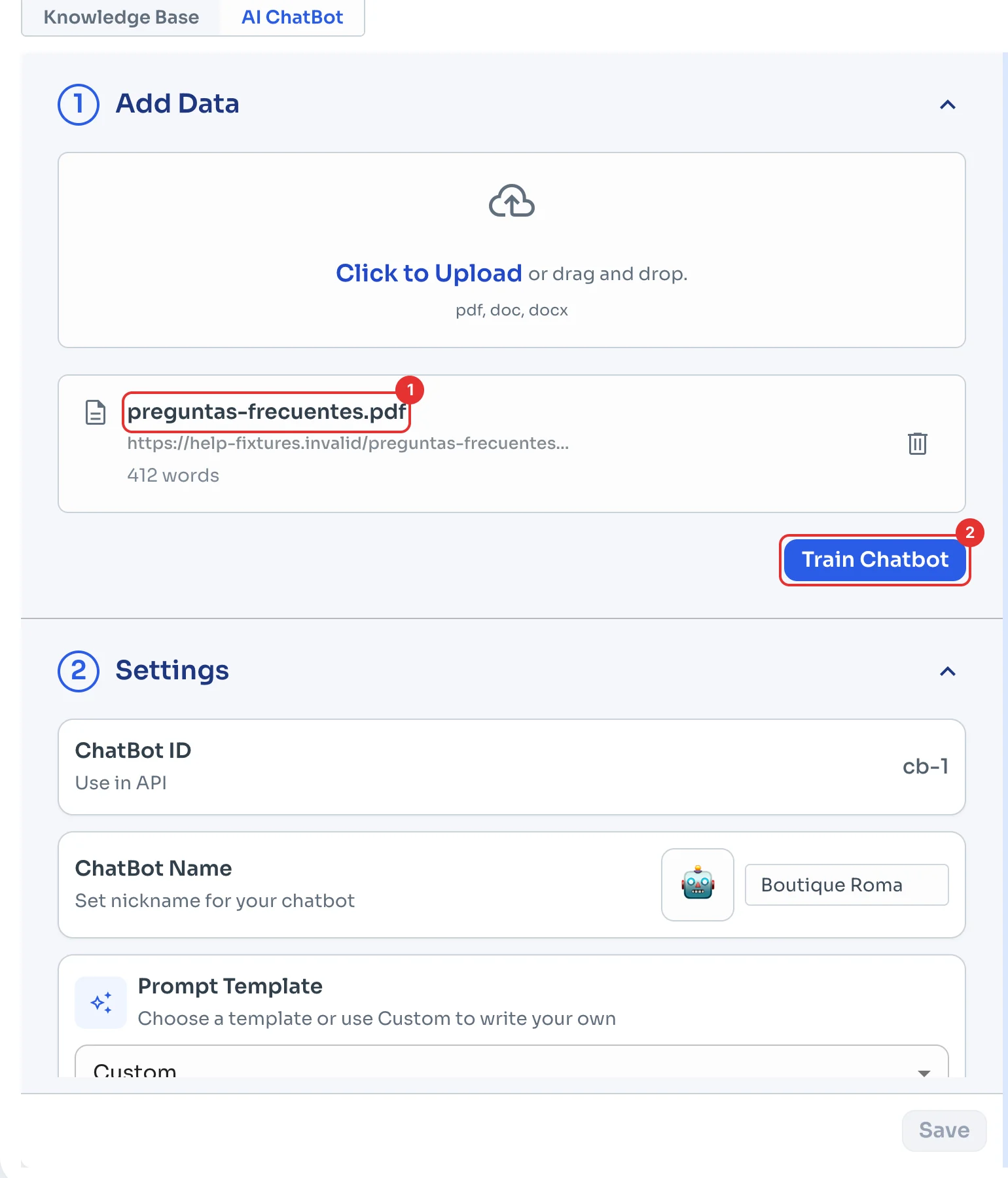
Your file appears under Add Data once it has been read (1). Click Train Chatbot (2). Training can take a few minutes and shows its progress; when it finishes, a test chat opens on the right.
Test it before it goes live
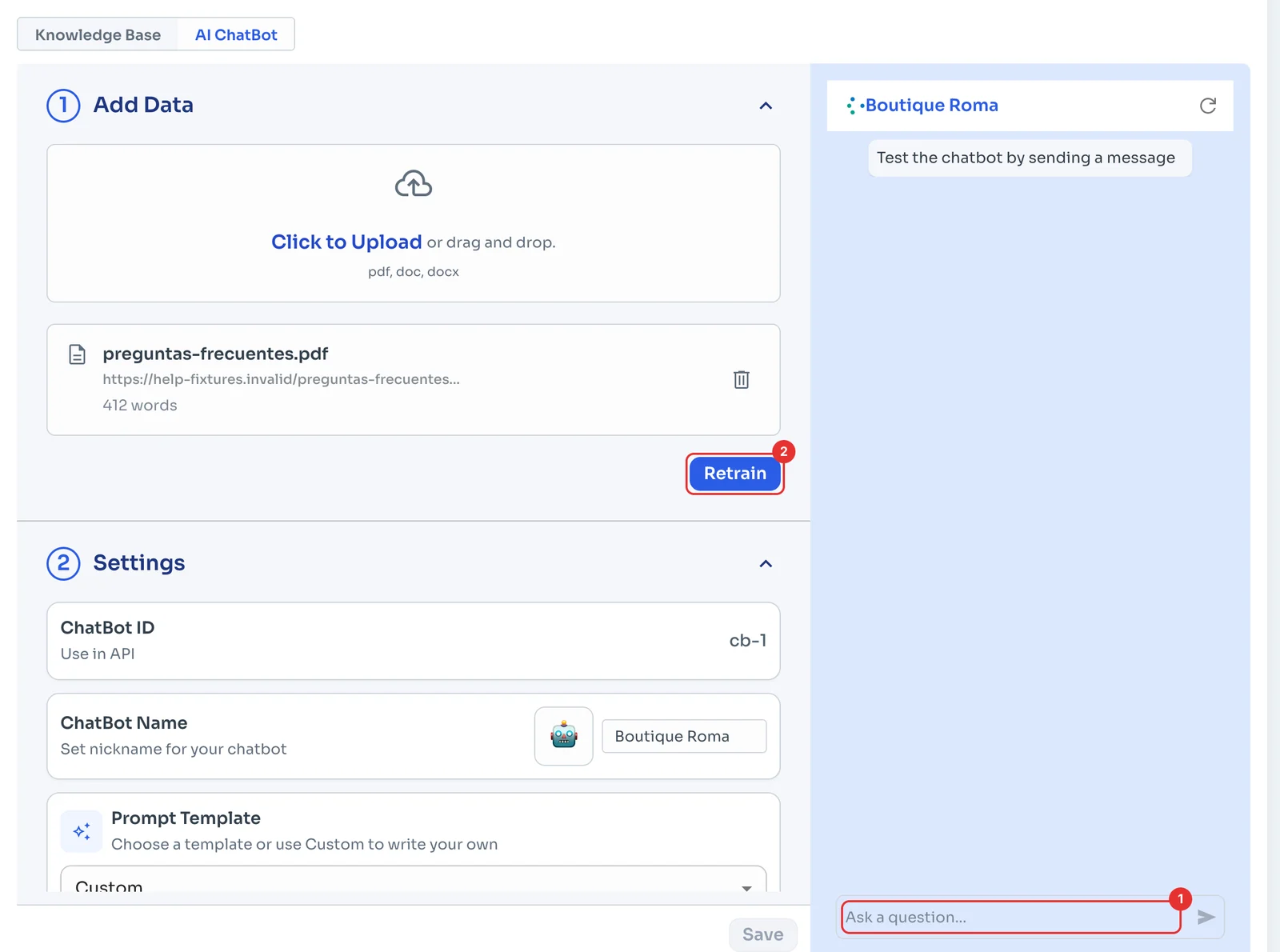
In the chat on the right, type a question your customers ask in Ask a question... (1) and check the answer. If you add or remove documents later, click Retrain (2) so it uses the new information. The test chat uses the saved chatbot, so click Save after changing its settings.
Connect it and save
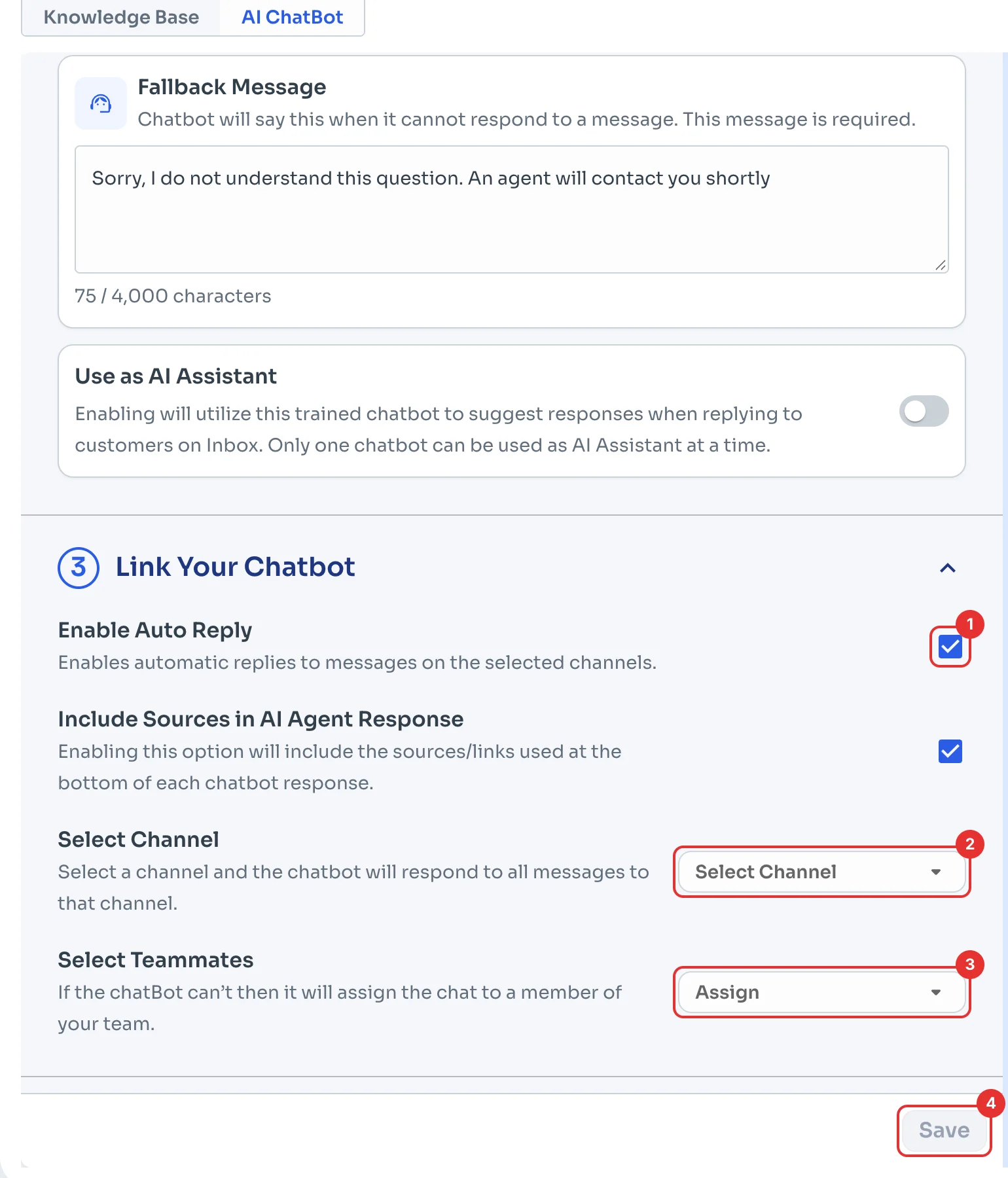
Under Link Your Chatbot, keep Enable Auto Reply ticked (1). Under Select Channel (2), pick the WhatsApp it answers on, and under Select Teammates (3), who gets the chat when it can't help.
Click Save (4). The button turns on when there are changes to save: uploading and training already saved the chatbot, but the auto reply only starts working once you save the channel here.