Automations
Check when your automations ran
Every time a trigger starts a flow, Trigger History keeps a record: what set it off, which flow ran, when, and how its messages did. Use it to check your automations are working.
Open the history
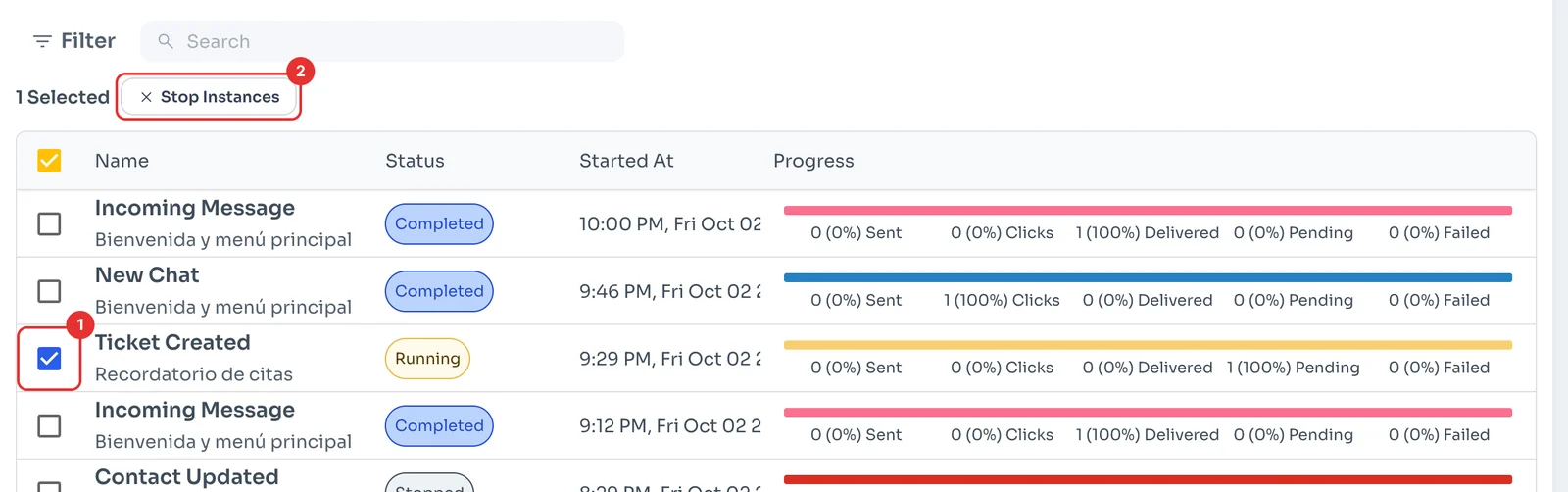
In Automations, open the Trigger History tab (1). Each row is one time a flow ran: the trigger on top and the flow name below (2).
The status (3) says whether it finished (Completed), is still going (Running) or was stopped (Stopped). The Progress bar (4) shows how the first message of the flow did: sent, clicked, delivered, pending or failed. Click a row for the details.
Stop a running flow
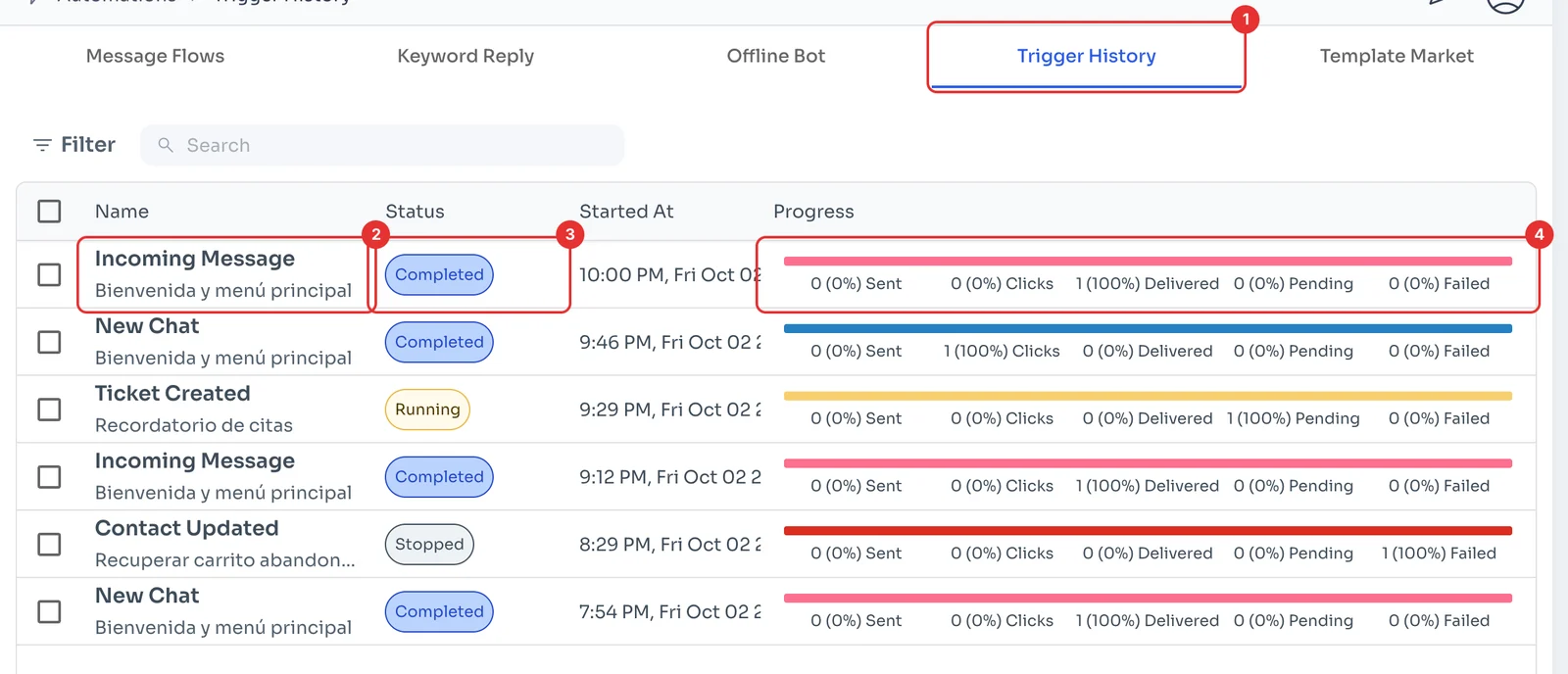
To stop a flow that is still running, for example one with scheduled messages, tick its row (1) and click Stop Instances (2). That stops that run of the flow.