Create a WhatsApp QR code and link
A WhatsApp QR code lets customers write to you just by scanning it, for example in your shop, on your packaging or on a flyer. ChatSales also gives you the link for your social media and website.
Pick the channel and the message
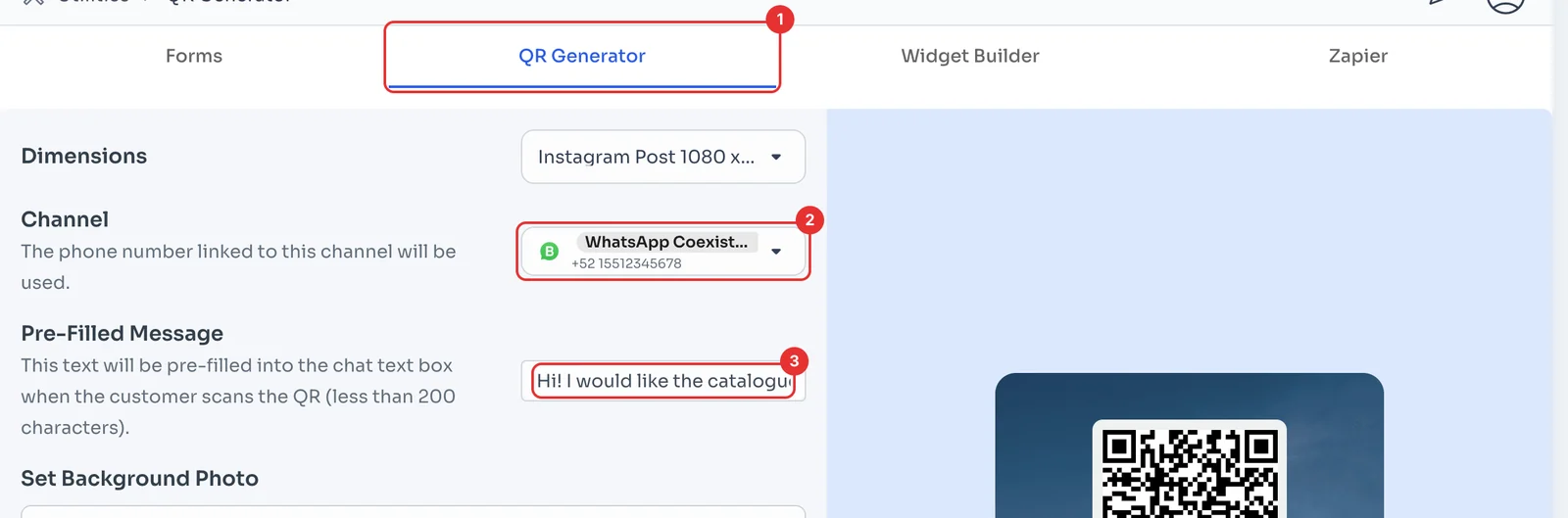
In Utilities, open QR Generator (1). Under Channel (2), pick the WhatsApp the chats will arrive on.
Under Pre-Filled Message (3), type what the customer will already have written when they scan, under 200 characters. That way you know where each chat came from.
Design it and download it
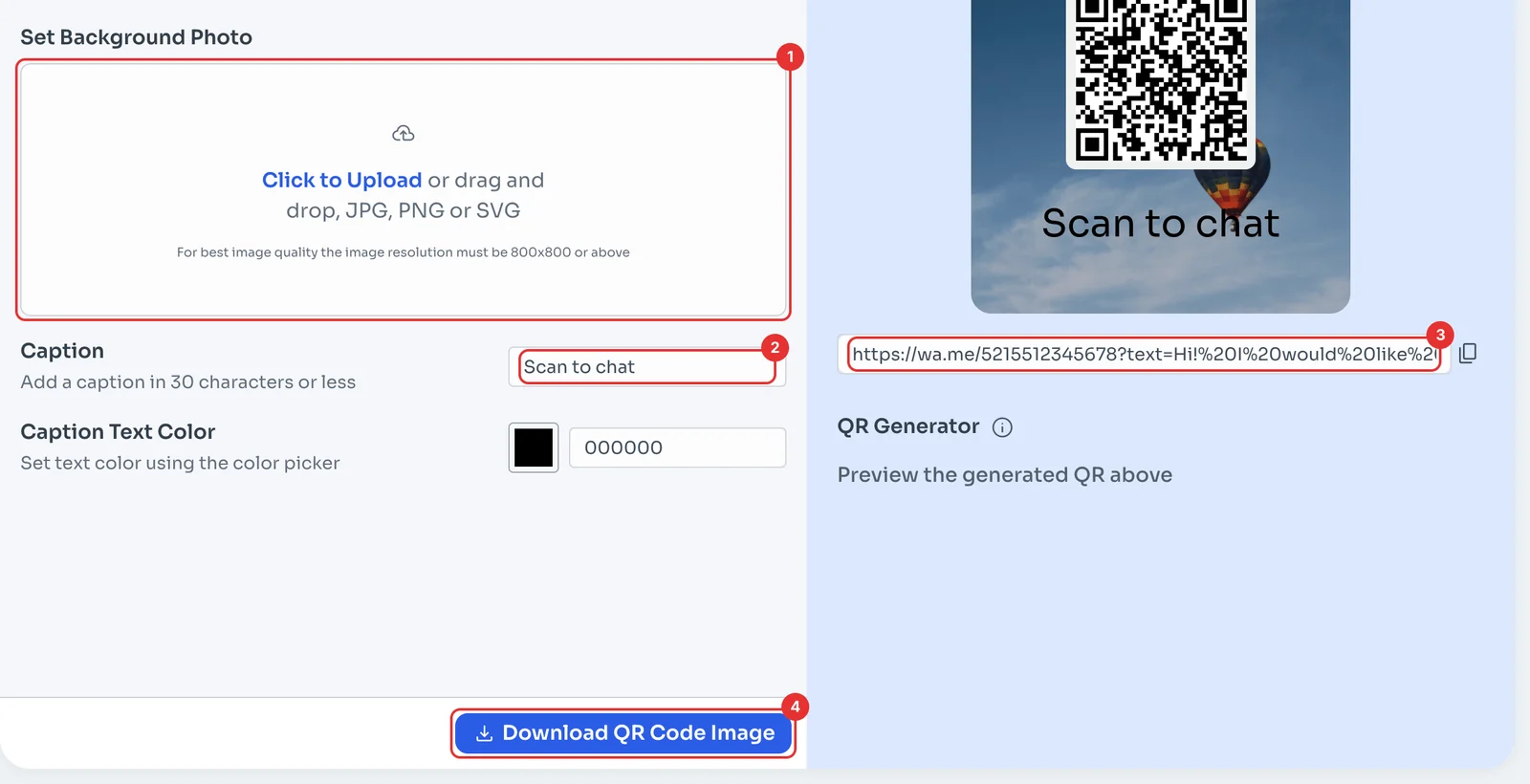
If you like, upload a background photo (1) in JPG, PNG or SVG; for best quality, 800×800 or larger, and type a Caption (2) of up to 30 characters. The preview updates as you go.
Copy the link under the QR (3) to use on your social media or website, and click Download QR Code Image (4) to print or post it.